Because of how forms (categories) are connected to tasks
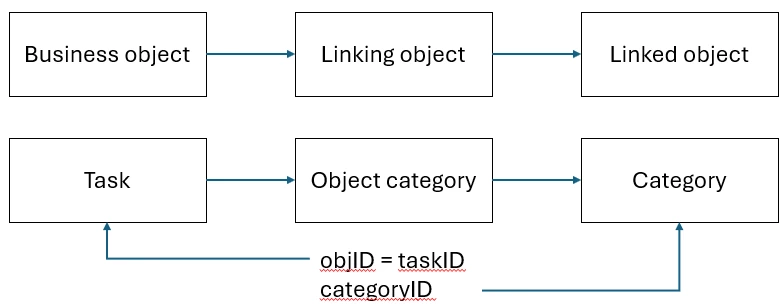
and because I don't know of a "removeCategory" method, I get the collection objectCategories
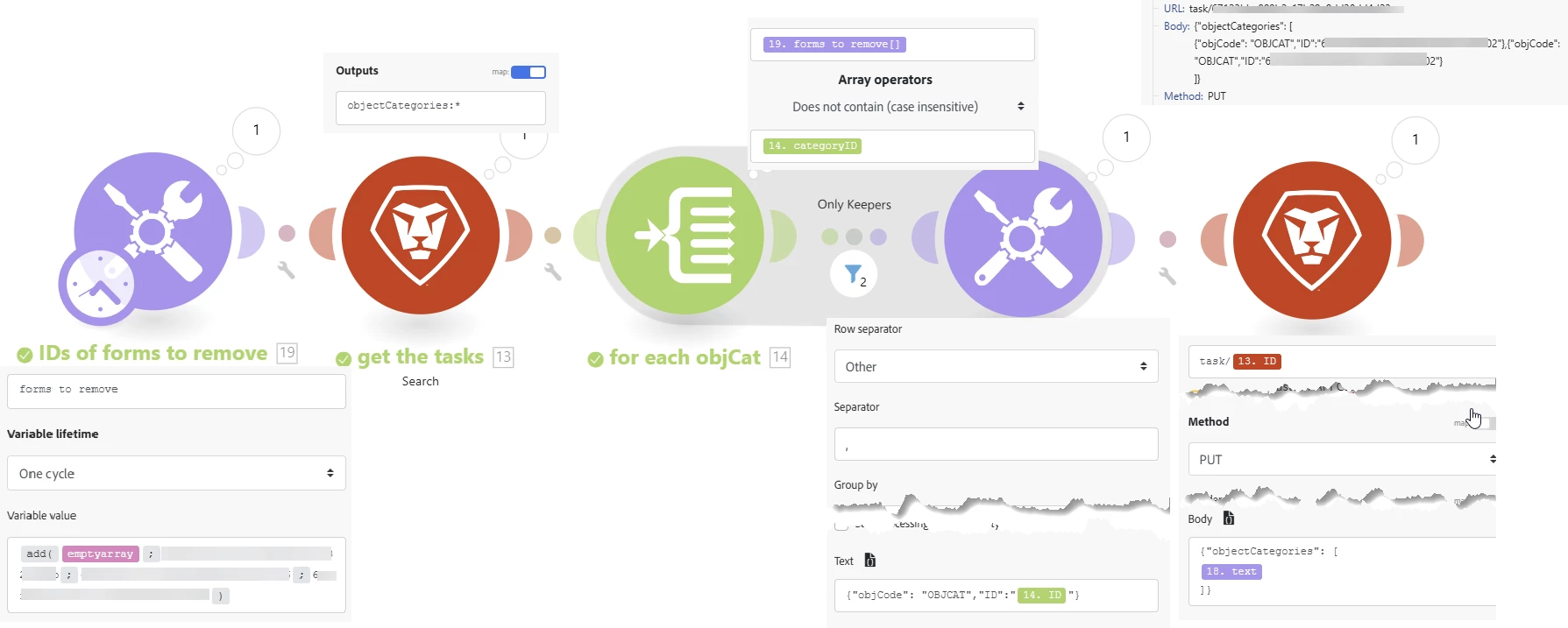
Then I modify the collection and replace it on the task object.
In your case it's pretty simple:
We get a list of existing objectCategories, and collect all but those that point tot he forms we want to remove.
So if your task has forms A B and C, and you want to remove B, we keep all objectCategories except the one that points to B. we then overwrite the property objectCategories with the new list
Since you're not doing anything to the actual forms/fields values, we can simply give WF the new list og objectCategoryIDs - we don't need to pass anything else:
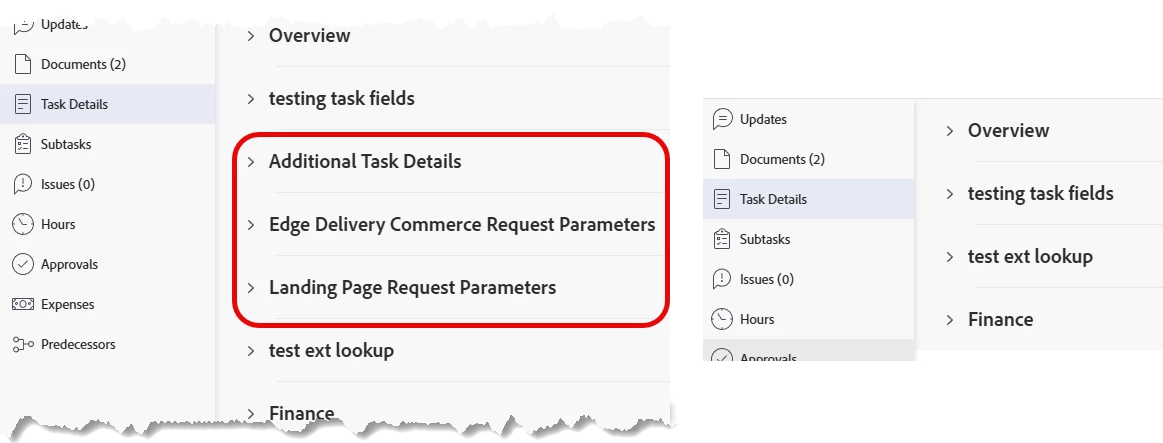
Example: I want to remove the 3 marked forms
Wasn't able to successfully setup your scenario but I have a ticket in with Support regarding this. They sent me over this template (see attached zip file) and the probably I'm running into is that these projects are closed or cancelled so I have to reopen every single project.
However, there are several tasks within each of these projects that I'm trying to navigate and remove the form from to then turn back into the original status of either canceled or closed.
Waiting for a response from Support but this is super frustrating, there should be an easier way to bulk remove all of these templates. I might just end up having them remove the form at this point.
Appreciate your assistance though!