Anyone else experiencing problems with document upload in Fusion 2.0? | Community
Skip to main content
Level 8
March 17, 2021
Question

Anyone else experiencing problems with document upload in Fusion 2.0?

  • March 17, 2021
  • 1 reply
  • 1139 views

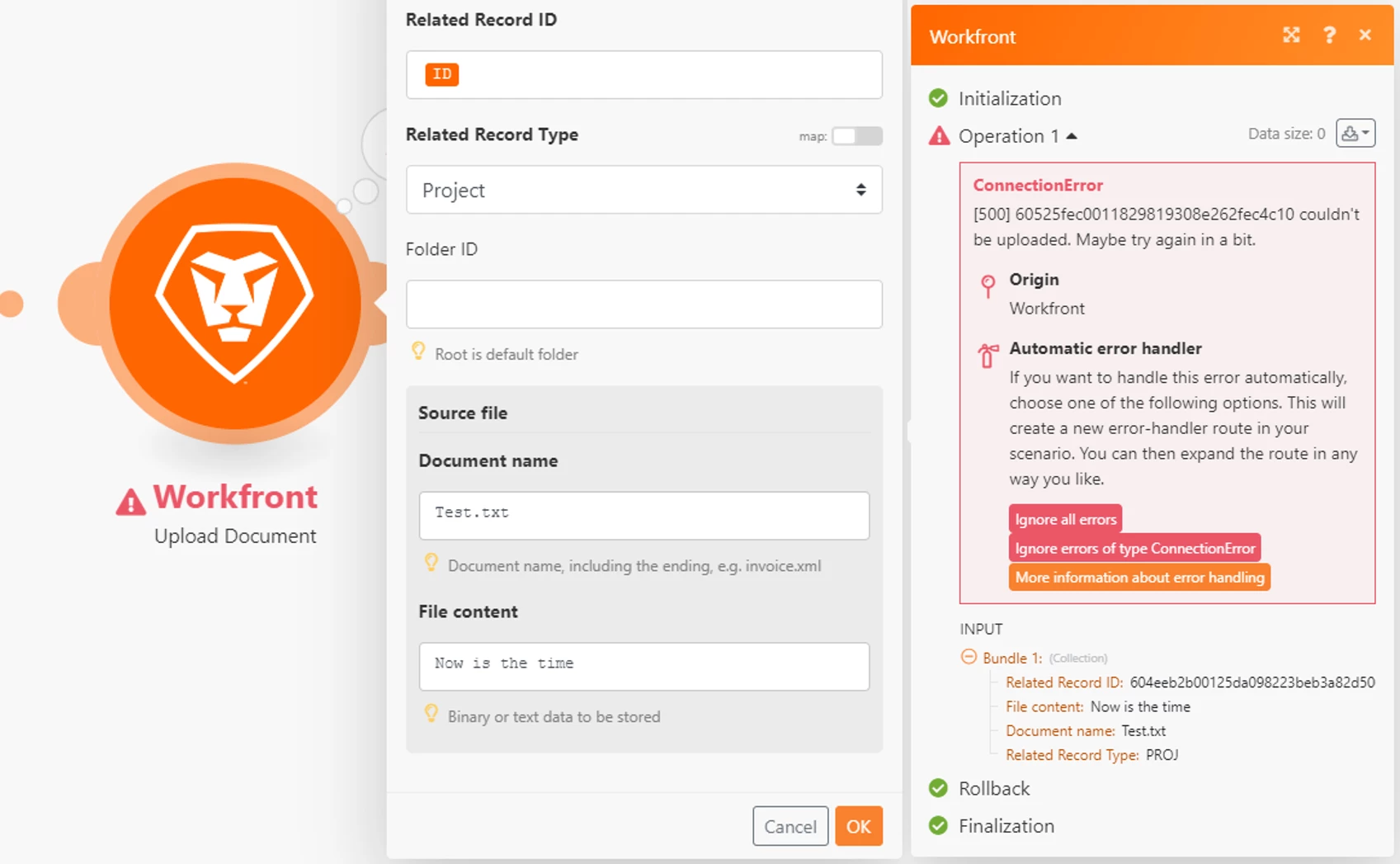
Using the Fusion 2.0 'Upload document' module for Workfront and passing a valid project ID (confirmed), it takes a while for the red ring to surround the upload document module, then fails to upload a document.

There's not a lot of explanation in the output error, just that Workfront couldn't do it at this time. I'm pretty sure it worked a week ago, and now has stopped.
This post is no longer active and is closed to new replies. Need help? Start a new post to ask your question.

1 reply

Level 4
March 17, 2021

Hi Barry, that is pretty strange. I just mimicked exactly what you have without any problem. I'd be interested to confirm if you can upload file directly in the Workfront interface. If so, (and maybe if not), I think you'll want to submit a support ticket so that they can take a closer look. I even tried to think of all the different error conditions to see if I could reproduce the same error (using an invalid project ID or uploading to a project that is closed both produce different "rational" errors).

Or -- for the adventurous -- you could use the Workfront Fusion Chrome Devtools described here to dive into more technical details of what may be going on behind the scenes.

BarryBu2Author
Level 8
March 17, 2021

Thanks Darin,

I've done a bit more digging and already opened a ticket.

  • I built a two module scenario to find a known project and upload a document, pointed it to a different Workfront instance and it worked.
  • I then changed the connection of both modules and it failed.
  • I then logged into that instance as the user who has authenticated the connection and manually uploaded a document.
  • I checked under setup and the Workfront instance is allowing documents stored on Workfront
  • Support confirmed they could upload a document to another sandbox instance, so it's not that we're not using a production instance of Workfront

Working with support on the issue now.

BarryBu2Author
Level 8
March 21, 2021

Thanks Chris. Testing took 30 seconds to confirm the issue is with sandbox and not preview. If we had of been told that when we logged the ticket, we could have shrugged our shoulders and moved on instead of waiting for days for support to confirm we're not idiots and the correctly configured module is failing, and then be left with no work-around.