Master List of Compatible HTML | Community
Skip to main content
MATTHEW450
Level 2
January 3, 2023

Master List of Compatible HTML

  • January 3, 2023
  • 5 replies
  • 3795 views

I'm trying to find some master list of compatible HTML/CSS with Workfront reporting. How far can you go? Can you use javascript potentially? I'm going to leave a list of coding I have found and how I use it, if you have anything to add, please leave it below!

HTML: <a href:"link here">Click Here</a> (Not particularly useful, you can create a functional link tied to a field using other code. This is just possible to do) <b></b> (Bold) <i></i> (Italics) <strong></strong> (Defined Bold) <em></em> (Defined Italics) <div style="element: value;"></div> (Container that can be used to add CSS by adding an inline style element) <font></font> (Can add style elements to font like color, size) <p></p> (paragraph) <br> (line break) <hr> (line break with a visual line) CSS: border: value type color; border-radius: value; (used to round off border corners) background: color-value; padding: value; (adds distance between the content within the border) text-align: value; (left, center, right)

This is all that I have used so far, I haven't experimented with much else yet as I am still learning these languages. I'm hoping this will be useful for those like me who have not learned how to write script yet, but want to take their reports to the next level


5 replies

lgaertner
Level 9
January 3, 2023

Hello Matthew,


such a list is very helpful! I am currently trying around a lot in Workfront and as I learned about text mode in reporting recently, I will check the HTML/CSS/JS(?) capabilities as soon as possible. Hopefully, I will be able to add some useful stuff here within the next days/weeks.


Regards

Lars

lgaertner
Level 9
January 4, 2023

Hello Matthew,


can you please provide me with an example on how to work with HTML tags in reporting? How do you add them in textmode on values?


I tried 

valueexpression=<strong>{DE:abcBriefingGeneralHeightPerformanceTestLabel}</strong> valueformat=HTML

 But doing that leads to the fact, that the column is blank.


Besides that something like

value= <font color=0000FF><b>Home Team: </b></font>

 works. 


Thanks in advance.


Regards
Lars

MATTHEW450
Level 2
January 5, 2023

To use HTML, you can only use it one way, in a value line


displayname=Circle value=<div style="background: #0000FF; border-radius: 50%; padding: 5px; width: 50px; height: 50px; text-align: center;"><font color=#0F0F0F>Maybe</font><div> valueformat=HTML sharecol=true


To apply it to a field, you need to wrap the column in spacing columns with the element opening in the first one and closing in the last one


column.1.displayname=Very Late Rating column.1.value=<font color=#FF0000> column.1.valueformat=HTML column.1.sharecol=true column.2.displayname=Very Late column.2.valueexpression=IF(WEEKDAYDIFF({plannedCompletionDate},{actualCompletionDate})>5,"1"," ") column.2.valueformat=customString column.2.sharecol=true column.3.displayname= column.3.value=</font> column.3.valueformat=HTML


 You cannot use HTML in a valueexpression

Level 2
January 17, 2023

This is very interesting information and I appreciate you sharing. I am still learning Text Mode and have a couple of questions:


  • Regarding the HTML Field (Shared Column) code displayed above, are you able to share a Screenshot example of what this accomplishes?
  • Can I use the following Project-based Report Text Mode Code and apply HTML using the Shared Column method?

    displayname=Event Name Final
    listdelimiter=
    listmethod=nested(tasks).lists
    shortview=true
    textmode=true
    type=iterate
    valueexpression=IF({milestone}.{ID}="63c1c239002cd7d68451d42e0e0445c3",IF(ISBLANK({actualCompletionDate}),CONCAT({plannedCompletionDate}),"DELIVERED"))
    valueformat=HTML


I would like to Center, Bold and turn the Word "DELIVERED" to Green.


Thanks for your time.

MATTHEW450
Level 2
January 5, 2023

So far I am not seeing a limitation on CSS as long as it is inline. Just made some shapes and adjustments


CSS:

margin: value;

width: value;

height: value;

margin: value;

display: value;

align-items: value;

Rafal_Bainie
Community Advisor
Community Advisor
January 5, 2023

I used 


<span style="display: inline-block">


to properly aling multiple html objects in single cell

MATTHEW450
Level 2
January 5, 2023

Could you provide an example? Something I could copy and past and see what you mean. Thank you!

Rafal_Bainie
Community Advisor
Community Advisor
January 9, 2023

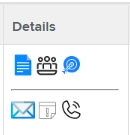
Sure, so for instance I have cell that looks like that:

aligning these icons in a single row or in 2 separate rows without inline-block was impossible to achieve


Doug_Den_Hoed__AtAppStore
Community Advisor
Community Advisor
January 5, 2023


Thanks @matthew450  (et al): this is an interesting thread.


As it does pertain to both textmode and html in a fairly advanced fashion, I'm tagging @matt-thomas who's leading the New Reporting Experience team for his thoughts / assurance / cautions about how / whether / if these techniques will port to NRE.


Regards,

Doug

Matt-Thomas
Adobe Employee
Adobe Employee
January 5, 2023

Thanks for tagging me @doug_den_hoed__atappstore! With the Reporting Canvas the goal has always been to make this type of customization of Reporting much easier and visual. @mattmi3 is probably the best person to comment on this thread as he now owns Reporting Canvas.