1-day duration task is spanning two days | Community
Skip to main content
Level 2
January 5, 2023

1-day duration task is spanning two days

  • January 5, 2023
  • 1 reply
  • 1912 views

I am planning a new project: the Project Planned Start date/time is Jan 3 at 8am. The default schedule is 8am-5pm. The first task is 1-day duration: its planned start time is 8am however it's planned completion time is 4pm?? Why isn't is planned to complete at 5pm?  This is causing the second task to start at 4pm on Jan 3, instead of 8am on Jan 4. Any idea how to fix this? 

This post is no longer active and is closed to new replies. Need help? Start a new post to ask your question.

1 reply

Madalyn_Destafney
Community Advisor
Community Advisor
January 6, 2023

Hi there, things like this are some of the most frustrating things in WF in my opinion. There could be a few reasons:

- Your instance may have a default schedule of 8-5, but in your project preferences in setup, see which selection you have in this area - are there multiple people assigned to the task you are referencing? 
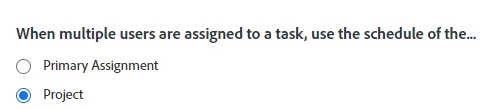
- In your specific project details settings, do you have the default schedule applied to the project? Even if you have a default schedule in your instance, you're able to not have specific projects abide by it, so it's something worth checking if your project settings have the schedule in there or not.

- It may have something to do with related tasks' predecessors and constraints. Dependent tasks may be forcing this task to end at 4pm.

- It may have something to do with the assignee's schedule. Do you have user schedules in your instance? If you have user schedules, and the user assigned to your task is assigned to something and has their schedule applied, a user schedule in a specific project will override an instance schedule.


Good luck!

 

If this helped you, please mark correct to help others : )
jachltAuthor
Level 2
January 6, 2023

Thank you for the reply! I should have mentioned, I have not assigned the tasks yet (because, yes, a user's schedule can cause this problem). 


Also, it is the first two tasks in the timeline and their constraints are ASAP, so this is not an earlier task's constraint causing this.


The specific project's schedule IS the default schedule. 


I encountered this problem with WF years ago at another org, and I know there is a solution bc my sys admin was able to fix it. I just cannot recall what the fix was? 

Community Advisor
January 6, 2023

Hi,


I would also check that the time of your project's planned start date is set to the start of your working day (if your project is set to schedule from start date), or the planned completion date time (if your project is set to schedule from completion) is set to the end of your working day.


If Workfront thinks that the project is starting mid-way through a working day, it will throw out the durations to span an extra day. 


Best Regards,

Rich.