

Using a custom DITA-OT for publishing | Things to remember
Background
You are using AEM Guides and you publish the DITA content using DITA-OT.
Requirement
When using DITA-OT, sometimes you need to use your own version of DITA-OT. The product supplies a specific version of DITA-OT in its release (the latest one when the product version gets released, e.g. version 3.8 of AEM Guides includes DITA-OT version 3.3.2)
There are scenarios in which you may want to customize the DITA-OT supplied with product, those scenarios can be:
- Using/Adding a custom plugin (to generate a style/branded output or a custom built plugin to get output in desired format, or integrating existing plugins)
- Using a different version of DITA-OT (may be using the latest version, or using a legacy version on which your plugins were built)
Things to Remember when adding such customization
There are few things to keep in mind to make sure the integration of customized DITA-OT works successfully in AEM Guides. These pointers are scenario dependent, which are listed below
Scenario 1: Integrating a new plugin to out-of-the-box DITA-OT
- The steps are documented in section "Use custom DITA-OT plug-ins" of Installation and Configuration Guide
- When creating package and uploading it back to AEM server, do make sure you have done following:
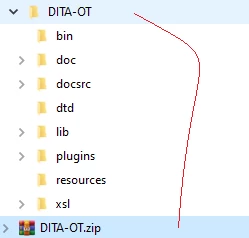
Firstly, the zip file you created should have folder named "DITA-OT" in it containing the plugins folder, it is important as system is internally dependent on this, refer screenshot below:


Secondly, when you run the integrator to install custom plugin, recommendation is to do this on a Mac/Linux OS to avoid file separator issues during publishing. The plugin integrated on mac/linux OS is compatible to both Windows and Unix setup

Thirdly, the updated zip file should be of type "nt:file" (this should be the primary type of zip file when uploaded to AEM). To elaborate,  do not use this zip file to install as AEM package (using package manager) rather upload this zip to desired path in AEM (e.g. /apps/test/dita_resources/DITA-OT) using a webdav tool or through code deployment
Scenario 2: Using a different DITA-OT version than out-of-the-box
Generally this is required because either the implementation team desires to use the latest features in newly released DITA-OT version, or the implementation team already uses another version of DITA-OT that has their custom plugins implemented on, and moving to different version requires refactoring. Hence, in those scenarios the implementation team generally will have their own copy of DITA-OT. Following points should be considered when uploading a custom DITA-OT into the system:
- The general steps to upload custom DITA-OT are documented in section "Use custom DITA-OT plug-ins" of Installation and Configuration Guide
- When creating package and uploading it to AEM server, do make sure you have done following:
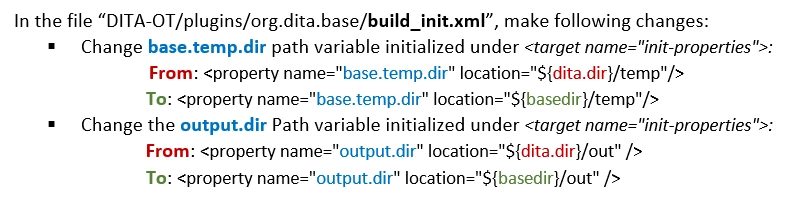
Firstly, the environment variables within DITA-OT base plugin are updated, as AEM uses a temporary path that is different than what is configured in DITA-OT supplied on open source or use in other systems. So, make sure following environment variables within the DITA-OT are aligned to AEM Guides working paths, e.g. for versions 3.5.1+ of AEM Guides you will have to make following changes to the custom DITA-OT:


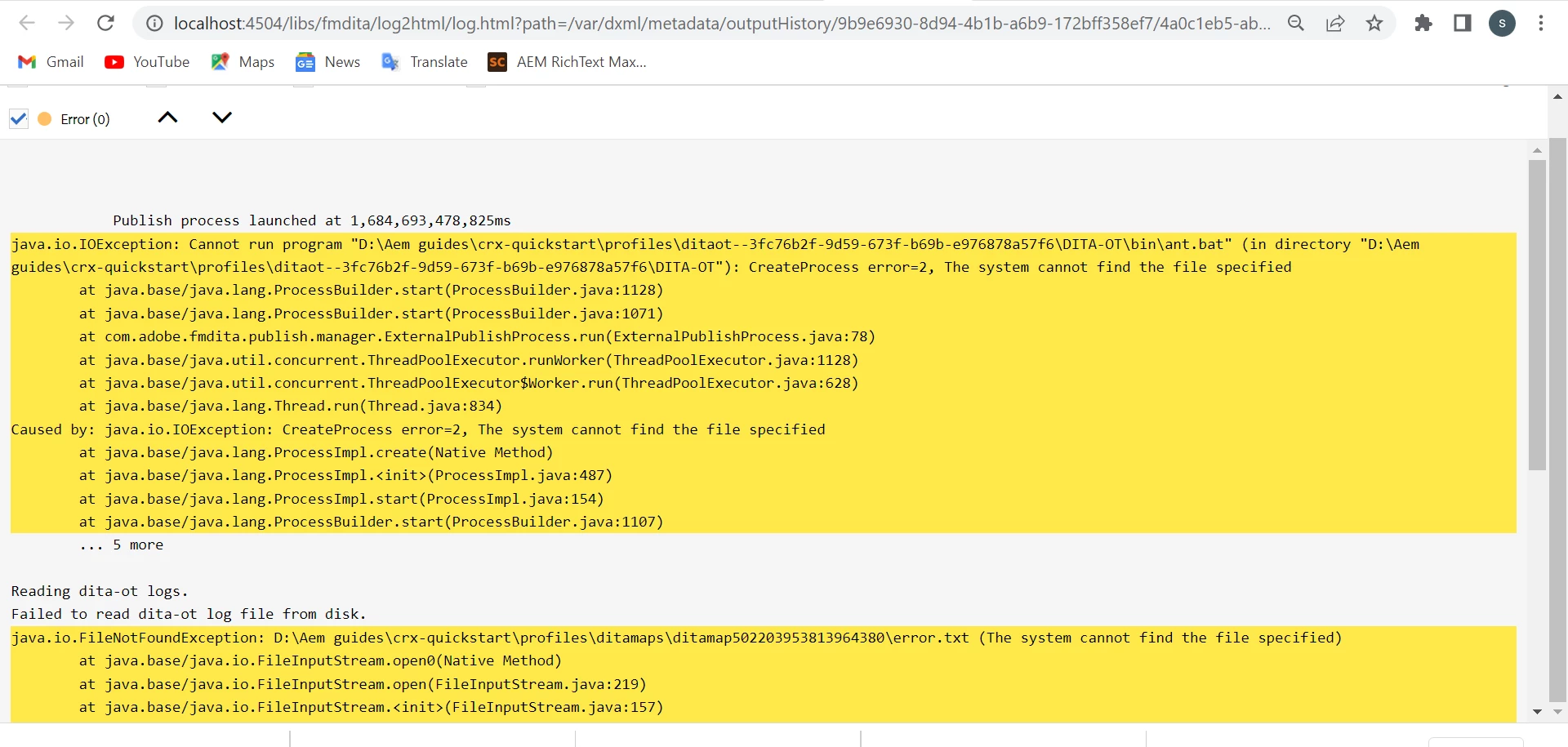
You will notice these paths are also printed in the DITA-OT error log, for e.g. following snippet from DITA-OT log prints the values of temporary path that you can validate before changing these variables


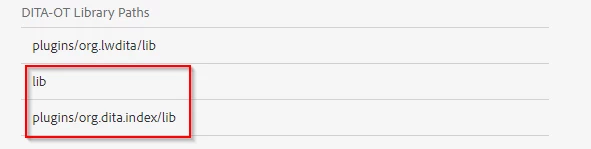
Secondly, in DITA-OT version 3.x and above, you may notice that the PDF output generation throws an error like "taskdef class org.dita.index.IndexPreprocessorTask cannot be found using the classloader AntClassLoader[]". This is generally because of the CLASSPATH issues with the custom plugins. To fix this, update the DITA Profile in AEM to add library paths containing the jars "ant-launcher.jar" and "index.jar", refer screenshot below:


Thirdly, update the xerces.jar file as per instructions given in section "Patch Xerces Jar while using custom DITA-OT for publishing" of Best Practices Guide. This is for performance improvement on DITA-OT publishing.

Some additional references