


Steps to setup a custom DITA-OT
The steps to add a custom DITA-OT are documented in the section "Use custom DITA-OT plug-ins" of Installation and Configuration Guide
On a high level the steps are:
- Get the basic DITA-OT
- If you want to obtain copy of out-of-the-box DITA-OT from XML Documentation, download it from path "/etc/fmdita/dita_resources/DITA-OT.zip"
- If you want to obtain a different version then you can download from dita-ot repo
- Make changes into DITA-OT like adding new plugin, or customizing existing plugins (refer example in related links section below)
- Upload DITA-OT.zip received to /apps/<project-folder>/dita_resources (create a custom project folder is a recommended approach)
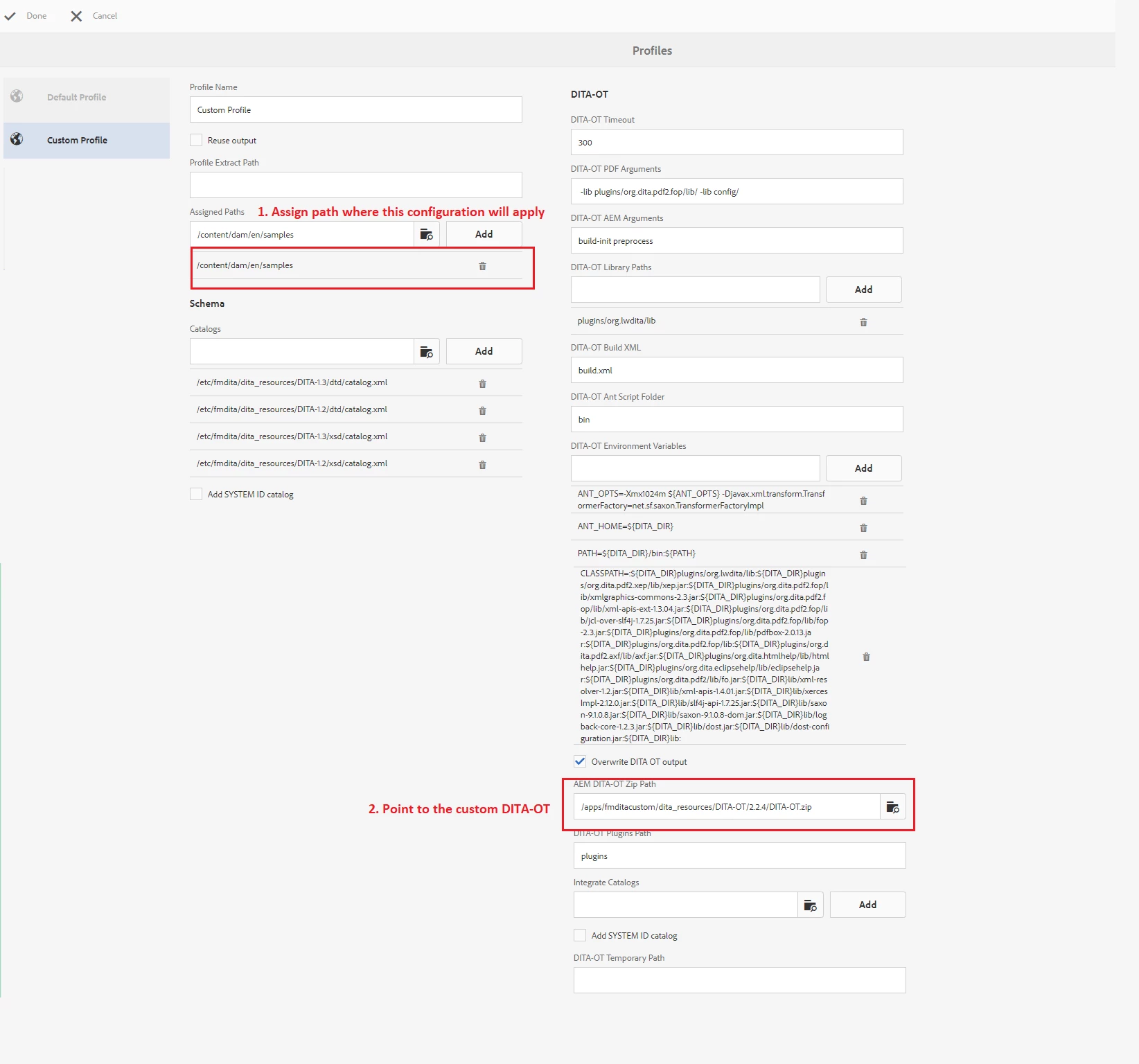
- Add DITA Profile through Tools > Guides > DITA Profiles (use the DITA-OT path where the custom DITA-OT is uploaded, refer screenshot below)
More Reading