Native PDF: Last page content overlap | Community
Skip to main content
Level 4
May 7, 2024
Solved

Native PDF: Last page content overlap

  • May 7, 2024
  • 2 replies
  • 3758 views

Hello again!


I am developing a Native PDF Map template. I have copyright content that I'd like to include on the last page of a PDF. I've been able to call the information that I need, but I'm having trouble with the DITA content running under the copyright info. I know I can potentially push this out to its own page entirely, but I would prefer not to include an entire extra page each time.


Here is what I'm working with:


<?xml version="1.0" encoding="UTF-8"?> <!DOCTYPE html> <html xmlns="http://www.w3.org/1999/xhtml"> <head> <meta http-equiv="Content-Type" content="text/html; charset=utf-8"/> <link rel="stylesheet" href="layout.css" type="text/css"/> <meta name="page-style" content="size:A4 portrait;"/> <title>Page Layout</title> <meta name="footnote-style" content=""/> </head> <body> <div data-region="header"> <br/> </div> <div data-region="content" style=""></div> <div class="content" style="position: absolute; margin-top: 6pt; margin-bottom: 12pt; break-inside: avoid; bottom: 0"> <img align="left" height="73" src="BackMatter-ERIE_Logo.jpg" style="vertical-align: bottom; position: relative; display: block;" width="175"/> <span style="padding-top:5e;"> <span style="position:relative;"> <span style="font-size:10pt;padding-top:5em">©</span> </span> </span> <span data-field="metadata" data-format="default" data-subtype="//copyright/copyryear/@year" style="font-size: 10pt">COPYRYEAR</span> <span data-field="metadata" data-format="default" data-subtype="//copyright[1]/copyrholder" style="font-size: 10pt">COPYHOLDER</span> </div> <div data-region="footer"></div> </body> </html>


Here is an example of the output that I'm getting on the last page from this code (page content continues underneath the copyright verbiage):
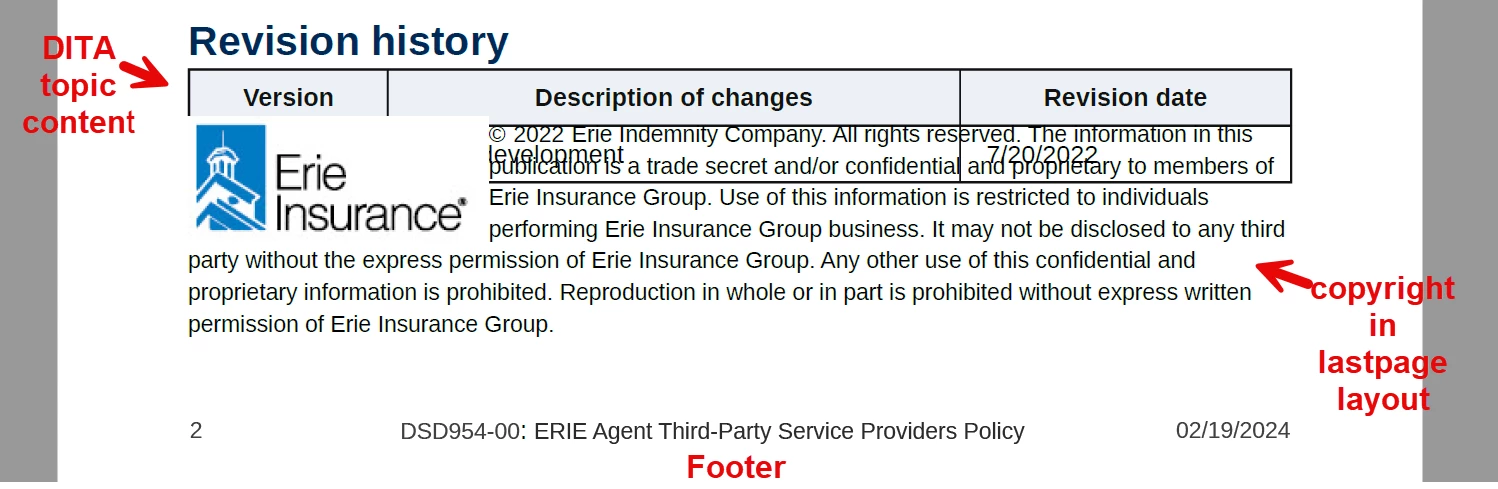


How can I make it so that the DITA topic content does not run into the copyright info? I have tried quite a few things without success. Any help is greatly appreciated!


Thank you!

Josh Monacella


This post is no longer active and is closed to new replies. Need help? Start a new post to ask your question.
Best answer by VivekKumar

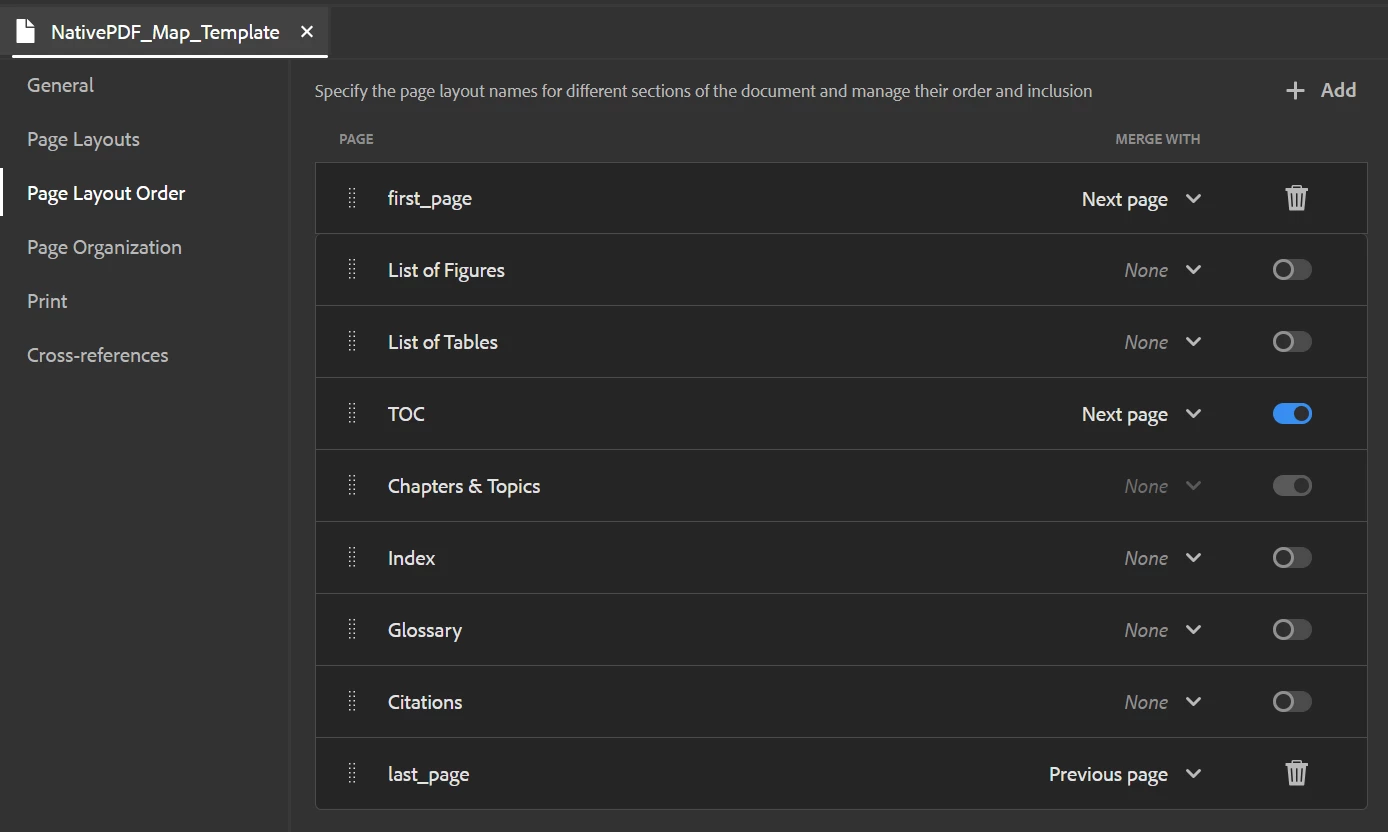
Thanks again! I should have sent you a shot of the order before:


I removed the back page entry, but the output is the same.


Thanks for your help!


You will have to redesign your back page a bit. position: absolute is the culprit.


<div class="content" style="position: absolute; margin-top: 6pt; margin-bottom: 12pt; break-inside: avoid; bottom: 0">


2 replies

Adobe Employee
May 8, 2024

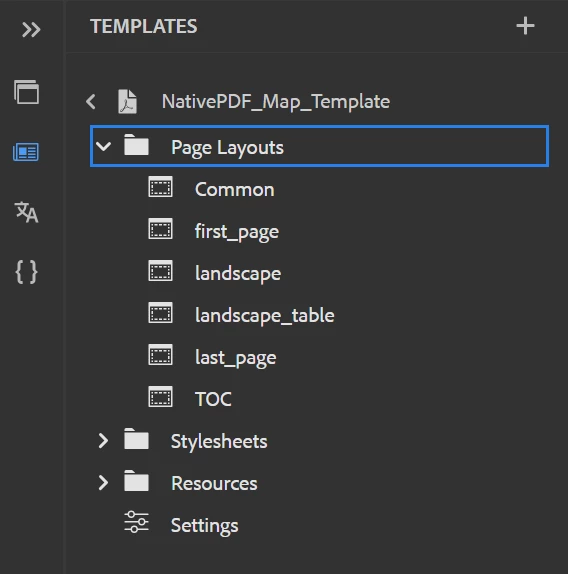
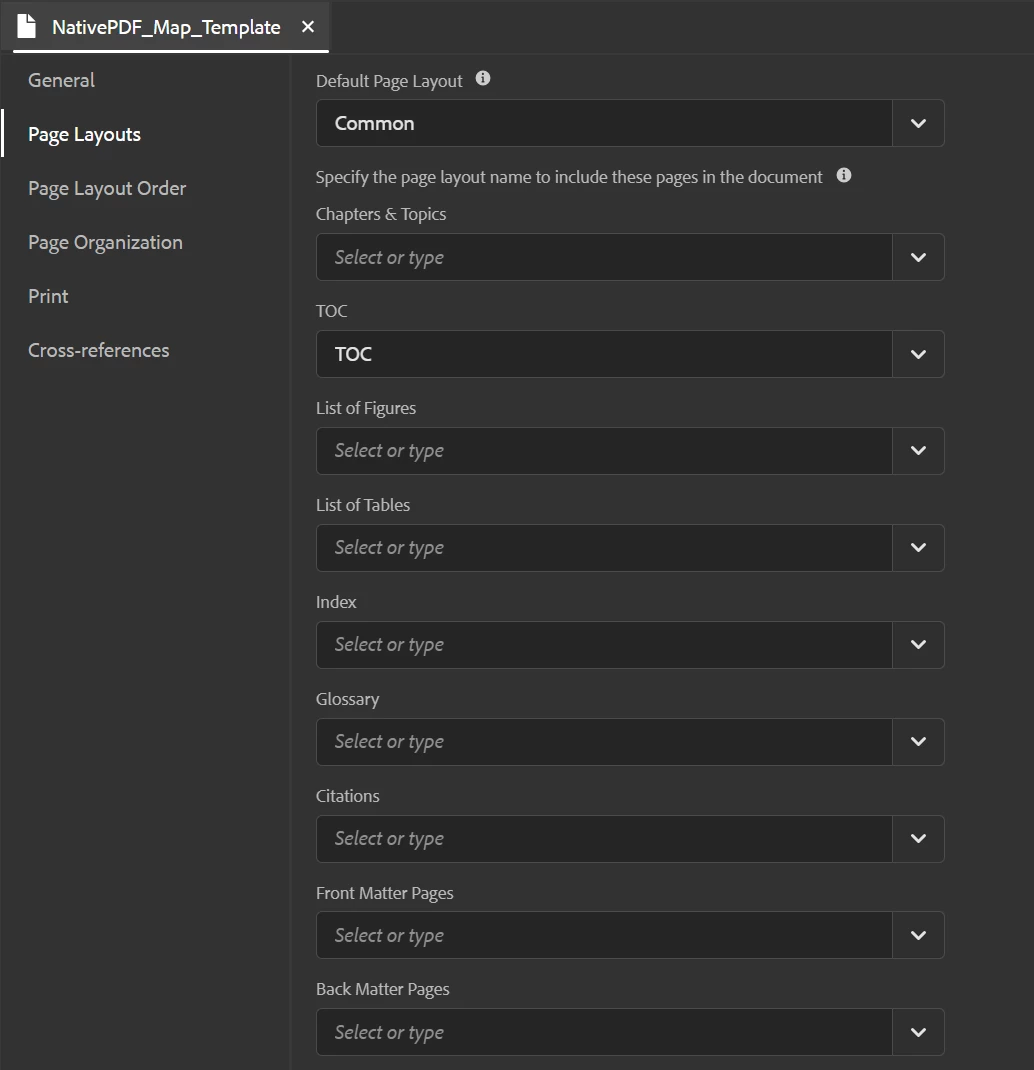
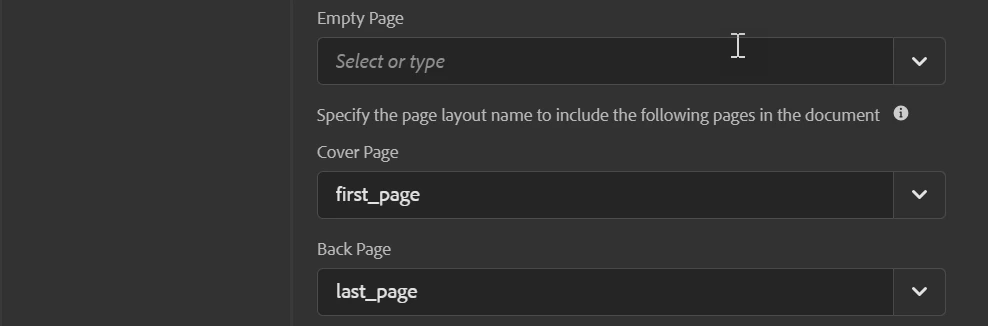
How are you specifying the last page in the template? Can you share the screenshot of the Page Layouts tab of your template?

Level 4
May 8, 2024

Thanks for the quick response! Here is the page layouts tab for the template I'm using:


Let me know if this is what you need, or if you need anything else.

Thanks!

Josh


Adobe Employee
July 24, 2024

Hey @joshm19816095 , @vivekkumar , @surbhi_maheshwari 

I have a similar requirement that I am trying to piece together. I have the final footer content correct, but it's being cut off. I need the final footer to be auto sized, due to a variable. If I change the size of the footer in just the Last_Page template, nothing happens, but when I make the common page layout AND the last_page layout to have "margin-bottom:2in;" for example, the content fits but it impacts all the pdf pages. Forcing "margin-bottom:auto;" into the layouts makes the footer disappear.


Is it possible to have either only the final footer auto sized or all footers auto sized?


Did you try customizing via css code like

@page Common:-ro-last { margin-bottom: 2in; }
kautuk_sahni
Community Manager
Community Manager
June 7, 2024

@joshm19816095 We hope you found the AEM community helpful. We look forward to your return as either a learner or a mentor. The community benefits greatly from SMEs like you. Please encourage your AEM peers to contribute as well. Happy AEM learning!

Kautuk Sahni