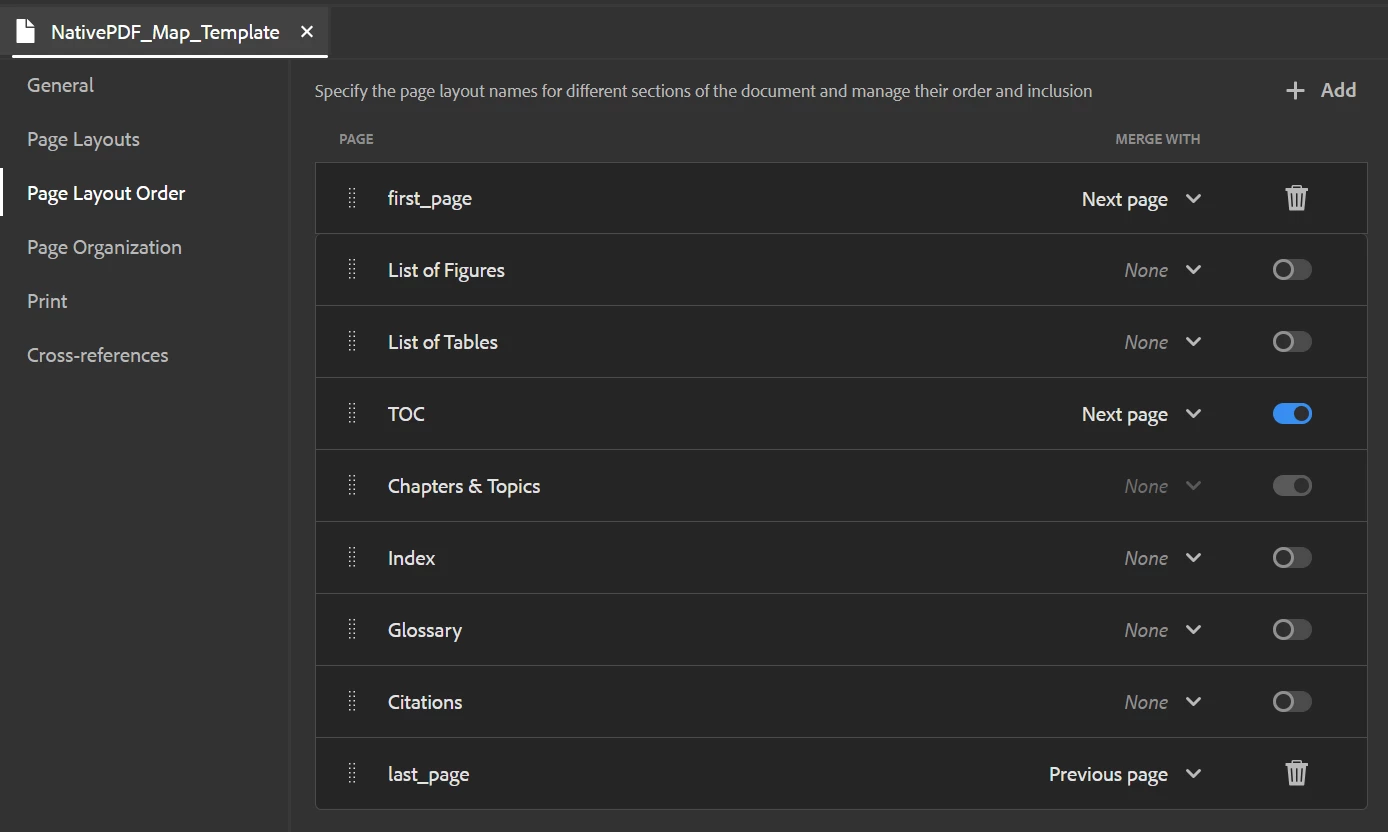
Native PDF: Last page content overlap
Hello again!
I am developing a Native PDF Map template. I have copyright content that I'd like to include on the last page of a PDF. I've been able to call the information that I need, but I'm having trouble with the DITA content running under the copyright info. I know I can potentially push this out to its own page entirely, but I would prefer not to include an entire extra page each time.
Here is what I'm working with:
<?xml version="1.0" encoding="UTF-8"?>
<!DOCTYPE html>
<html xmlns="http://www.w3.org/1999/xhtml">
<head>
<meta http-equiv="Content-Type" content="text/html; charset=utf-8"/>
<link rel="stylesheet" href="layout.css" type="text/css"/>
<meta name="page-style" content="size:A4 portrait;"/>
<title>Page Layout</title>
<meta name="footnote-style" content=""/>
</head>
<body>
<div data-region="header">
<br/>
</div>
<div data-region="content" style=""></div>
<div class="content" style="position: absolute; margin-top: 6pt; margin-bottom: 12pt; break-inside: avoid; bottom: 0">
<img align="left" height="73" src="BackMatter-ERIE_Logo.jpg" style="vertical-align: bottom; position: relative; display: block;" width="175"/>
<span style="padding-top:5e;">
<span style="position:relative;">
<span style="font-size:10pt;padding-top:5em">©</span>
</span>
</span>
<span data-field="metadata" data-format="default" data-subtype="//copyright/copyryear/@year" style="font-size: 10pt">COPYRYEAR</span>
<span data-field="metadata" data-format="default" data-subtype="//copyright[1]/copyrholder" style="font-size: 10pt">COPYHOLDER</span>
</div>
<div data-region="footer"></div>
</body>
</html>
Here is an example of the output that I'm getting on the last page from this code (page content continues underneath the copyright verbiage):
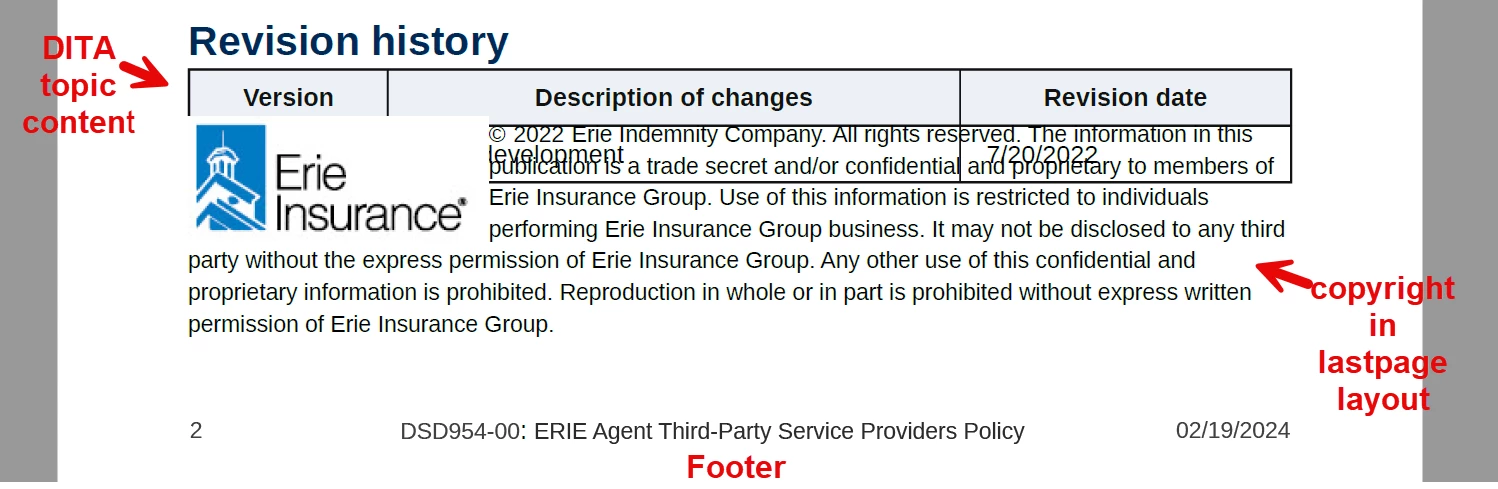
How can I make it so that the DITA topic content does not run into the copyright info? I have tried quite a few things without success. Any help is greatly appreciated!
Thank you!
Josh Monacella