
Native PDF Change Bar Style | Community
Skip to main content
rkody
Level 3
June 24, 2025
Solved

Native PDF Change Bar Style

  • June 24, 2025
  • 1 reply
  • 451 views

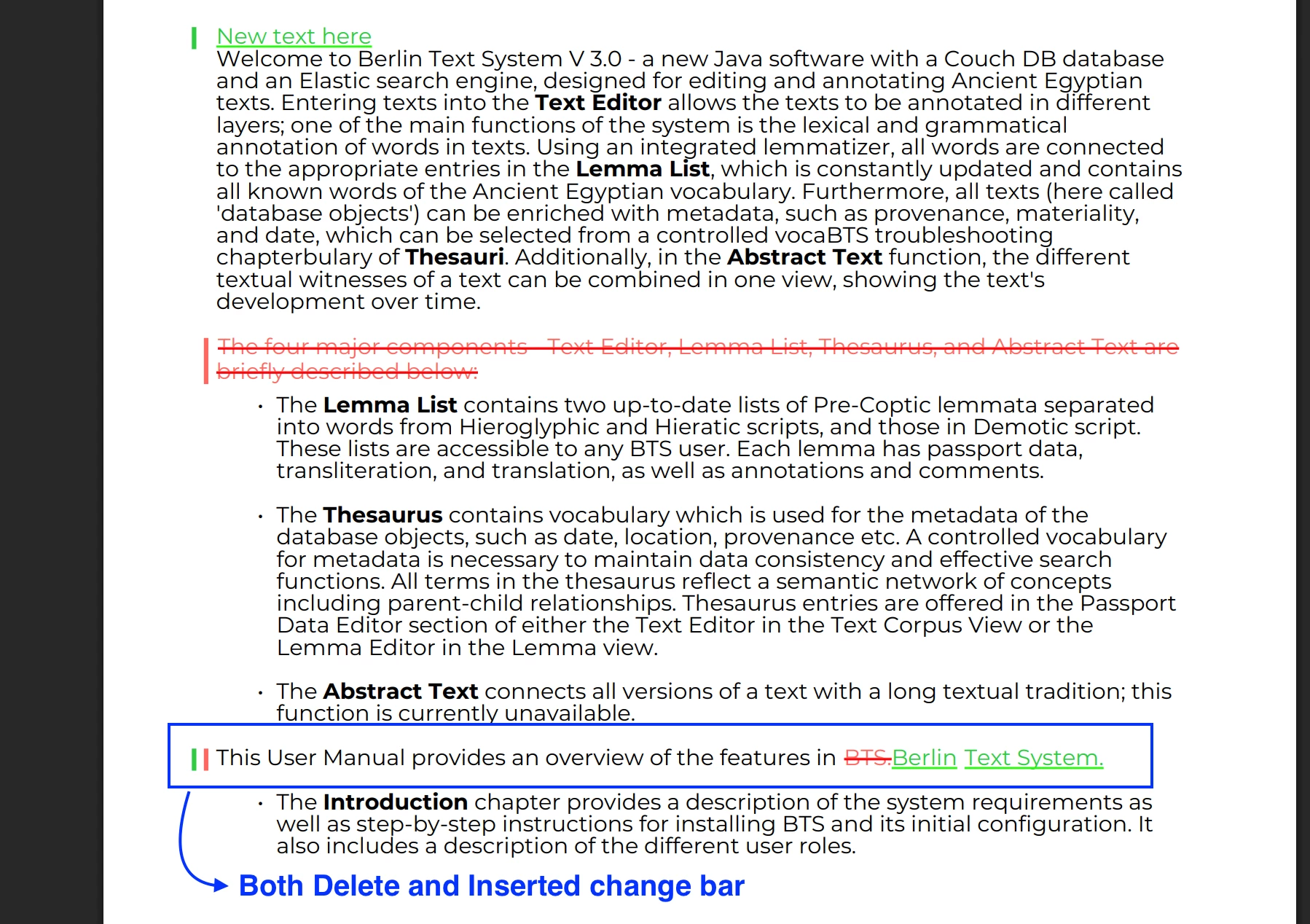
Guides allows the ability to view the differences between versions of the same topic. In this view there are red and green bars indicating additions and deletions. They are displayed side by side in the left margin in the location the change was made.

In Native PDF you can do this too, and there are OOTB templates with styles to display the bars. However, the green bar, unlike in the Guides editor, always overwrites the red bar. The only styles that I see for this bar are as follows:

.inserted-change-bar { -ro-change-bar-color: #2ECC40; } .deleted-change-bar { -ro-change-bar-color: #FF6961; }

I tried to add a margin to one of them but it did not work. How can I offset one of the bars so that they both display when a line has both an addition and a deletion?
Best answer by punagpal

@rkody 
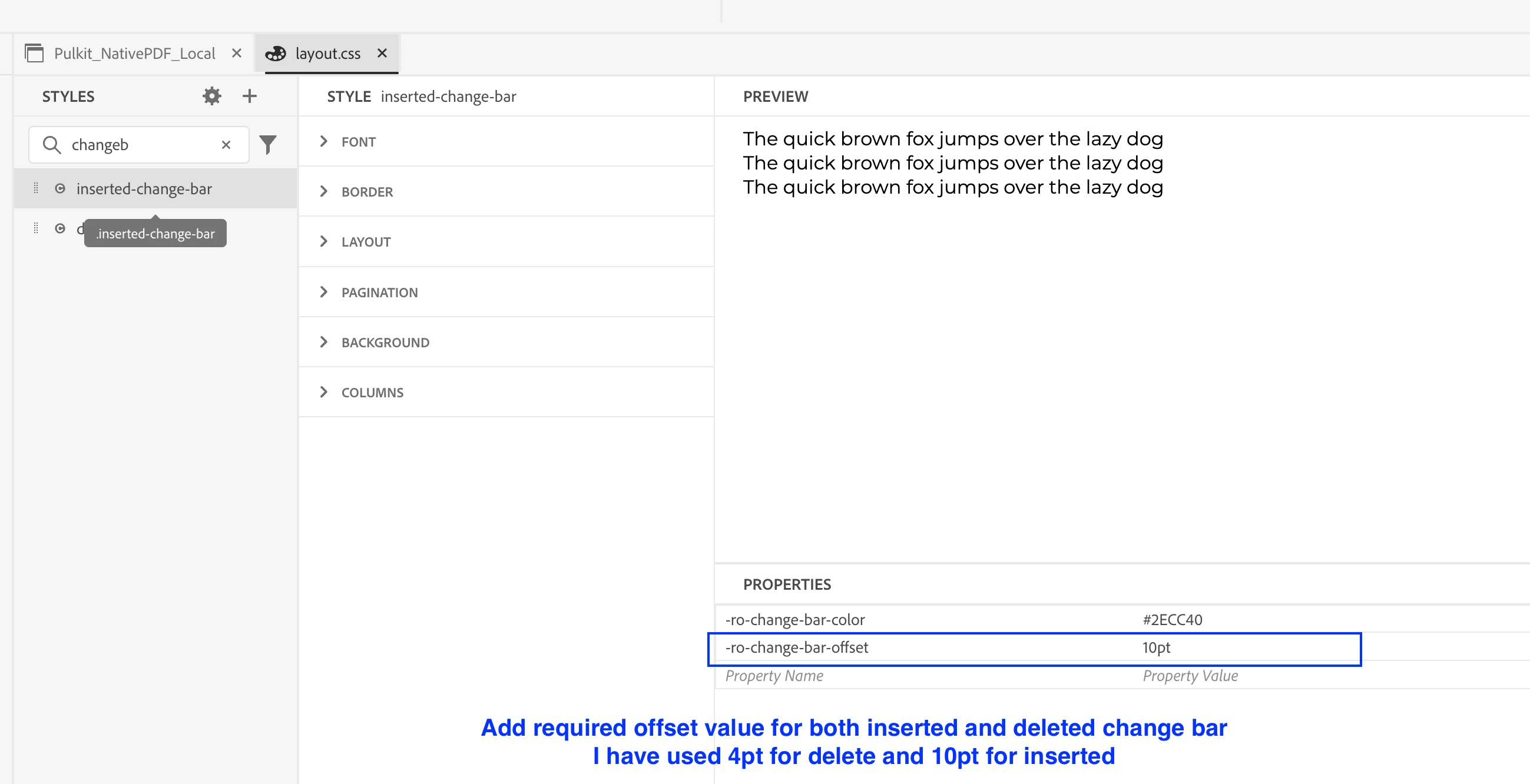
You can display change bars side by side by adjusting the -ro-change-bar-offset property. Apply this setting to both the .inserted-change-bar and .deleted-change-bar classes. I tried it in layout.css, and it worked well for me. Let me know how it goes for you!


1 reply

punagpal
Adobe Employee
punagpalAdobe EmployeeAccepted solution
Adobe Employee
June 25, 2025

@rkody 
You can display change bars side by side by adjusting the -ro-change-bar-offset property. Apply this setting to both the .inserted-change-bar and .deleted-change-bar classes. I tried it in layout.css, and it worked well for me. Let me know how it goes for you!


rkody
rkodyAuthor
Level 3
June 25, 2025

Thank you @punagpal.

That worked perfectly!