Can the search box within AEM Guides be configured to index DITA content?
I have been struggling to identify an answer to this question via documentation or previous posts. Our users are finding the behavior of this search box in Guides confusing / unhelpful in comparison to, say, the Assets search. Is it possible to change/configure what is searched via a query within this search box specifically?
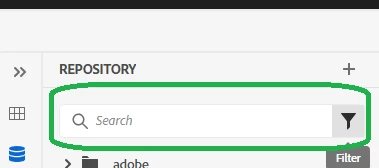
From testing, searches performed within this search box do not cover the range of properties or within the content that the Assets search does. Near as I can tell, this search is more limited to terms present in file names and/or titles. However, users do not want to leave Guides to find what they need and then have to navigate back into Guides to work on it. Ideally for our users, they would be able to search here and get hits within the DITA map/topic content.
Note that I am familiar with the instructions at https://experienceleague.adobe.com/en/docs/experience-manager-guides/using/install-guide/on-prem-ig/aem-asset-search/conf-dita-search and have successfully created options to search DITA elements as an advanced search option within the filtering menu. But, that is NOT what I need, as it does not appear to index those same fields/xpaths to the box above as part of a more general search experience unless I am missing something.
Please direct me to the right configuration location to configure this if it is possible. Even just using the same search index as the Assets search here would be an improvement. Thank you.