AEM Native PDF Page Numbers in Appendices | Community
Skip to main content
Level 4
July 9, 2024
Solved

AEM Native PDF Page Numbers in Appendices

  • July 9, 2024
  • 1 reply
  • 1635 views

Hello!


I've been working on a bookmap template and the chapter content is looking good, but when I came across my first appendix I noticed that the footers weren't in the output. I think that makes sense since it isn't technically a <chapter> anymore.


I created a page layout (with the footer) and an associated outputclass. I applied it and the output started showing the footer, but it appears to be breaking pages on headers (despite selecting avoiding breaks).


What is the best way to get page numbers on appendices without breaking pages?


Thanks in advance!

Josh
This post is no longer active and is closed to new replies. Need help? Start a new post to ask your question.
Best answer by t_a12

Hi, Tulika!

Thanks for your clarification!


I had tried something similar before, but I couldn't stop the page breaks.


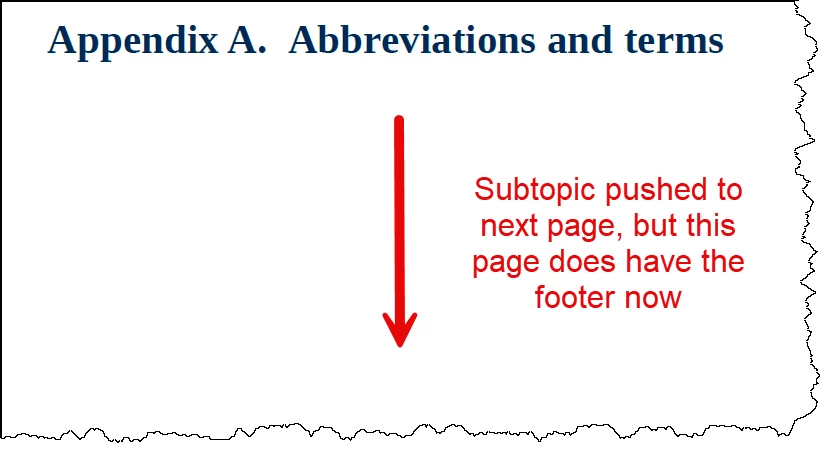
By doing your step b above, the appendix heading pages are now getting footers but it appears as though the pages break after each h1.appendix:

The next page has the subtopics on it, but no footer.

The footer does not appear again until another h1.appendix.


What should I try next? Is there any way to stop the page breaks? I have tried telling all headings to avoid breaking after, but it didn't seem to matter.


Thanks for your help!

Josh


Hi Josh,


Could you please confirm if 'appendix' page layout was added to class appendix-content (and not to class appendix).

If yes, please also share the page layout you are using for appendix.


-Tulika

1 reply

Adobe Employee
July 10, 2024

Can you try setting the page layout for the Back Matter? If this doesn't work then set the page layout for Common pages.

Level 4
July 11, 2024

Thanks for getting back to me!


Unfortunately, this did not add page numbers to the appendices. Any other things I can try?


Thanks!

Josh

Adobe Employee
July 11, 2024

Hi Josh,


In addition to the following steps, please ensure following properties are set for the template being used for generating pdf-

a. Page layout 'appendix' has content.css (css to which below mentioned css is added) added under Stylesheets page property.

b. Content.css has appendix page layout entered under Pagination setting. 


Please let me know if this works for you.


Thanks,

Tulika