Table Headrow repeats itself improperly
Hello,
THIS IS URGENT:
It is been quite some time now, I am trying to sort out a problem I am facing with repeating headrow of a table. I have tried almost every forum in adobe, and a lot of google links on the subject but does not seem solve my problem. Your help on this is greatly appreciated.
PROBLEM:
I have tables on my form that I need their headrows to be repeated on subsequent pages (not limited to second page). On the preview of the Adobe Livecycle it works fine, however once I open it with Adobe Acrobat 9 to enable "Extend Features in Adobe Reader" to be able to save information on the form, things get messy.
After enabling the Extend Features in Adobe Reader, I open Adobe Reader to type information, and my table goes for three pages long, and after I am done typing I save it and close. When I come back to reopen the form, I see that the heading row has repeated itself 3x on the first page, and the rest of the document it is fine. Why it is repeating itself 3x on the first page, i have no clue. but it is rather strange in deed, and it looks ugly.
Some Background info about a typical table of my form:
Hierarchy:
1. SUBFORM: Content:Flow; Allow Page Breaks within Content; Repeat Subform For each data item-min count 1
1.1 TABLE: Allow Page Breaks within Content
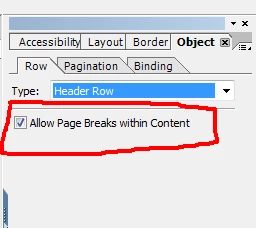
1.1.1 HEADER ROW: Allow Page Breaks within Content; Include Header Row in Initial Page; Include Header Row in Subsequent Page (if the latter one is removed, then the head rows does not repeat itself in a wired way on the 1st page after saving information on the form, but it repeats itself only for 2 pages not more)
1.1.1.1 SUBFORM: Flowed;
1.1.1.1.1 Text box: Allow Page Breaks within Content; Keep with next
1.1.1.1.2 Text box: Allow Page Breaks within Content;
1.1.1.1.3 Text box: Allow Page Breaks within Content;
1.1.1.1.4 Text box: Allow Page Breaks within Content;
1.1.1.1.5 Text box: Allow Page Breaks within Content;
1.1.1.2 Text box (empty)
1.1.1.3 Text box (empty)
1.1.2 ROW1: Allow Page Breaks within Content;
1.1.2.1 Button (JS scrpit for numbering the rows, and adding rows)
1.1.2.2 Text Field - normal settings - allow multiple lines, expand to fit
1.1.2.3 Text Field - normal settings - allow multiple lines, expand to fit
1.1.2.4 Text Field - normal settings - allow multiple lines, expand to fit
1.1.2.5 Subform: Positioned
1.1.2.5.1 Button (JS script button for moving up the row)
1.1.2.5.2 Button (JS script button for moving down the row)
1.1.2.6 Button for deleting rows (JS Script)
1.1.3 Subform: Positioned
1.1.3.1 Button (JS script for adding rows below the last row of the table)
1.1.3.2 Button (JS script for activating the deletion button - 1.1.2.6)
I want that all the elements in red to be repeated on subsequent pages (not limited to page 2), properly without duplicating itself on the first page.
If necessary I can send you the file.
As said this is rather urgent, thus your reply at your earliest convenience is greatly appreciated.
Many thanks.