SAP Adobe Forms - how to use variables from context in JavaScript/FormCalc | Community
Skip to main content
May 29, 2019
Solved

SAP Adobe Forms - how to use variables from context in JavaScript/FormCalc

  • May 29, 2019
  • 6 replies
  • 39922 views

Hello,

I am beginner in Sap Adobe Forms, I need a little help.

I have to create a Sap Adobe form with a table, which included in some columns images (dynamicly based on data in input table).

What I did now ( in my example form I expect only 2 types of pictures (red a green triangle) ):

1) In se78 create  2 pictures (red a green triangle)

2) in interface of the form create 3 global variables :

GV_PICT_TRIANGLE_RED - xstring

GV_PICT_TRIANGLE_GREEN - xstring

GV_SWITCH_PICTURE - char1 (value 'G' -> want to display green triangle, 'R' -> want to display red triangle)

3) in init section of interface add a code to load binary pictures from Se78

CALL METHOD cl_ssf_xsf_utilities=>get_bds_graphic_as_bmp

EXPORTING

  p_object = 'GRAPHICS'

  p_name   = 'ZGM_PEP_SIPKA_CERVENA'

  p_id     = 'BMAP'

  p_btype  = 'BCOL'

RECEIVING

  p_bmp = GV_PICT_TRIANGLE_RED

EXCEPTIONS

  not_found = 1

  internal_error = 2

  OTHERS = 3.

etc...

4) in my test form in context I created 2 Graphics node (GRAPHICS_1, GRAPHICS_2) , type content graphics and map contend field to global variables GV_PICT_TRIANGLE_RED and GV_PICT_TRIANGLE_GREEN

5) that is all OK, when I on subform put ImageField IMAGE_01 a  bind it to GRAPHICS_1 or GRAPHICS_2, picture will be display corect.

6) Now I need in Image field IMAGE_01 display picture dynamicly (for example depend on value of global variable GV_SWITCH_PICTURE), it means, that in some event ( initialize ) of form should I by javaScript / FormCalc  set dynamic binding to GRAPHICS_1 or GRAPHICS_2.

data.#pageSet[0].Page1.image_01::initialize - (JavaScript, client)

this.bind.ref =  ?????.

Can somebody tell me how to write such a Javascript code, how to access context variable GV_SWITCH_PICTURE and how to bind dynamicly IMAGE_01 to GRAPHICS_1 or GRAPHICS_2 ?

Something like this:

If ( GV_SWITCH_PICTURE = 'R' )

   bind Image_01 to GRAPHICS_1

else.

   bind Image_01 to GRAPHICS_2

endif.

Thx for help....

Best regards, MD

This post is no longer active and is closed to new replies. Need help? Start a new post to ask your question.
Best answer by _Bruce_Robertson

I think "this.rawValue = GRAPHIC_GREEN.rawValue" is the way to go.  I notice you have two GRAPHIC_GREEN objects in your form, are they both bound to the same image.  Maybe add an app.alert(GRAPHIC_GREEN.rawValue) and/or a app.alert(this.rawValue) statement and see what value is coming across

6 replies

_Bruce_Robertson
June 3, 2019

Hi,

If IMAGE_01 and GRAPHICS_1 are image fields then you can just use

IMAGE_01.rawValue = GRAPHICS_1.rawValue

Regards

Bruce

June 3, 2019

Thx for answer...

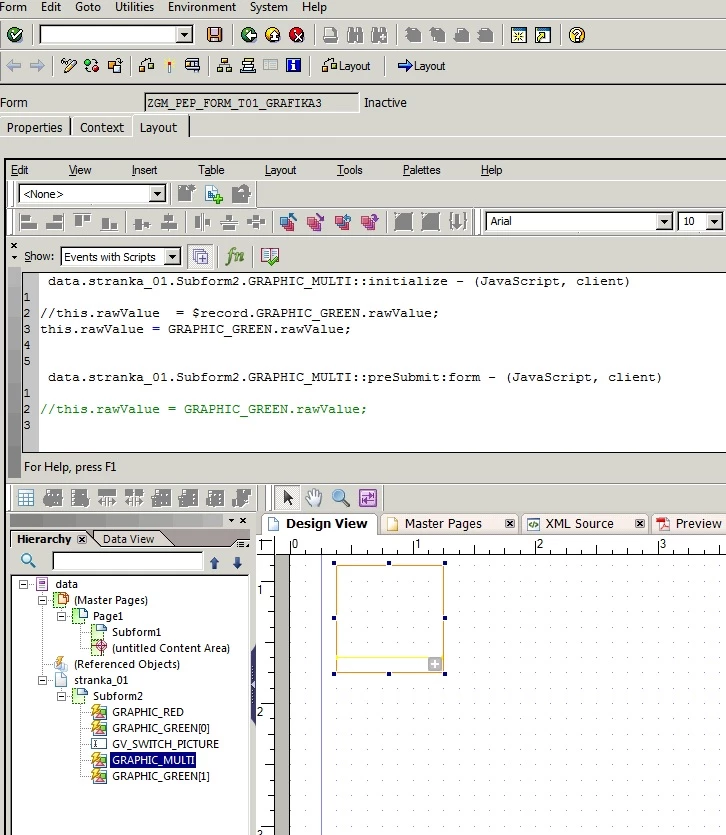
In my example is GRAPHIC_MULTI an ImageField, and in context I have 2 fields ( GRAPHIC_GREEN, GRAPHIC_RED) type Graphic node (by content).

Field GRAPHIC_MULTI is default bind to GRAPHIC_RED.

Now I want dynamic change binding do GRAPHIC_GREEN.

I try in my example in events initialize and form:ready this code:

data.stranka_01.Subform2.GRAPHIC_MULTI::initialize - (JavaScript, client)

this.rawValue  = $record.GRAPHIC_GREEN.rawValue;

data.stranka_01.Subform2.GRAPHIC_MULTI::ready:form - (JavaScript, client)

this.rawValue  = $record.GRAPHIC_GREEN.rawValue;

But still I see in preview red (default) picture instead green picture...

If my JavaScript code and events correct ?

Regards, MD

_Bruce_Robertson
June 3, 2019

Hi,

The only thing that looks strange to me in your code is the $record reference.  You should reference the image field in the form DOM ($record is a data DOM reference).  If GRAPHIC_GREEN is at the same level in the form structure as GRAPHIC_MULTI then it could be as simple as

this.rawValue  = GRAPHIC_GREEN.rawValue;

Or is the image data coming from some data connection, or XML data source?

Regards

Bruce

June 4, 2019

Hello,

thx for answer...

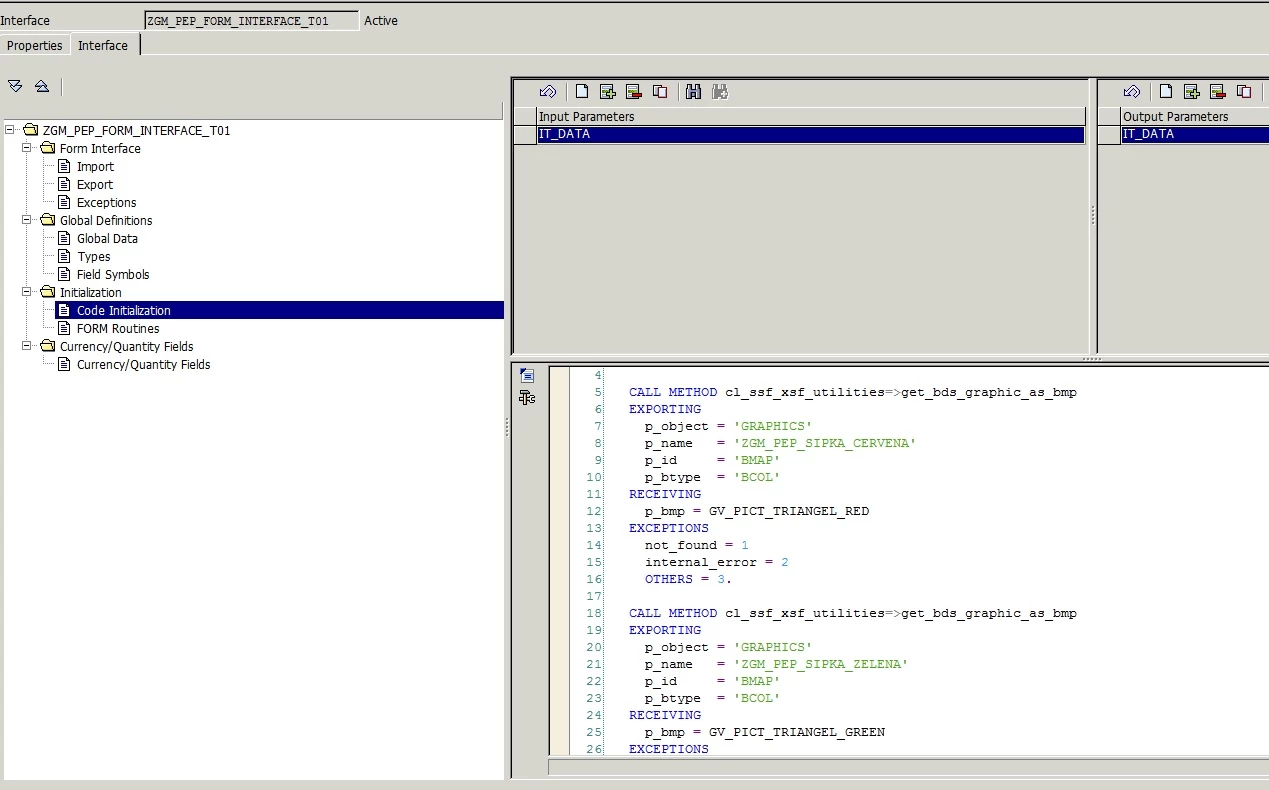
Image data comes from picure load into SE78 tcod in SAP, in initialization section of interface I load this pictures into global variable using

CALL METHOD cl_ssf_xsf_utilities=>get_bds_graphic_as_bmp

EXPORTING

  p_object = 'GRAPHICS'

  p_name   = 'ZGM_PEP_SIPKA_CERVENA'

  p_id     = 'BMAP'

  p_btype  = 'BCOL'

RECEIVING

  p_bmp = GV_PICT_TRIANGEL_RED

EXCEPTIONS

  not_found = 1

  internal_error = 2

  OTHERS = 3.

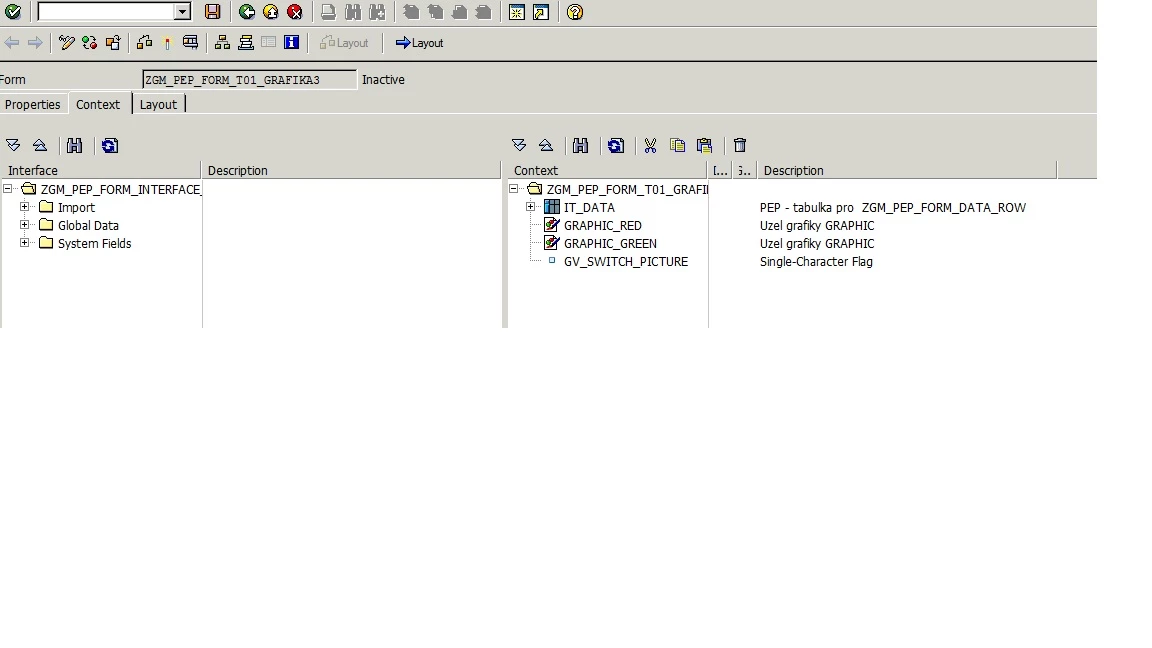
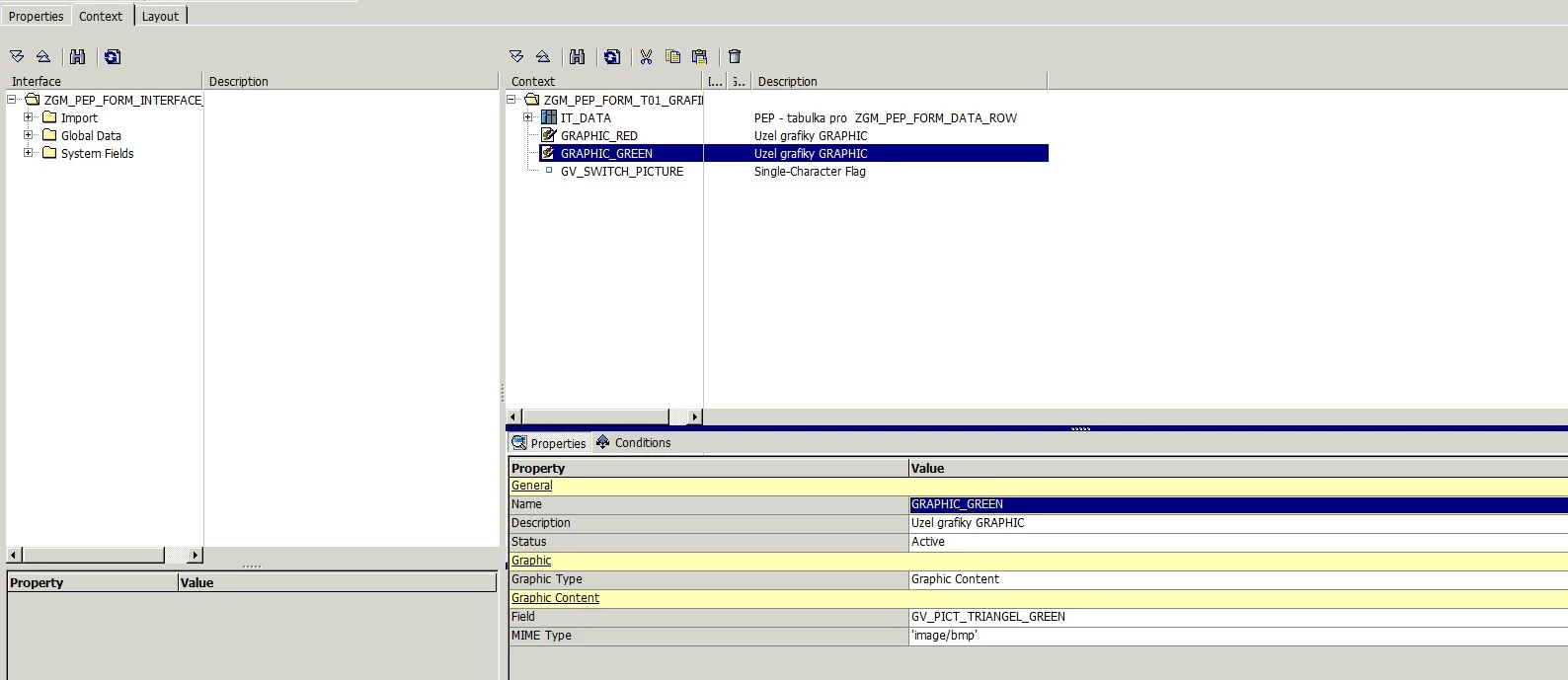
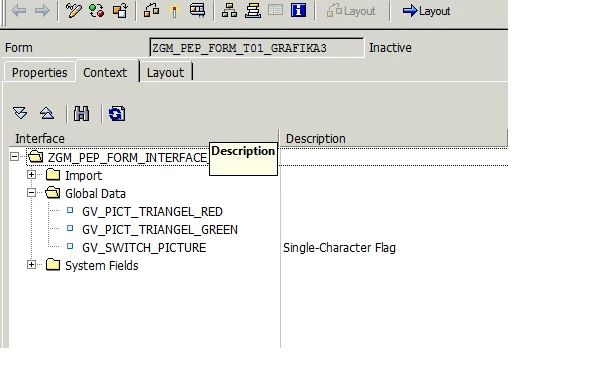
Then in context create a Graphic nodes GRAPHIC_RED a GRAPHIC_GREEN and bind them to global variables GV_PICT_TRIANGEL_RED a GV_PICT_TRIANGEL_GREEN.

Static bind on image field GRAPHIC_MULTI: is working.

In XML source is as property "bind" value "$record.GRAPHIC_GREEN" (in case of static binding). That is way I used in JavaScript this

code: this.rawValue  = $record.GRAPHIC_GREEN.rawValue;

But it doesn't work still.

I add a few pictures of my example form.

Best regards, MD

_Bruce_Robertson
_Bruce_RobertsonAccepted solution
June 4, 2019

I think "this.rawValue = GRAPHIC_GREEN.rawValue" is the way to go.  I notice you have two GRAPHIC_GREEN objects in your form, are they both bound to the same image.  Maybe add an app.alert(GRAPHIC_GREEN.rawValue) and/or a app.alert(this.rawValue) statement and see what value is coming across

June 7, 2019

Hi,

You are right, I renamed objects correct and now it is working

( this.rawValue = GRAPHIC_GREEN.rawValue ).

Great....

Thx a lot for help....