"Script failed (language is formcalc...)" - "Error: Argument mismatch..." | Community
Skip to main content
July 30, 2013
Solved

"Script failed (language is formcalc...)" - "Error: Argument mismatch..."

  • July 30, 2013
  • 3 replies
  • 3134 views

Hi there,

I temporarily switched from JavaScript to FormCalc just to see what functions were available.  It didn't have what I was looking for, so I did not add any functions, I just browsed, then I switched back to JavaScript.  However, now when I view my PDF I get the following error messages which were not there before:
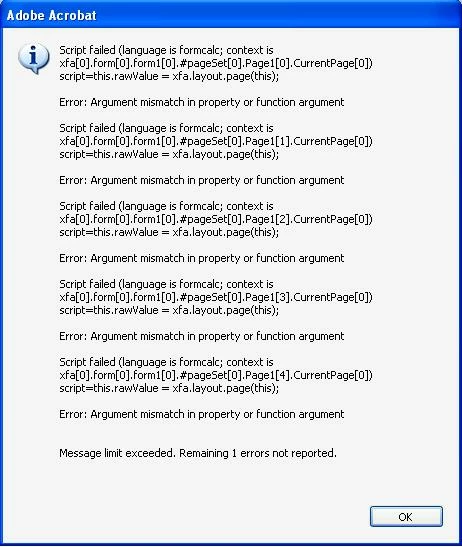
Any help would be appreciated.

Thank you.

This post is no longer active and is closed to new replies. Need help? Start a new post to ask your question.
Best answer by

I fixed it.  In Master Pages FormCalc automatically added script to the "CurrentPage" and "PageCount" sections.  So, I just deleted the script it added without my permission.  HIGHLY ANNOYING!

3 replies

Accepted solution
July 30, 2013

I fixed it.  In Master Pages FormCalc automatically added script to the "CurrentPage" and "PageCount" sections.  So, I just deleted the script it added without my permission.  HIGHLY ANNOYING!

Jono_Moore
Level 10
July 31, 2013

You can mix JavaScript and FormCalc without changing the form settings. You just can't use them in the same event. You can switch the language in the Script Editor.

ccowles1970
August 28, 2014

What do you do if you didnt create the form?  and also people in other places, offices, can open it with no errors, but everyone in this office is getting errors?