customizing email body on email submit button | Community
Skip to main content
Level 2
September 2, 2011
Question

customizing email body on email submit button

  • September 2, 2011
  • 20 replies
  • 39115 views

Hi everyone,

I'm trying to modify what the body of the email will look like once the user has pressed an email submit button. In Livecycle designer, I clicked on the button and viewed the xml source. I scrolled down to the following line:

               <submit format="xml" textEncoding="UTF-8" target="mailto:test&test.com?subject=My subject"/>

Then changed it to:

               <submit format="xml" textEncoding="UTF-8" target="mailto:test&test.com?subject=My subject?body=new body"/>

When I tested the button, the text "?body=new body" was appended to the subject line instead of being included in the body itself.
I wondered if anyone could tell lme where I'm going wrong?
Appreciate any help.

This post is no longer active and is closed to new replies. Need help? Start a new post to ask your question.

20 replies

September 2, 2011

When using the mailto the parameters are preceded by a ? and all subsequent parameters are separated

by an &. Also the email address needs an @ not an &. So your command woudl be:

<submit format="xml" textEncoding="UTF-8" target="mailto:test@test.com?subject=My subject&body=new body"/>

Paul

gwhPosterAuthor
Level 2
September 2, 2011

Thanks for the reply,

I've tried your code however I get the following error:

The following error was found with the XML source:

Xml parsing error: not well-formed (invalid token) (error code 4), line 2430, column 176 of file

Do you know what this means?

gwhPosterAuthor
Level 2
September 3, 2011

I'm basically trying to remove the default email body that appears when the "submit by email" button is clicked, ie:

The attached file contains data that was entered into a form. It is not the form itself.


The recipient of this data file should save it locally with a unique name. Adobe Acrobat Professional 7 or later can process this data by importing it back into the blank form or creating a spreadsheet from several data files. See Help in Adobe Acrobat Professional 7 or later for more details.

I can't even find the above text in the xml code so I dont' even know how to remove it.

Any further help with these problems, would be much appreciated.

September 6, 2011

Did you just copy and paste form the forum into the script editor or did you do it some other way?

Paul

gwhPosterAuthor
Level 2
September 6, 2011

No I didn't copy and paste at all. I just revised the code manually in the code editor. Do you know what the error means?

September 6, 2011

It looks like you are changing the xml source directly and have introduced an error nstead of using the script editor.  If you send the form to LiveCycle8@gmail.com I will have a look

Paul

radzmar
Level 10
September 6, 2011

Hi,

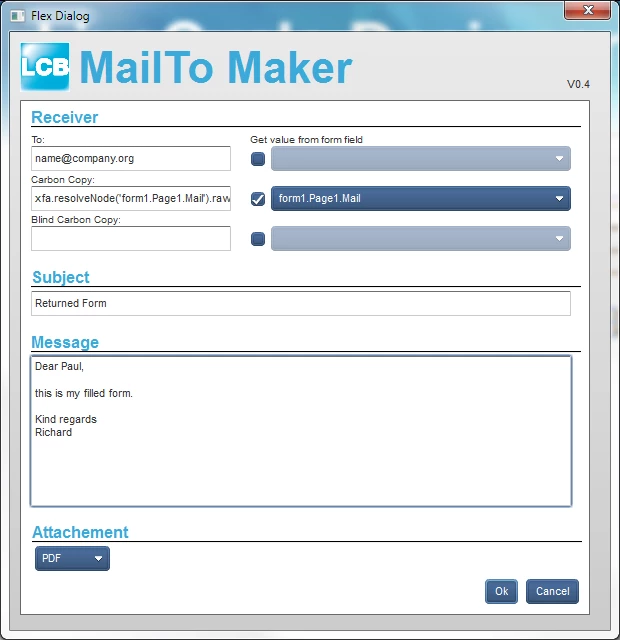
if you need an easy way to design the mailTo button you can use my macro for Designer (9.x and 10.x).

It will add a mailTo script to a regular button.

http://thelivecycle.blogspot.com/2011/07/mailto-maker-macro.html

gwhPosterAuthor
Level 2
September 9, 2011

Yeah I meant to say that I was editing the xml source, and not using the script editor.

Thanks for agreeing to look at my file which I've sent by email.

Radzmar: thanks also for the link to your macro - I will keep this in my for future projects.

September 27, 2011

gwhPoster:

How to fix the problem? What changed?

I need to change the body of the message and not as ...

Please, I need your help.

thanks.

gwhPosterAuthor
Level 2
September 27, 2011

Hi,

Instead of using the email object from the Custom library, use a regular button and choose "Submit" as the control type. Then in the Submit tab, in the "Submit to url" field, add something like the following:

mailto:test@test.com?subject=Application Form&body=new body

Hope that helps.