Are There Expandable Text Fields? | Community
Skip to main content
June 18, 2009
Solved

Are There Expandable Text Fields?

  • June 18, 2009
  • 80 replies
  • 182912 views

[Thread Edited By Adobe]

/*Don’t forget to meet and greet your fellow peers virtually by telling them about yourself here

Go ahead and to it now: https://adobe.ly/3eDnB4v */


Actual Question:

Okay,  am new to Acrobat and LiveCycle.  I have gone through about 9 hours of videos and still can not find an answer to what I know I should be able to do.  Is there a way on a form to create a text field which has the ability to expand its size versus creating a scroll bar so when you print the form it is not chopped off and missing?      This is a 2 page form so a text box has the possibiltiy it could split between 2 pages.

This post is no longer active and is closed to new replies. Need help? Start a new post to ask your question.
Best answer by Kevin_Cavallo

The forum software runs a virus scan on uploaded files before they're released to the public.  Until the scan is run the attachment will show as Queued.  Unfortunately I don't know how often the scanner runs, but I've seen attachments queued for a day or two, so keep checking back every once in a while.  Once the queued label is gone you can download the file.

80 replies

Level 2
June 27, 2012

This was the case, again, your knowledge is greatly appreciated. Also, thanks for the tip on the content area. I am now using that area the way it was intended to be used.

Thanks for all the assistance, you guys really know your stuff.

June 21, 2013

Great thread, have used acrobat but very new to Livecycle. Can the expandable text box be made to "snap back" to its original size so as  not to disrupt/move the rest of the form down the page?

December 26, 2013

I have been struggling with this issue for weeks.  This reply from Kevin was the most helpful due to the sample document (thank you!).  However.....I believe I have done all of the necessary steps.  When typing in my form the field expands but the text box below does not move so is overlapped by the previous.  I want to attach a sample of my document but don't see how to attach a document to my post.  Can anyone help?  Thanks!

jasotastic81
Level 8
December 26, 2013

Did you mark the subform that contains your text field and whatever is getting overlapped below it as "flowed"?

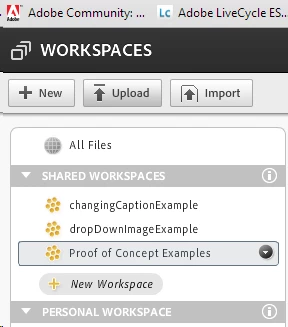
I ususally upload a document to workspaces, then chare it. You can copy the  URL for that shared document and paste it into the forums.

December 26, 2013

I did mark everything as flowed.  I'll try to upload my document now....

Thank you!

December 26, 2013

I must be doing something wrong.....can't seem to find where I can upload a file.....

jasotastic81
Level 8
December 26, 2013

The site is

https://workspaces.acrobat.com

In the top left-hand corner, you should see a button with "Upload" on it.

December 26, 2013

Boy - I'm batting a thousand today - I get a "cannot display page" error when using that link....tried Explorer and Firefox.

jasotastic81
Level 8
December 26, 2013

That's not you, it's me.

https://workspaces.acrobat.com/app.html

I didn't realize they want you to have all the other nonsense at the end to get to their site...

December 26, 2013