Why can't I add a specific path in a filter.xml file? | Community
Skip to main content
Level 4
September 20, 2023
Solved

Why can't I add a specific path in a filter.xml file?

  • September 20, 2023
  • 1 reply
  • 2907 views

Hello, what happens is that I am following the guide of:

https://experienceleaguecommunities.adobe.com/t5/adobe-experience-manager/how-to-modify-a-crxde-file-from-the-ide-code/m-p/619862#M155450


To modify a just a file called fileupload.js that is in charge of validating information and uploading the asset in AEM using DAM.


What happens is that I am in the final step where only remains to add the path of the file that I created in filter.xml.


But when I add the complete path that would be the following one:


/apps/dam/gui/coral/components/commons/fileupload/clientlibs/fileupload/js


I get the following error:


is not covered by any of the specified dependencies nor a valid root


But when I add the path in short version it allows me to do the following:


/apps/dam
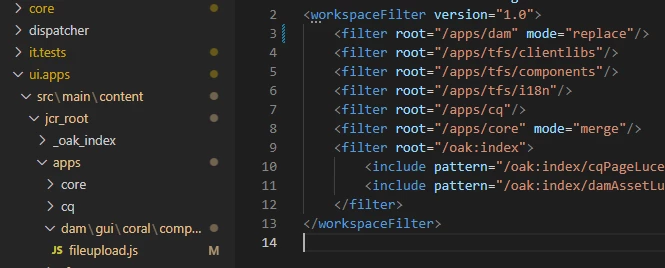

But when I do the DAM when I click on create to upload an asset, the button does not work anymore.
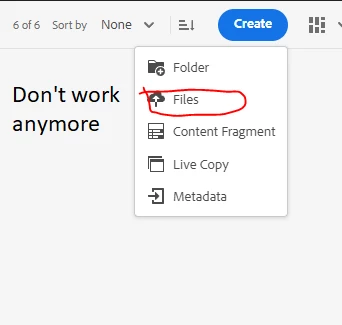

What can I do in this case?, I already try to add the differents mode (replace, merge and update) and add the complete path but nothing of this works.
This post is no longer active and is closed to new replies. Need help? Start a new post to ask your question.
Best answer by aanchal-sikka

Update: Now I can build the project, only I need to delete the cache with the command:

mvn clean.


But my changes don't show it when the asset is uploaded on DAM, is necessary to do something else to make my changes work?


Hello @aaron_dempwolff 


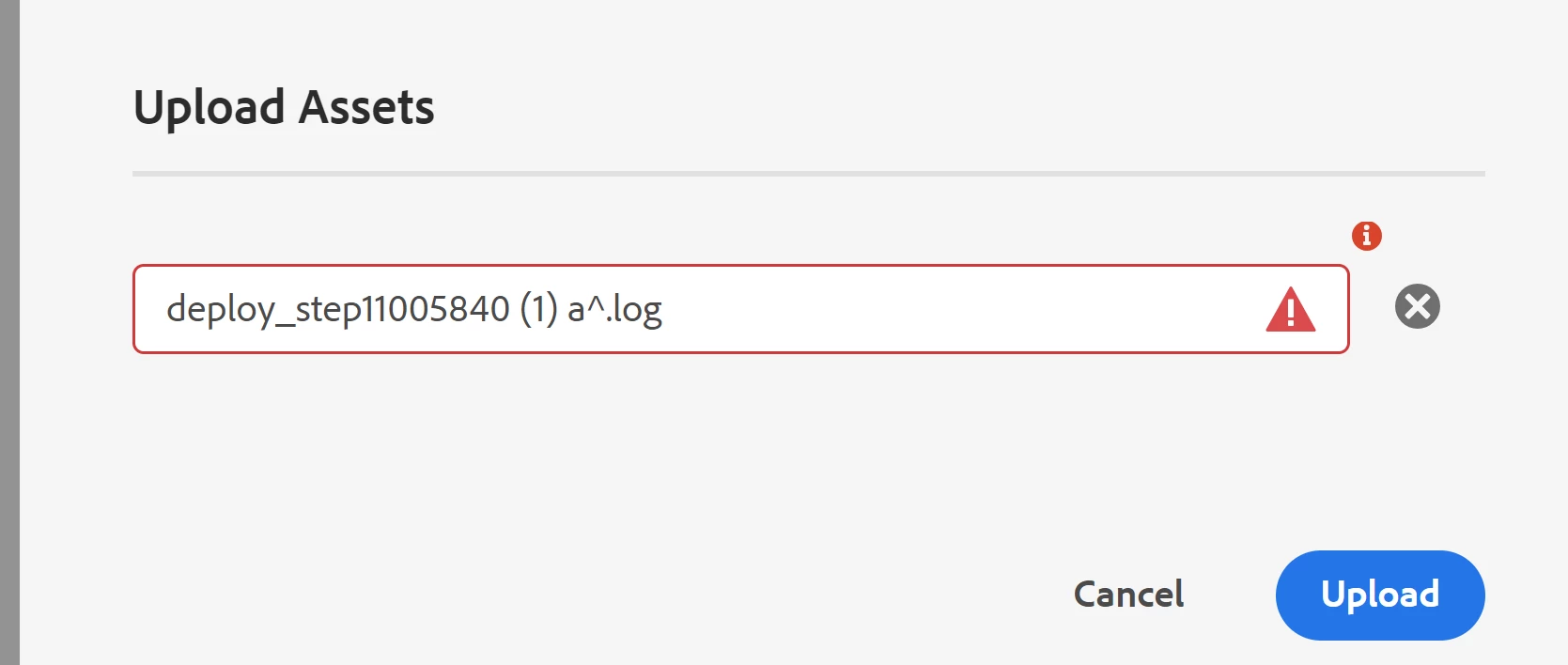
I guess this is related to another thread to avoid space in filename.


There is a correction to the solution. As per the latest code from AEM SDK, the filename validation in Coral UI is done via


Filename: /libs/dam/gui/coral/components/admin/clientlibs/damutil/js/util.js

Function: getInvalidFileChars()


We just need to overlay this js in /apps


Update the function to:

function getInvalidFileChars() { return [ "*", "/", ":", "[", "\\", "]", "|", "#", "%", "{", "}", "?", "&" , " "]; }


And it should work. Apologies I had shared earlier answer based on my past experience. But there seems to have been an update.


I have tried the solution from current thread. It will stop user from uploading file with space


1 reply

aanchal-sikka
Community Advisor
Community Advisor
September 20, 2023

Hello @aaron_dempwolff 


You would need to declare the parent paths in pom.xml of ui.apps.structure module. Example


<filter><root>/apps/dam/gui/coral/components/commons/fileupload/clientlibs/fileupload/js</root></filter> <filter><root>/apps/dam/gui/coral/components/commons/fileupload/clientlibs/fileupload/</root></filter> <filter><root>/apps/dam/gui/coral/components/commons/fileupload/clientlibs/</root></filter>


Please check till which parent level you need to declare explicitly.


The validator is trying to make sure that we do not deploy a child node, without a parent node:

- Being available in AEM

- Being deployed via code.


Also, please make sure that if we are creating any parent node via code, it should have proper jcr:primaryType, else we might run into issues later.

Aanchal Sikka
Level 4
September 20, 2023

I try you solution but still giving me the same error when I add the complete path in the filter.xml file, I tried with the paths that you gave me and even try a bunch of paths with / at the end or without it.


aanchal-sikka
Community Advisor
Community Advisor
September 20, 2023

@aaron_dempwolff 


Have to tried deploying ui.apps after ui.apps.structure. Or just ui.apps?

Aanchal Sikka