
Show hide dropdown under multifield and Dialog field Ajacent to each other in Configuration dialog
Hi,
I am facing some issue in Configuration file.
1.Show hide dropdown in multifield.
2. Dialog Field Ajacent to each other.
My Configuration file looks like:
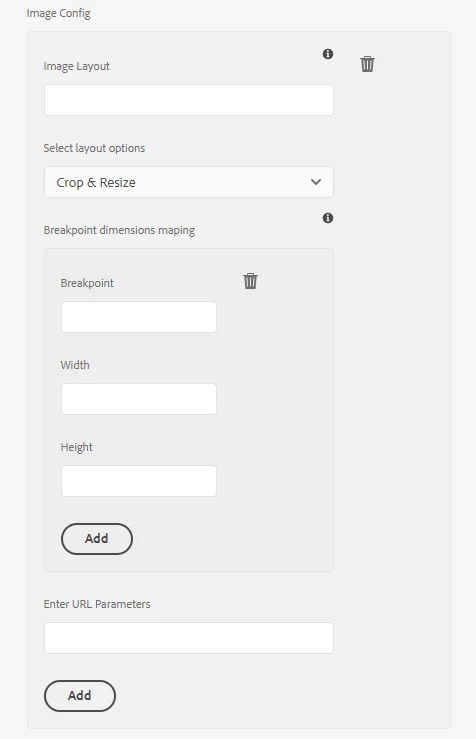
requirement 1: On selection of dropdown "Advance" I need to show "Enter URL Parameters" fields rest hide this field.
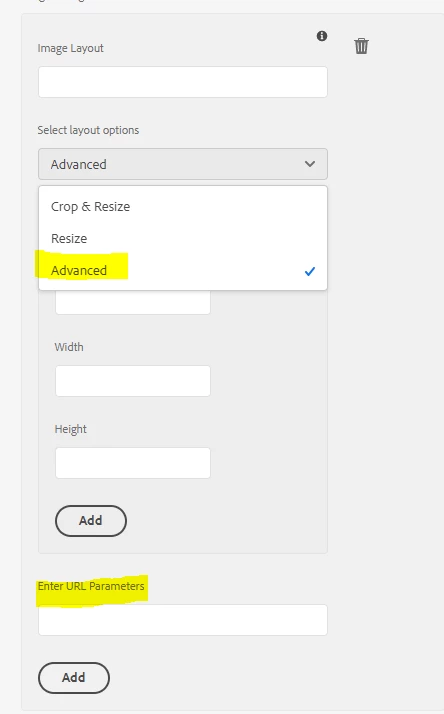
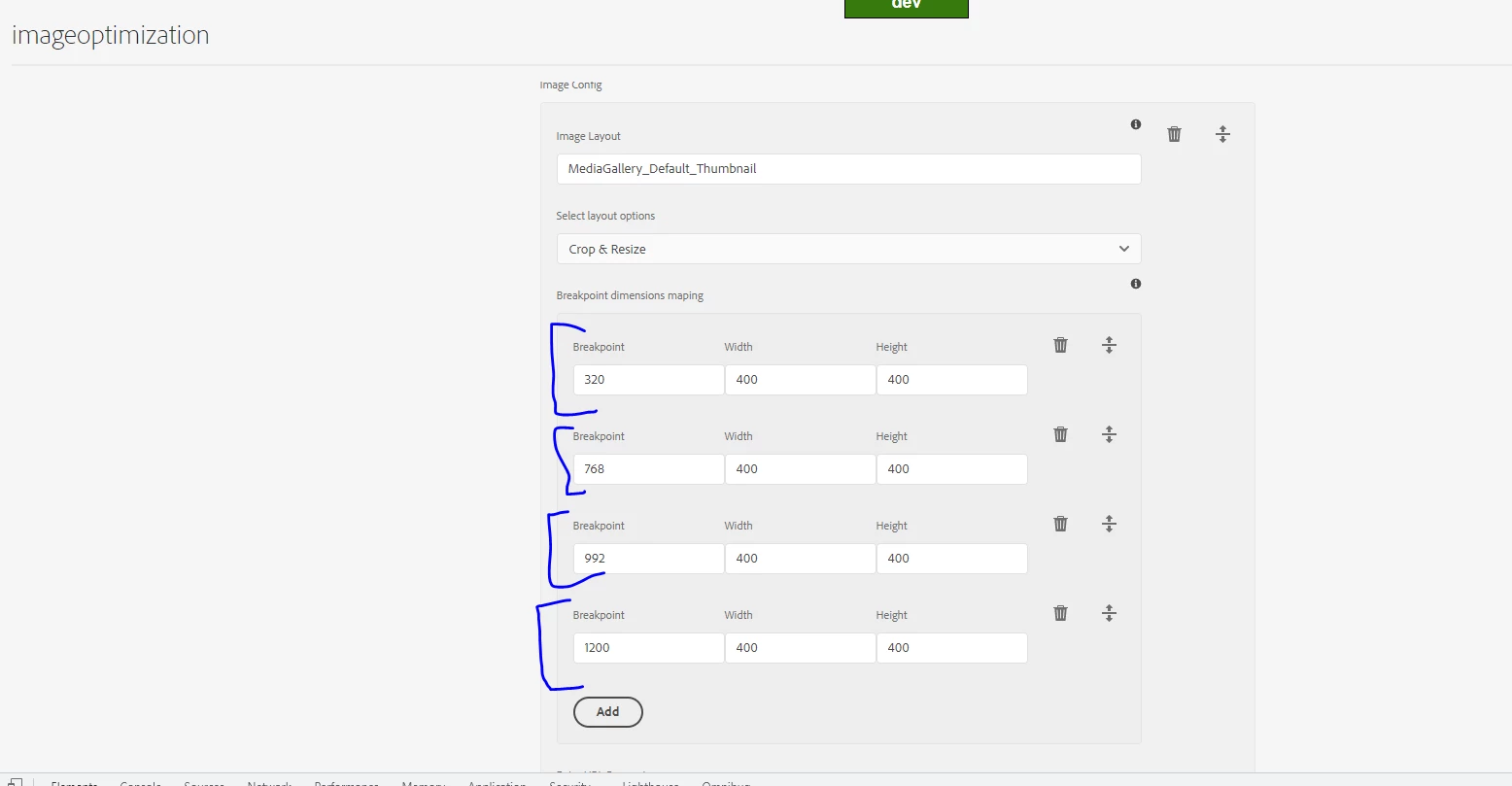
requirement 2: Breakpoint dimensions mapping where we can see Breakpoint, width and Height, we need to get those fields Ajacent to each other.
getting Breakpoint, width Height in a single row with multifield.
Here is my sample dialog structure of Config file.
<?xml version="1.0" encoding="UTF-8"?>
<jcr:root xmlns:sling="http://sling.apache.org/jcr/sling/1.0" xmlns:granite="http://www.adobe.com/jcr/granite/1.0" xmlns:cq="http://www.day.com/jcr/cq/1.0" xmlns:jcr="http://www.jcp.org/jcr/1.0" xmlns:nt="http://www.jcp.org/jcr/nt/1.0"
jcr:primaryType="nt:unstructured"
jcr:title="Configuration"
sling:resourceType="cq/gui/components/authoring/dialog"
extraClientlibs="[cq.authoring.dialog,cq.common.wcm,core.wcm.components.page.v2.editor,cq.wcm.msm.properties,granite.contexthub.configuration,cq.siteadmin.admin.properties,project.configurations.configconsole]"
mode="edit">
<content
jcr:primaryType="nt:unstructured"
sling:resourceType="granite/ui/components/coral/foundation/container">
<items jcr:primaryType="nt:unstructured">
<title
jcr:primaryType="nt:unstructured"
sling:resourceType="granite/ui/components/coral/foundation/form/hidden"
name="./jcr:title"
value="Image Optimization Configuration"/>
<tabs
granite:class="cq-siteadmin-admin-properties-tabs"
jcr:primaryType="nt:unstructured"
sling:resourceType="granite/ui/components/coral/foundation/tabs"
size="L">
<items jcr:primaryType="nt:unstructured">
<wcm
jcr:primaryType="nt:unstructured"
jcr:title="WCM"
sling:resourceType="granite/ui/components/coral/foundation/container"
maximized="{Boolean}true">
<items jcr:primaryType="nt:unstructured">
<subtabs
granite:class="cq-siteadmin-admin-properties-tabs"
jcr:primaryType="nt:unstructured"
sling:resourceType="granite/ui/components/coral/foundation/tabs"
size="L">
<items jcr:primaryType="nt:unstructured">
<tabimage
jcr:primaryType="nt:unstructured"
jcr:title="Tab Image"
sling:resourceType="granite/ui/components/coral/foundation/fixedcolumns">
<items jcr:primaryType="nt:unstructured">
<renditions
cq:showOnCreate="{Boolean}true"
jcr:primaryType="nt:unstructured"
sling:resourceType="granite/ui/components/coral/foundation/form/multifield"
composite="{Boolean}true"
fieldLabel="Image Config">
<field
jcr:primaryType="nt:unstructured"
sling:resourceType="granite/ui/components/coral/foundation/container"
name="./wcm/mediagallery/renditions">
<items jcr:primaryType="nt:unstructured">
<rendition
cq:showOnCreate="{Boolean}true"
jcr:primaryType="nt:unstructured"
sling:resourceType="granite/ui/components/coral/foundation/form/textfield"
fieldDescription="Please enter a name for the rendition."
fieldLabel="Image Layout"
name="./rendition"/>
<layout
cq:showOnCreate="{Boolean}true"
jcr:primaryType="nt:unstructured"
sling:resourceType="granite/ui/components/coral/foundation/form/select"
fieldLabel="Select layout options"
name="./layout">
<items jcr:primaryType="nt:unstructured">
<crop
jcr:primaryType="nt:unstructured"
text="Crop & Resize"
value="crop"/>
<resize
jcr:primaryType="nt:unstructured"
text="Resize"
value="resize"/>
<advanced
jcr:primaryType="nt:unstructured"
text="Advanced"
value="advanced"/>
</items>
</layout>
<dimensions
cq:showOnCreate="{Boolean}true"
jcr:primaryType="nt:unstructured"
sling:resourceType="granite/ui/components/coral/foundation/form/multifield"
composite="{Boolean}true"
fieldDescription="Breakpoint dimensions maping"
fieldLabel="Breakpoint dimensions maping">
<field
jcr:primaryType="nt:unstructured"
sling:resourceType="granite/ui/components/coral/foundation/container"
name="./dimensions">
<items jcr:primaryType="nt:unstructured">
<breakpoint
cq:showOnCreate="{Boolean}true"
jcr:primaryType="nt:unstructured"
sling:resourceType="granite/ui/components/coral/foundation/form/textfield"
fieldLabel="Breakpoint"
name="./breakpoint"/>
<width
cq:showOnCreate="{Boolean}true"
jcr:primaryType="nt:unstructured"
sling:resourceType="granite/ui/components/coral/foundation/form/textfield"
fieldLabel="Width"
name="./width"/>
<height
cq:showOnCreate="{Boolean}true"
jcr:primaryType="nt:unstructured"
sling:resourceType="granite/ui/components/coral/foundation/form/textfield"
fieldLabel="Height"
name="./height"/>
</items>
</field>
</dimensions>
<query
cq:showOnCreate="{Boolean}true"
jcr:primaryType="nt:unstructured"
sling:resourceType="granite/ui/components/coral/foundation/form/textfield"
fieldLabel="Enter URL Parameters"
name="./urlParameters"/>
</items>
</field>
</renditions>
</items>
</tabimage>
</items>
</subtabs>
</items>
</wcm>
</items>
</tabs>
</items>
</content>
</jcr:root>
I follow :https://experienceleaguecommunities.adobe.com/t5/adobe-experience-manager/aem-6-5-show-hide-fields-dropdown-in-multifield/td-p/414115 for show hide but seems not working for Configuration files. is there any direct way to make show hide.
and for dialog Ajacent to each other I tried to follow OOB teaser components where we can see link and text adjacent to each other in single row
/libs/core/wcm/components/teaser/v2/teaser/cq:dialog/content/items/tabs/items/actions/items/columns/items/column/items/actions/field/items/link but this feature is also not working for this.
Could you please suggest me the way to do.
Thanks
@vijayalakshmi_s @arunpatidar @theo_pendle @kautuk_sahni @veenavikraman @nikhil-kumar
Note:
Maybe the issue with loading clientLibs "cq.authoring.dialog" for Configuration file.
Example I have created a config file under : /apps/Project/authoring/configurations/components/configuration/imageoptimization/cq:dialog [above dialog structure]
I made changes in cq.authoring.dialog clientlibs [apps/project/clientlibs/clientlib-authoring/js/checkbox-showhide.js] for show hide dropdown in ImageOptimization Config and breakpoint adjacent to each other.
But I believe this works only for dialogs maybe not for Config files.
I tried to put Alert or console in cq.authoring.dialog clientlibs [apps/project/clientlibs/clientlib-authoring/js/checkbox-showhide.js], so the alerts and console works for pages but not for Config files.
Also I tried using extraClientLibs property to Config file dialog. in that case also CSS/JS dnt load.
So could you please help me with the loading of a clientLibs for Configuration or context aware configuration file.