Cloud service configuration dropdown not populating | Community
Skip to main content
June 24, 2021
Solved

Cloud service configuration dropdown not populating

  • June 24, 2021
  • 3 replies
  • 2255 views

Cloud service configuration dropdown not populating within Cloud Services tab of page properties in AEM

Hi There - I have created some cloud configs for Facebook & Twitter and I could see the configs are stored under the below path which is expected.


/conf/project/settings/cloudconfigs


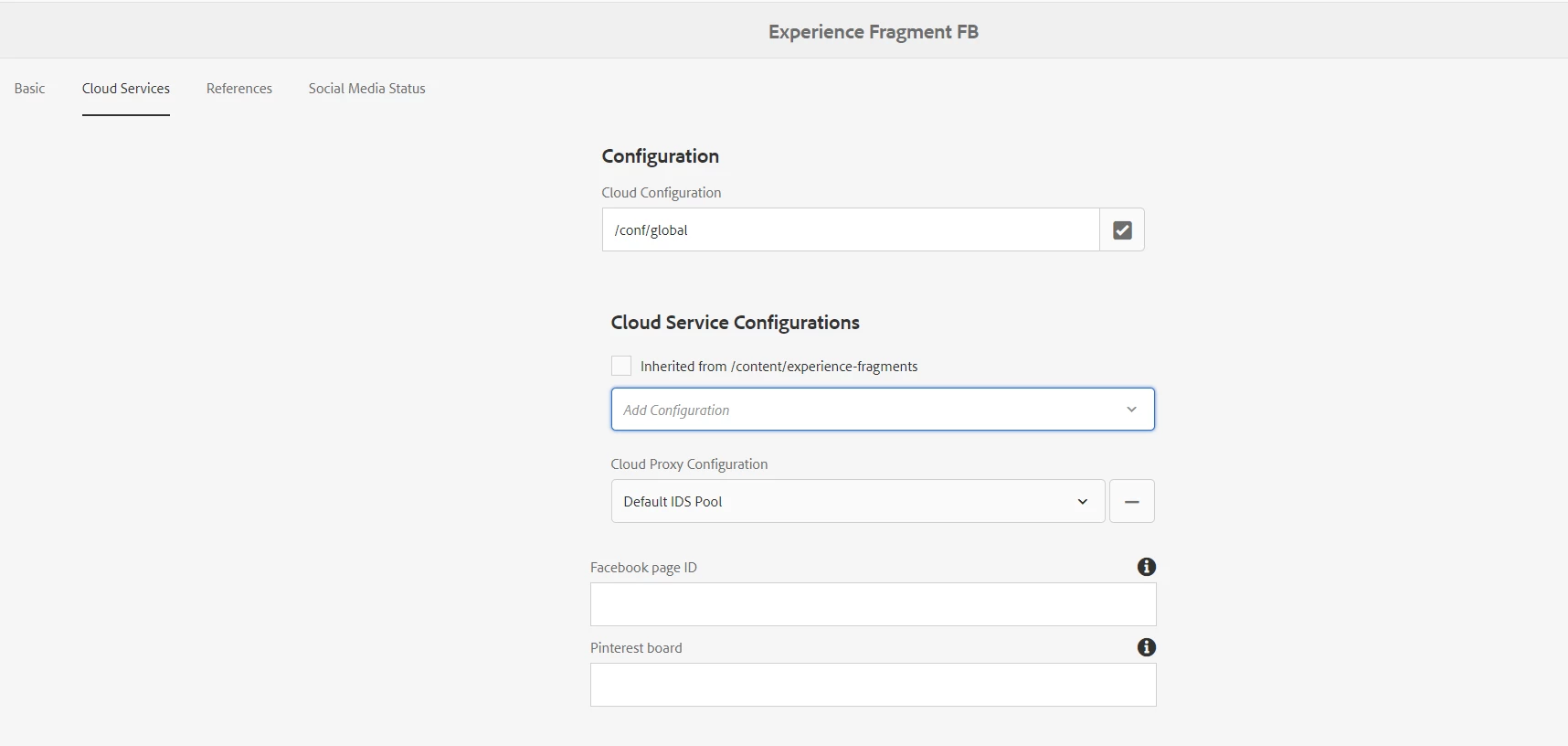
When I check the experience fragment property -> Cloud Services tab, I don't see the cloud configs in the dropdown. I know that the old location for the cloud services is under /etc but we are not storing there.

I have also verified the cq:conf property as well and everything looks good from the setup perspective. I have gone through the old articles as well but no luck. Could someone tell how to bring the configs in the dropdown. I am using the version 6.5. 

This post is no longer active and is closed to new replies. Need help? Start a new post to ask your question.
Best answer by Dipti_Chauhan

Hi @test1234567 

    Similar question answered here  : https://experienceleaguecommunities.adobe.com/t5/adobe-experience-manager/page-properties-cloud-service-tab-not-reading-conf-cloud/qaq-p/352646


please update if you still getting issue.


Thanks

Dipti

3 replies

Dipti_Chauhan
Community Advisor
Dipti_ChauhanCommunity AdvisorAccepted solution
Community Advisor
June 25, 2021

Hi @test1234567 

    Similar question answered here  : https://experienceleaguecommunities.adobe.com/t5/adobe-experience-manager/page-properties-cloud-service-tab-not-reading-conf-cloud/qaq-p/352646


please update if you still getting issue.


Thanks

Dipti

June 25, 2021
@dipti_chauhan - I have already gone through the link but no luck.
Adobe Employee
June 25, 2021

@test1234567 : Now its under /conf/<my-app>/settings/cloudconfigs/<cloud_service>..

Go to Sites, select your site root, and click properties. browse  cloud configuration and select the configuration folder that was created earlier on (my-app).

June 25, 2021
@bimmiso - I have already tried it in the path that you have mentioned and mentioned the same in my question.
Vijayalakshmi_S
June 25, 2021

Hi @test1234567,

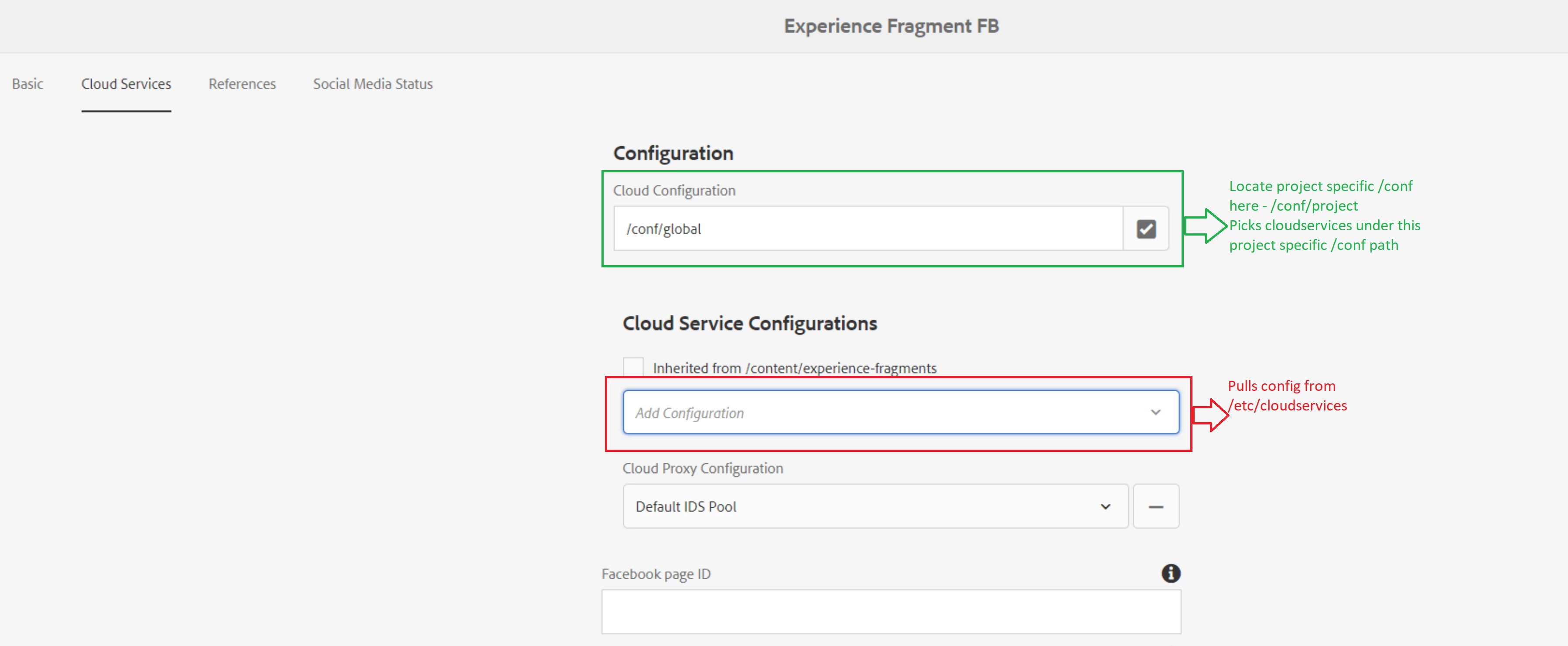
Cloud service Configurations dropdown is to pull the configs from old location - /etc/cloudservices

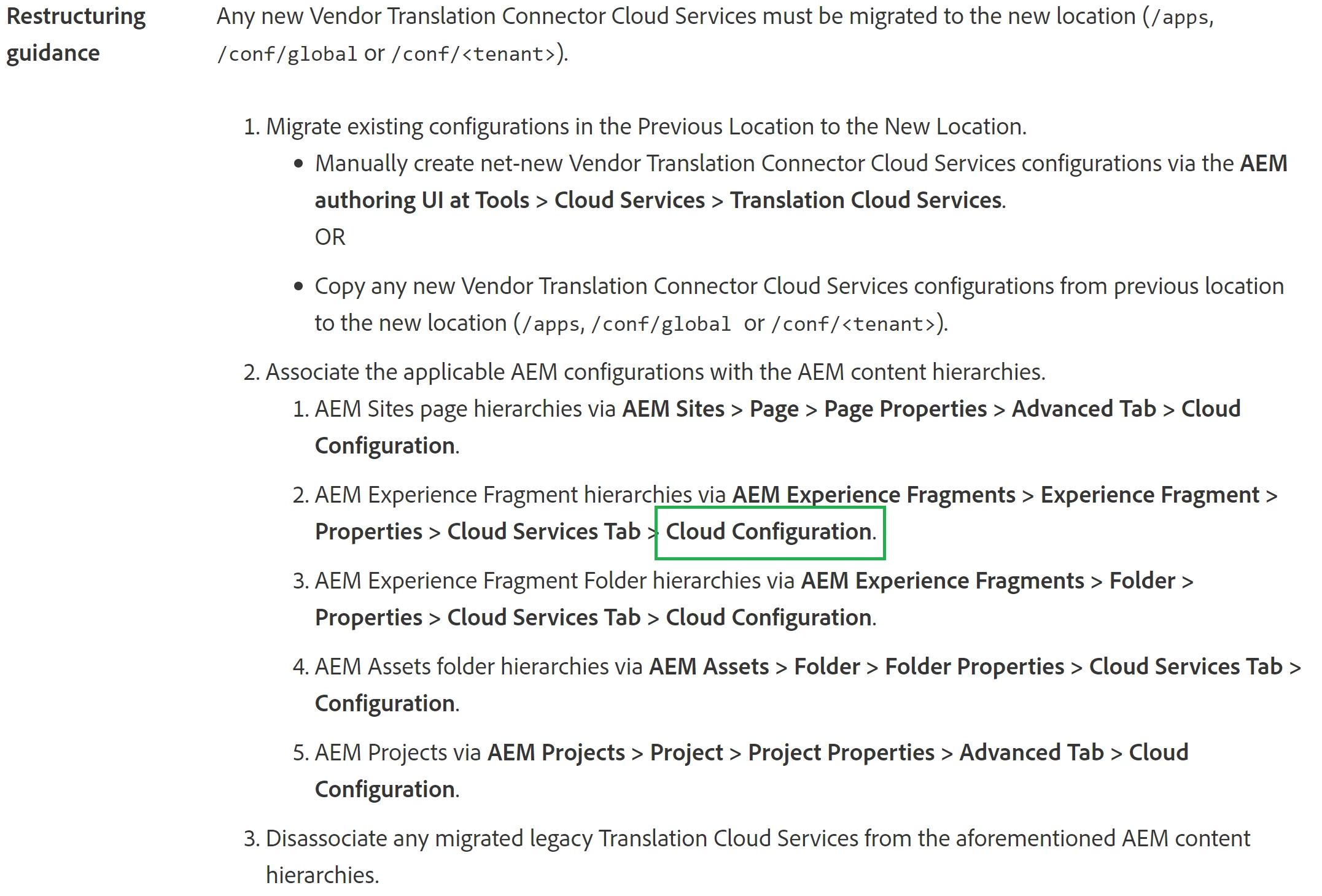
Now per the restructuring guidance, we need to locate the Cloud configuration path field to project specific configuration root. That is /conf/project in Cloud Configuration path field.

You can cross verify this with we-retail. (we retail has got facebook, pinterest cloud configs under /conf path - it will just be the main /conf/we-retail folder that will be located to Cloud configuration pathfield)

Using the screenshot that you have posted in your original query. 


https://experienceleague.adobe.com/docs/experience-manager-65/deploying/restructuring/all-repository-restructuring-in-aem-6-5.html