AEM Teser Component CTA | Community
Skip to main content
bhavigoyal
December 7, 2024
Solved

AEM Teser Component CTA

  • December 7, 2024
  • 3 replies
  • 1327 views

Hi, 

I am able to Author Teaser Component Cta as

tel:<tel number>,

it works fine but when i move to author it as

javascript&colon;alert('message');,

it doesn't make any href on DOM. How to achieve this using authoring only; i dont want to write custom js for this. As in LinkCheckerConfigImpl i found that tel: and javascript&colon;, both are there in configurations.

Best answer by EstebanBustamante

Hey @bhavigoyal I took a look and it seems there is an issue with the context the Teaser component is using to render the anchors. You can open an issue in the core components GitHub or contribute with the fix[1].

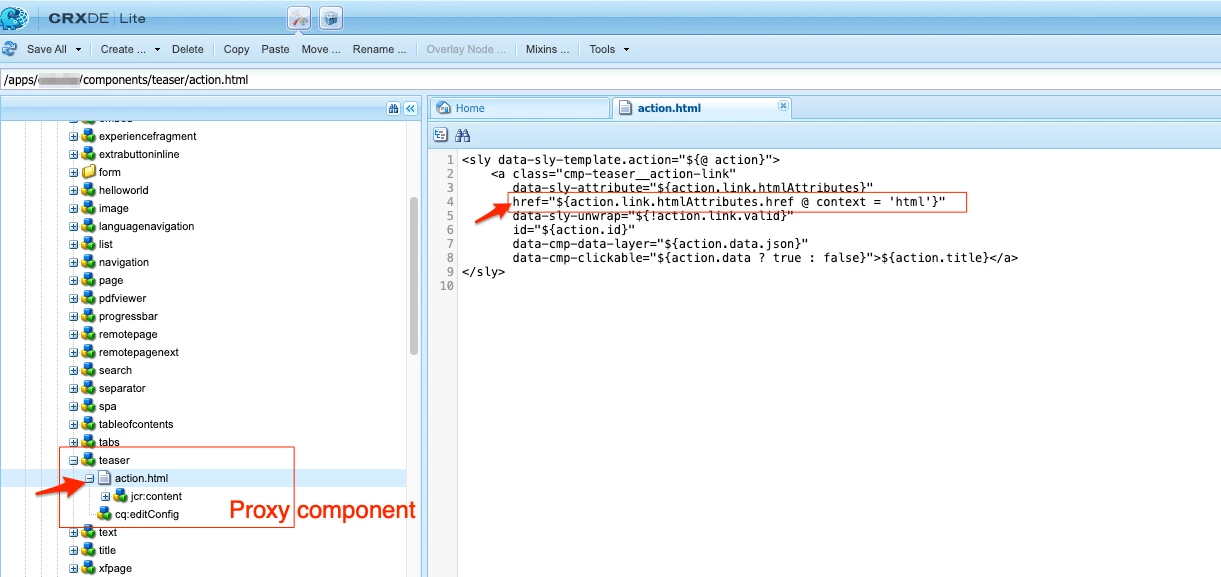
As a workaround you can simple overwrite the href element with the proper context. Like this:

  • Add the action.html to your Teaser proxy component.

  • Explicitly add the href element after the data-sly-attributes.

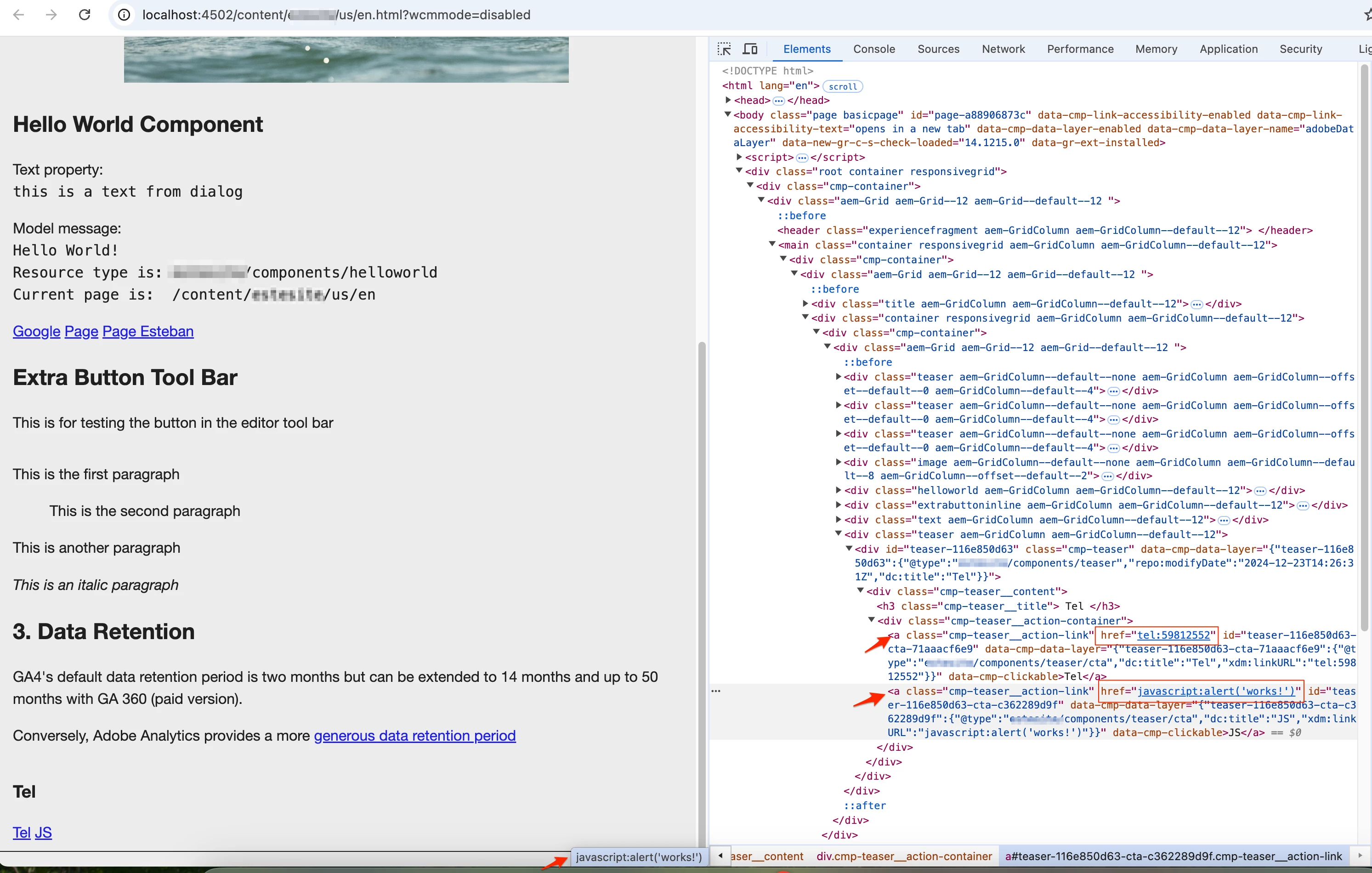
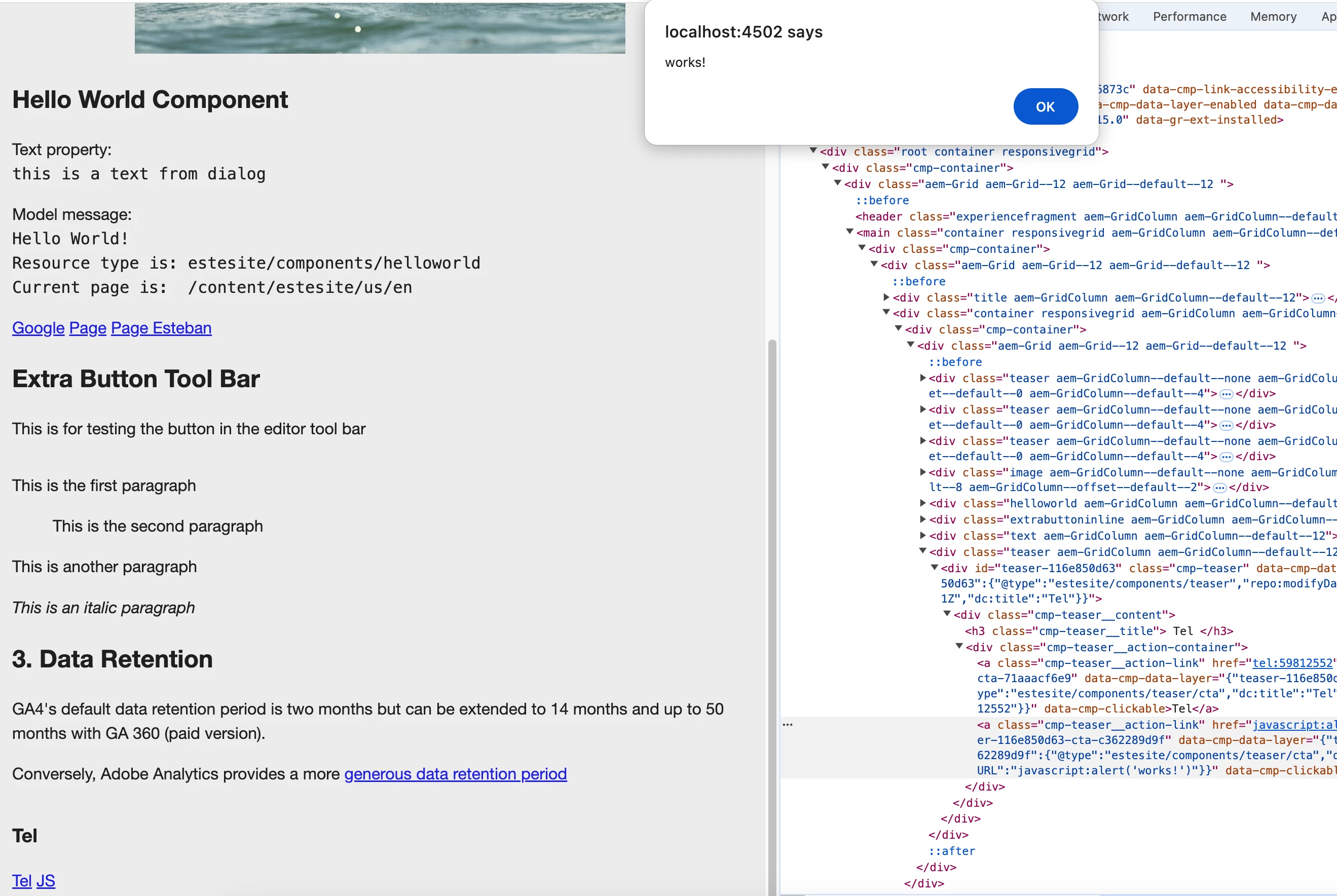
Result:


You can learn more about how this works here: https://github.com/adobe/htl-spec/blob/master/SPECIFICATION.md#2231-detailed-examples

[1]. https://github.com/adobe/aem-core-wcm-components/issues


Hope this helps

3 replies

December 7, 2024

@bhavigoyal - which AEM version are you using?


bhavigoyal
December 21, 2024

AEMaaCS

EstebanBustamante
Community Advisor and Adobe Champion
December 10, 2024

Hi,


This is due to XSS protection. I'm not exactly sure why you'd want to add an alert into an anchor tag or what you're trying to achieve, but as long as you have a valid link, you shouldn't have any problems. If you want to add more complex links, you’ll either need to update the HTL context or overlay and adjust the XSS configuration. Please check my response here:  https://experienceleaguecommunities.adobe.com/t5/adobe-experience-manager/aem-links-with-more-than-one-are-delete-by-editor/m-p/725508#M178705


Hope this helps

Esteban Bustamante
bhavigoyal
December 21, 2024

HI, I am implementing this in teaser CTA but wheb we give tel:<tel number>, in cta it open phone app but when i give javascript&colon;alert('message');, it doesnt open alert??

EstebanBustamante
Community Advisor and Adobe Champion
EstebanBustamanteCommunity Advisor and Adobe ChampionAccepted solution
Community Advisor and Adobe Champion
December 23, 2024

Hey @bhavigoyal I took a look and it seems there is an issue with the context the Teaser component is using to render the anchors. You can open an issue in the core components GitHub or contribute with the fix[1].

As a workaround you can simple overwrite the href element with the proper context. Like this:

  • Add the action.html to your Teaser proxy component.

  • Explicitly add the href element after the data-sly-attributes.

Result:


You can learn more about how this works here: https://github.com/adobe/htl-spec/blob/master/SPECIFICATION.md#2231-detailed-examples

[1]. https://github.com/adobe/aem-core-wcm-components/issues


Hope this helps

Esteban Bustamante
kautuk_sahni
Community Manager
Community Manager
December 16, 2024

@bhavigoyal Did you find the suggestions helpful? Please let us know if you require more information. Otherwise, please mark the answer as correct for posterity. If you've discovered a solution yourself, we would appreciate it if you could share it with the community. Thank you!

Kautuk Sahni
bhavigoyal
January 3, 2025

Ye  Found @kautuk_sahni