anjabed
Level 2
Dec 10, 2024 9:38 AM UTC
Solved

AEM links with more than one # are delete by editor

Hi,


we want to add Links in a text which have the format:
https://link.html/seite#/content/123/#TM4

If we add the link without the /#TM4 it works but as soon as we add the second # in the Link (and it doesn't matter where in the link) the editor deletes the link while closing.

Here I added it in a Text-Component in WE.Retail in men.html
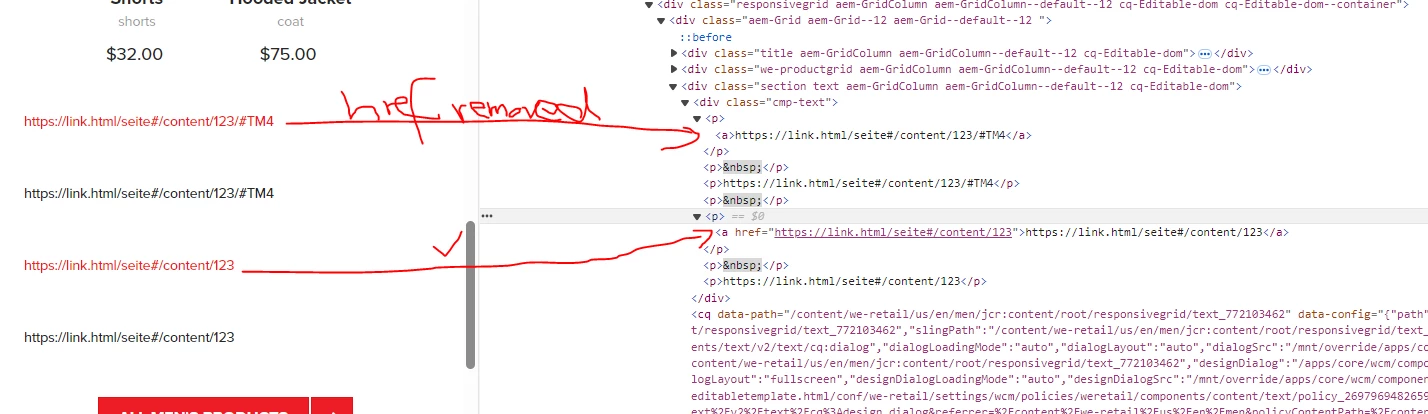


How can I say the editor: This is a correct link do not remove it when two # are in it?


Best Regards,


Anja 


Ps.: we have 6.5.0.18 on premise and the behaviour is in OOTB.

This post is no longer active and is closed to new replies. Need help? Start a new post to ask your question.
EstebanBustamante
EstebanBustamanteAccepted solution
Adobe Champion and Community Advisor
Dec 10, 2024 1:12 PM UTC

Hi,


You're simply missing the correct context for the HTML output. If you're not familiar with HTL context, you can check this out: https://github.com/adobe/htl-spec/blob/master/SPECIFICATION.md#121-display-context. If you don't use the right context, the XSS protection will remove the anchor tag, as you've observed.

This works just fine — note the context='html'.

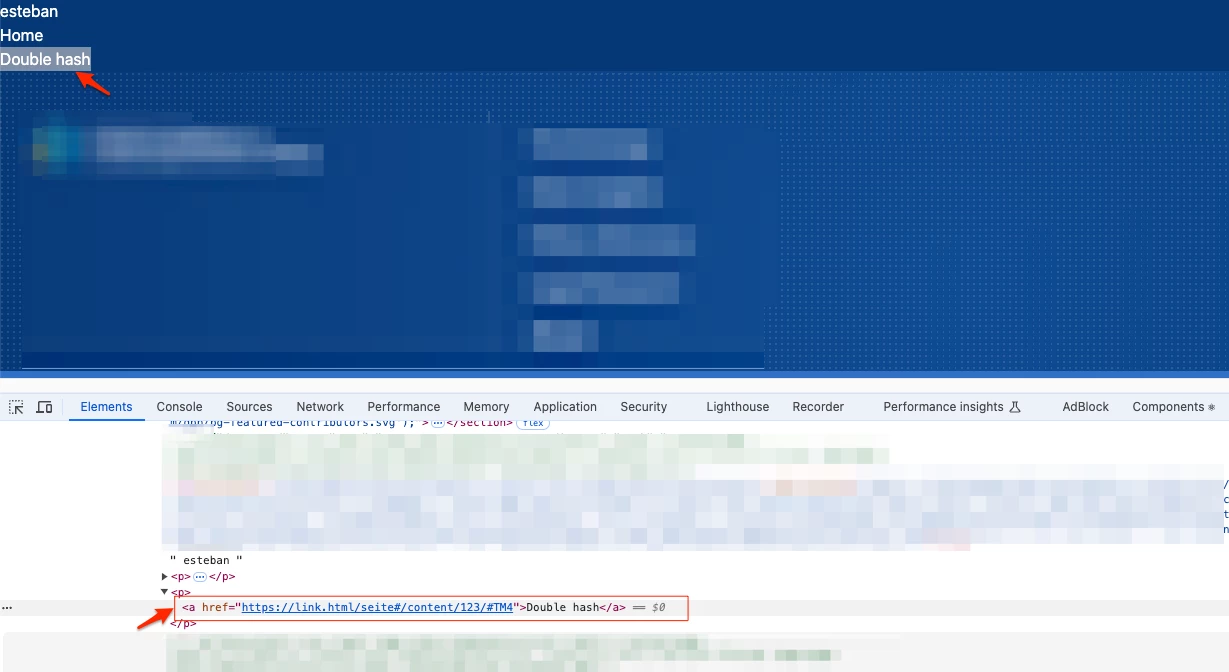
<p> <a href="${'https://link.html/seite#/content/123/#TM4' @ context='html'}">Double hash</a> </p>


Alternatively, you could tweak the XSS rules to allow the URL pattern with a double hash. Check my other response here about more details: https://experienceleaguecommunities.adobe.com/t5/adobe-experience-manager/how-xss-protection-works-in-aemaacs/td-p/622274


Hope this helps


Esteban Bustamante

6 replies

Kamal_Kishor
Community Advisor
Community Advisor
Dec 10, 2024 10:35 AM UTC

@anjabed : Your url seems different since it has multiple '#' in it. Since # is used to take control to a section with an id on the page (#section-id), it would not make sense to have multiple '#' in the link. Probably that's the reason Text component is removing the anchor tag from it.

Can you please check if you can re-construct your urls?


Translate
Kamal_Kishor
Community Advisor
Community Advisor
Dec 10, 2024 10:42 AM UTC

@anjabed : If you still need to have multiple # in your URL, try encoding the subsequent # as %23, so your URL becomes - https://link.html/seite#/content/123/%23TM4

With this, it will remain as a link. Please check if the link still does what you expect it to do.

thanks.

Translate
anjabed
anjabedAuthor
Level 2
Dec 10, 2024 11:59 AM UTC

Hi,

the URL with two # ist correct and need to be like this. The first # tells the page seite, that there is something to do with the rest after the # and the last # ist the textmark on the page 123.


It does not work like this:
https://link.html/seite#/content/123/%23TM4

And it does not work like this:
https://link.html/seite%23/content/123/#TM4


I need to configure the "check" if it is a correct URL that two or more # are correct.

Translate
EstebanBustamante
Adobe Champion and Community Advisor
EstebanBustamanteAdobe Champion and Community AdvisorAccepted solution
Adobe Champion and Community Advisor
Dec 10, 2024 1:12 PM UTC

Hi,


You're simply missing the correct context for the HTML output. If you're not familiar with HTL context, you can check this out: https://github.com/adobe/htl-spec/blob/master/SPECIFICATION.md#121-display-context. If you don't use the right context, the XSS protection will remove the anchor tag, as you've observed.

This works just fine — note the context='html'.

<p> <a href="${'https://link.html/seite#/content/123/#TM4' @ context='html'}">Double hash</a> </p>


Alternatively, you could tweak the XSS rules to allow the URL pattern with a double hash. Check my other response here about more details: https://experienceleaguecommunities.adobe.com/t5/adobe-experience-manager/how-xss-protection-works-in-aemaacs/td-p/622274


Hope this helps


Translate
Esteban Bustamante
anjabed
anjabedAuthor
Level 2
Dec 13, 2024 8:32 AM UTC

I am sorry, but this does not work.
I added the string

<p>
<a href="${'https://link.html/seite#/content/123/#TM4' @ context='html'}">Double hash</a>
</p>

into crx/de, save the page and the link is gone:


So this does not work.


But I will have a look at the xxs protection, perhaps this will help.


Translate
anjabed
anjabedAuthor
Level 2
Dec 13, 2024 8:45 AM UTC

Adding a rule for urls in the /apps/cq/xssprotection/config.xml helped. Thanks!

Translate