
Thank you page using data returned from Form Data Model submission | Community
Skip to main content
IainClucas
September 1, 2023
Solved

Thank you page using data returned from Form Data Model submission

  • September 1, 2023
  • 3 replies
  • 1535 views

We have configured several Form Data Models for our cloud based APIs. The majority of the POST responses contain details about the submission such as SubmissionID. We would like to display the returned SubmissionID to the user on a custom Thank You page, which will give them details on how to contact the company about their submission. 


We are trying to use as much out of the box functionality, so the Form is created using a Form Data Model that defines the Data and submission API and Submission is set to use the Form Data Model. We have a Redirect set to our Thank You page.
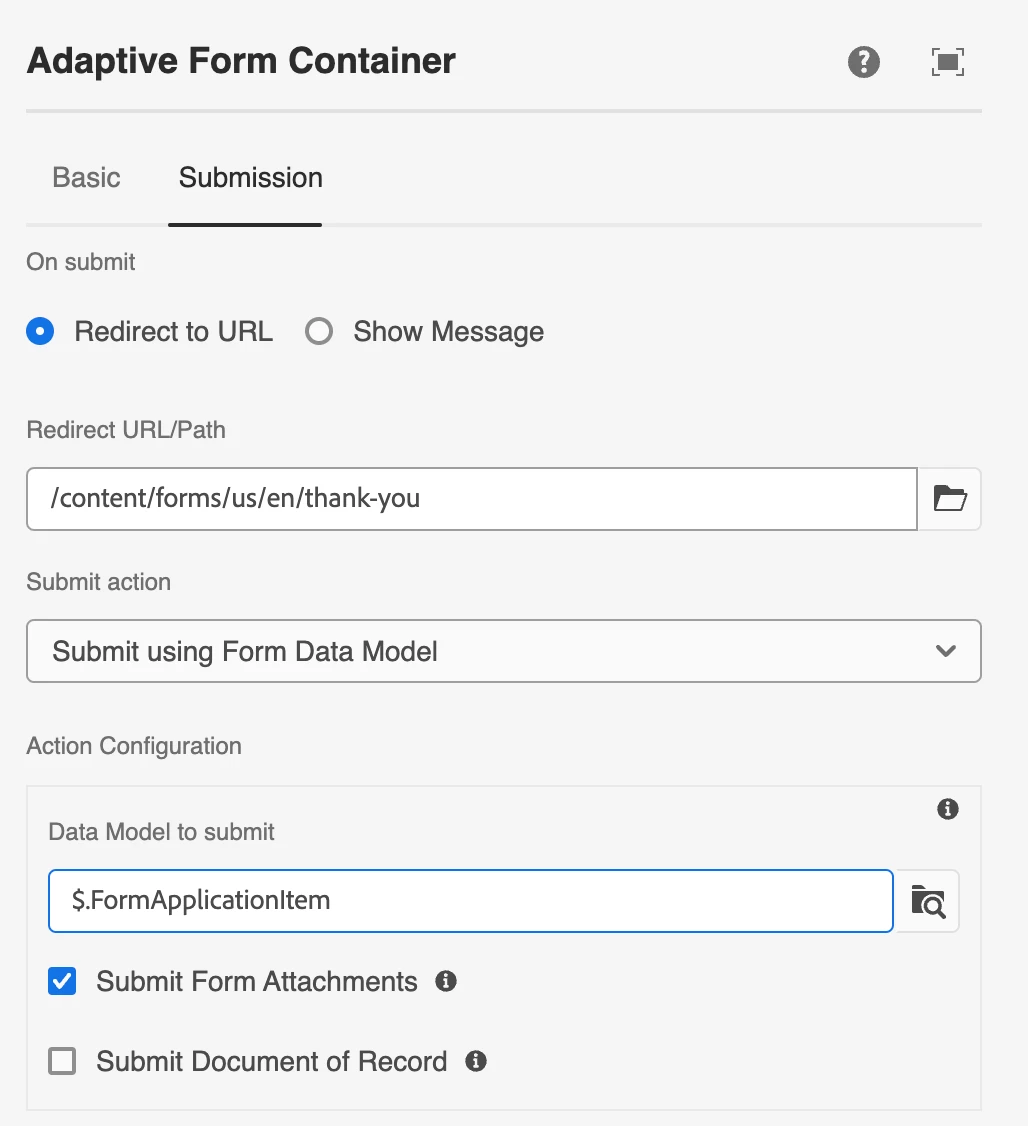
 

What we are struggling with is to get hold of the FDM Response data within the Thank You page's Custom Form Submission Notification component so we can let the user know the submission ID.


I would appreciate if anyone could share an approach to this.


Thanks


This post is no longer active and is closed to new replies. Need help? Start a new post to ask your question.
Best answer by workflowuser

have not tried on cloud service. will try and let you know


The following is working on my cloud ready instance


if you are testing it on your author instance make sure you are wcmmode=disabled in the URL as shown adding http://localhost:4502/content/dam/formsanddocuments/thankyoupage/jcr:content.html?wcmmode=disabled&owner=admin&FormSubmissionComplete=true&fdmSubmitResult=%7Bresult%3D%7Bnumber%3DINC0010020%7D%7D&status=Submitted

3 replies

Adobe Employee
September 1, 2023

Let me try something and get back to you

thanks

Adobe Employee
September 1, 2023

ok, I have tried one approach, and it is working.


Create a new adaptive form template

Create your thank you page based on the new template. In that thank you page you will have a text field to display the caseNumber or the submission id based on your use case 

associate the thank you page with your main form which creates a new submission using the form data model

When the thank you page is shown the URL of the thank you page looks something like this

http://localhost:4502/content/forms/af/servicenow/servicenowthanksyoupage.html?owner=admin&FormSubmissionComplete=true&fdmSubmitResult=%7Bresult%3D%7Bnumber%3DINC0010005%7D%7D&status=Submitted

In the JSP page of your page component that is associated with the template, you will have to create dataXml string that you want to merge with the thank you page. for example I wrote the following code in my jsp page to parse the request parameter

String dataXml = "<afData><afUnboundData><data>";
String fdmSubmitResult = request.getParameter("fdmSubmitResult");

com.google.gson.JsonObject jsonObject = com.google.gson.JsonParser.parseString(fdmSubmitResult).getAsJsonObject();
String caseNumber = jsonObject.get("result").getAsJsonObject().get("number").getAsString();
System.out.println("The case number is "+caseNumber);

slingRequest.setAttribute("data","<afData><afUnboundData><data><caseNumber>"+caseNumber+"</caseNumber></data></afUnboundData></afData>");


I will be writing a article on this very soon and also posting a live sample form to demonstrate this capability


Adobe Employee
September 1, 2023

Hi

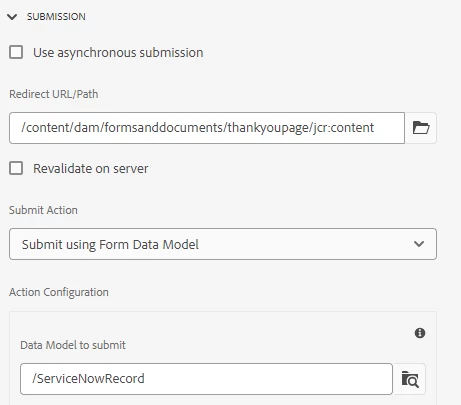
Here is a sample of the requirement and the solution. On submission of the form, a new case is created in ServiceNow using the form data model submit method. The thank you page will display the response returned by the form data model.

Let me know if this works for you

IainClucas
September 2, 2023

That is pretty much the model we are looking for. We are actually pushing to Pega to create the case.


we had wondered if we would need to use the invoke service from the rules editor.


 Are you able to share your approach?

Adobe Employee
September 2, 2023

Submit the form using the form data model submit button

associate the thank you page with the form

the thank you page will be based on new adaptive form template and in that templates jsp write the logic as I have written in the earlier reply