Sum of numbers when dropdown is answered as YES | Community
Skip to main content
June 22, 2023
Solved

Sum of numbers when dropdown is answered as YES

  • June 22, 2023
  • 1 reply
  • 1045 views

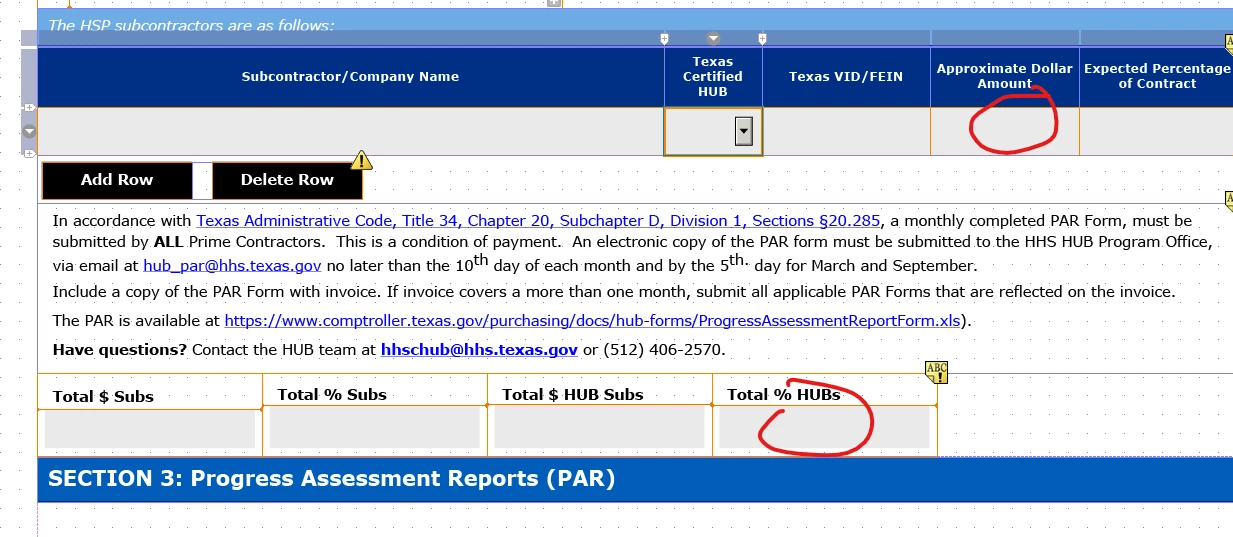
I need the sum of a column of numbers only when the dropdown is answered as Yes.  Table 3, row 2, "Dropdown" is a dynamic field where the user will answer Yes or No to a parameter.  If they answer yes, I need to add the column on Table 3, row 2, cell "Amount" together for a sum.  In addition, they have the option to add unlimited rows to the table.  I have not been successful in writing script to add all of the "Amount" cells on this table that have the answer yes and ignoring all the cells that have "no".  Any help would be appreciated.
 

This post is no longer active and is closed to new replies. Need help? Start a new post to ask your question.
Best answer by Vijay_Katoch

The script I am writing is failing to calculate that number.  I'm looking for the proper script language, that will calculate that sum.  Thanks!


In your existing script, I did below changes and it is working for dropdown value. You can add similar to other fields.


form1.#subform[0].#subform[1].Subform6.#subform[0].#subform[3].Table3.TotalSubs.NumericField1[0]::calculate - (FormCalc, client)
if(Row2.DropDownList.rawValue == "YES") then
$.rawValue=SUM(Table3.Row2[*].Amount);
endif

1 reply

Vijay_Katoch
Community Advisor
Community Advisor
June 22, 2023

Share the form @ vkatoch07@gmail.com. I'll have a look.

LISAHA3Author
June 22, 2023

Sent it to you, thanks

Vijay_Katoch
Community Advisor
Community Advisor
June 23, 2023

I saw your form, so the solution should be like below.


You can write a javascript function that should be called

> When you delete a row,

> On change of dropdown value

> And amount and percentage field exit


This function should have the below logic:


It should loop through all row in the table and inside the loop you need to check the dropdown YES/NO condition and then add the amount and percentage value and set it to the total fields.