Slow network connection causes components to not obey Hide Object configuration
AEM 6.5, SPA, Angular 9, Bootstrap 4
AEM Forms packages:
adobe-aemfd-linux-pkg-6.0.1120.zip
adobe-aemfd-compat-pkg-2.0.48.zip
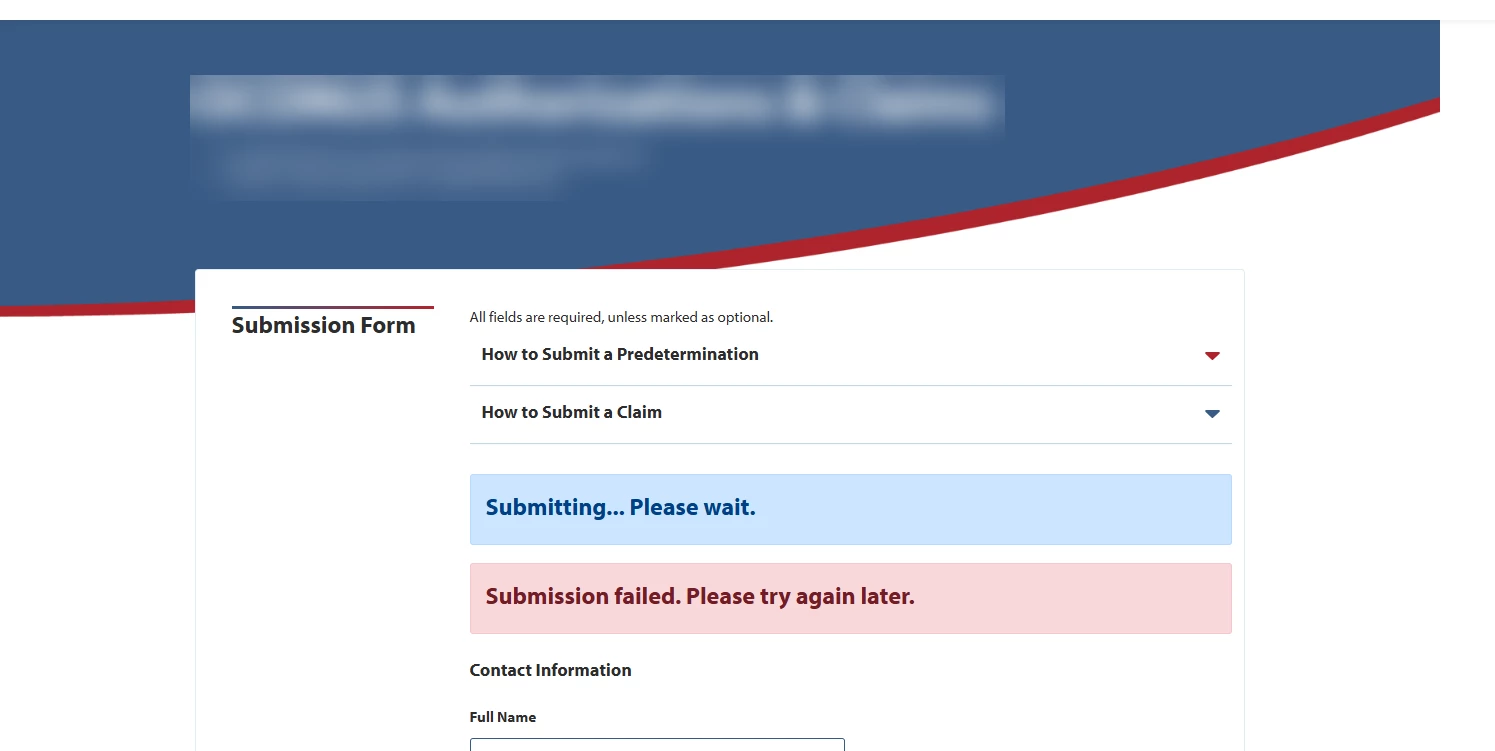
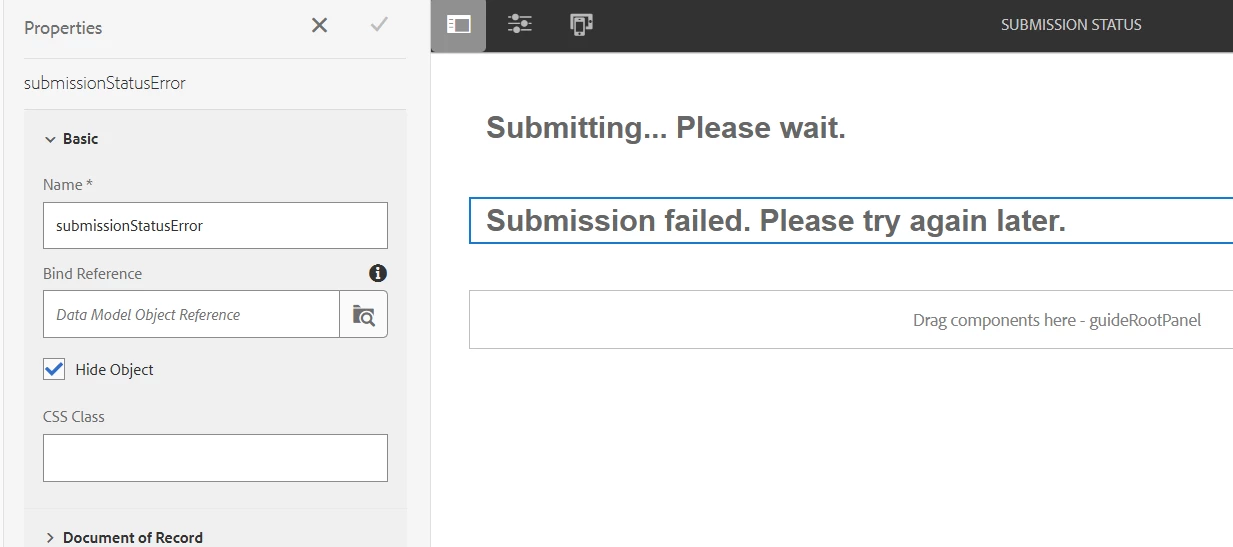
Having an issue with AEM Forms where elements that are configured to be hidden are still showing up on the page (submission-status-issue.png). I've been testing our site on slower network speeds by using Chrome's dev tools to throttle the browser connection to 3G and disabling the cache. This causes the page to load very slowly (which is expected). However, when the page finishes loading there are blue and red alert boxes that are displayed when they should be hidden. When I view the html after the slow page load completes, I notice that the alert boxes don't have the "hidden" or "active" classes on their field elements. I believe those classes are something AEM adds based on whether the Hide Object option is checked or not in the component configuration (submission-status-config.png). Since they don't have the classes, they display. So it seems like there is an AEM event or process that doesn't fire to add the appropriate class on slower connections.
How can I fix this?