Simple Conditional Break - After, Go To Next Page only if | Community
Skip to main content
LucreciousDFF
Level 4
June 24, 2021
Solved

Simple Conditional Break - After, Go To Next Page only if

  • June 24, 2021
  • 6 replies
  • 7861 views

I require some sunlight on a solution to having a Go To Next Page break after a subform ONLY if the subform has not flowed onto the next page.


If it has flowed onto a new page then keep with next.


I suspect this has an easy fix, however, I am struggling with it in the pagination panel, overflow subpanel and within the conditional statements popup box.


Please provide comments... thank you in advance.
This post is no longer active and is closed to new replies. Need help? Start a new post to ask your question.
Best answer by Kosta_Prokopiu1

@lucreciousdff 

I think the solution to your requirement lies in using master pages to place your "bottom subform"

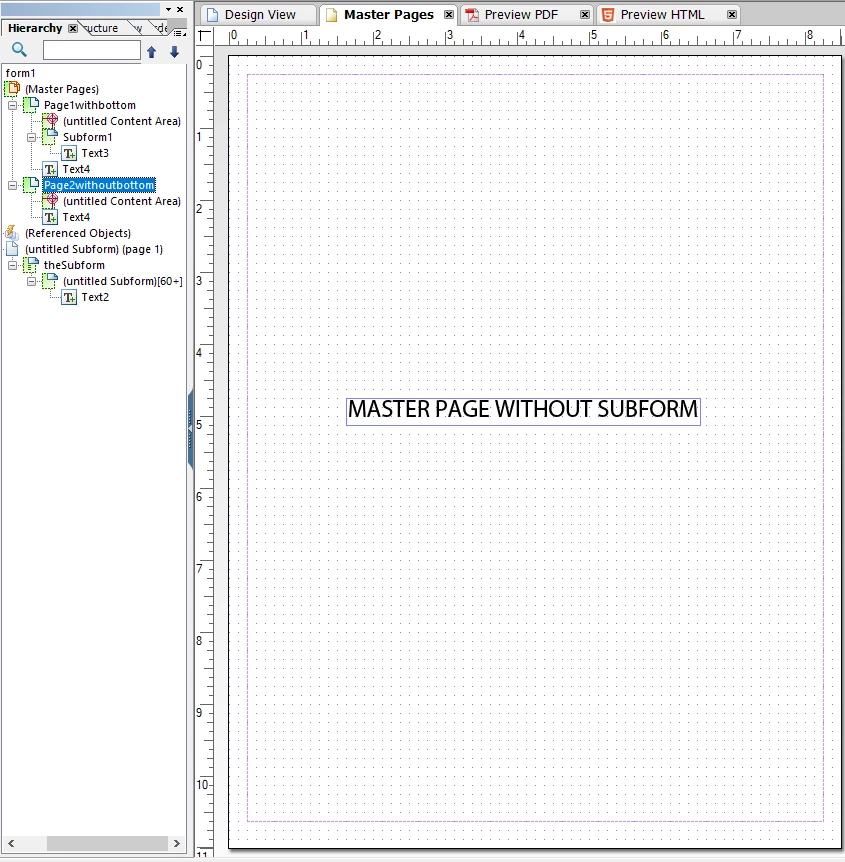
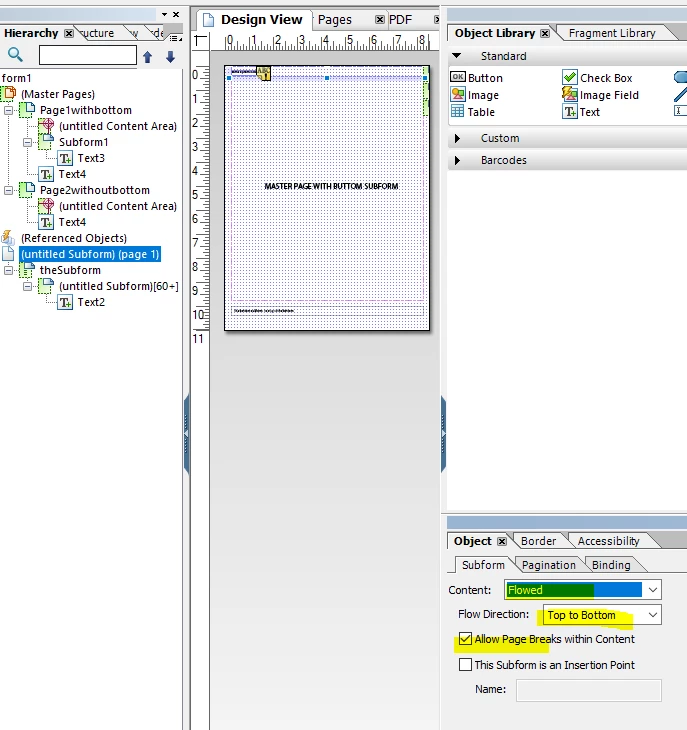
The design I have here looks as follows:

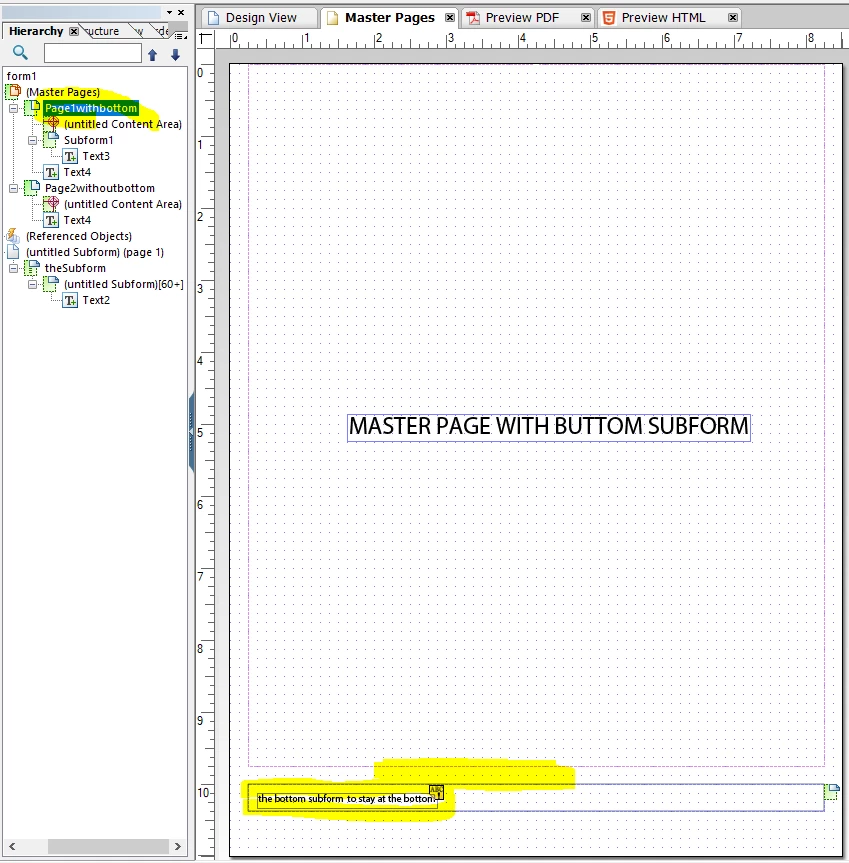
Masterpage 1 with reduced content area and subform at the bottom:

Your output page must be flowed for this

I use another flowed subform to dynamicaly create n number of lines to test.

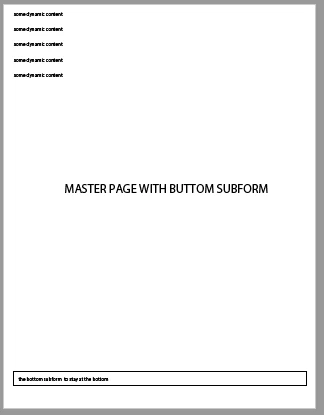
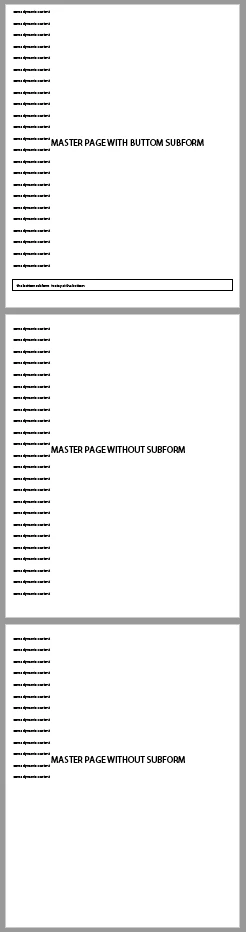
With less than page full of lines the result is

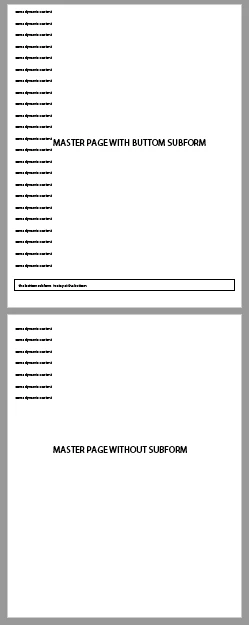
When the content exceeds the page

and with more stuff coming from the dynamic part

Does that fit your requirement?

The sample you can download here: https://documentcloud.adobe.com/link/review?uri=urn:aaid:scds:US:e88ff340-f798-40bd-acae-cbef36dd5188


6 replies

Kosta_Prokopiu1
Adobe Employee
Adobe Employee
June 25, 2021
🙂 I am not sure I get this. I try: You have 2 master pages. Normally you want your content to jump frm master page 1 to master page 2 when the pagination occurs. But if a dynamic subform floats it should stay on master page 1 on page break. The next page break should then go to master page 2 again?
LucreciousDFF
Level 4
June 25, 2021
It is a bit more simple; I have a subform at the bottom of the page, there is a small amount of space and I have set that pagination for that subform to "Go to next page" | "After" so there is no more content after it. However, the data above it will under certain rare conditions cause that bottom subform to flow onto the next page, which, then pushes the next content onto the next page leaving a lot of white space. So, what I would like is that the content following the bottom most subform to flow onto the next page if it has not flowed onto another page. In other words, that the content following will be placed onto page 2 if the bottom most subform has not flowed onto page 2 and if it has the content following the bottom most subform will keep with the content after so the white space is not an issue. Does this help?
LucreciousDFF
Level 4
June 25, 2021
Perhaps it is requried for the subform to verify placement after layout and if pg1 then "place following on new page" or if pg2 "keep with next". Not certain if this should be done within conditional break or JavaScript on event.
LucreciousDFF
Level 4
June 25, 2021
After doing some research; I think all that is needed is to check if the subform is on page 1 on layout and if so to set next at the top of the next page. The only issue I am now experiencing is how to code the conditional statement to verify if on page 1 using either formcalc or javascript and if true the rest I can do. I was playing around with xfa.layout.page($) equal to 1 but have not solved it as yet. Any comments would be greatly appreaciated. The is on the Edit Conditional Breaks.
Kosta_Prokopiu1
Adobe Employee
Kosta_Prokopiu1Adobe EmployeeAccepted solution
Adobe Employee
June 25, 2021

@lucreciousdff 

I think the solution to your requirement lies in using master pages to place your "bottom subform"

The design I have here looks as follows:

Masterpage 1 with reduced content area and subform at the bottom:

Your output page must be flowed for this

I use another flowed subform to dynamicaly create n number of lines to test.

With less than page full of lines the result is

When the content exceeds the page

and with more stuff coming from the dynamic part

Does that fit your requirement?

The sample you can download here: https://documentcloud.adobe.com/link/review?uri=urn:aaid:scds:US:e88ff340-f798-40bd-acae-cbef36dd5188


LucreciousDFF
Level 4
June 25, 2021
Well Kosta, I am impressed, you clearly put a lot of effort into this solution. However, it does not address the business needs in this case. I absolutely need the content above to remain above and the pagination to only break after at the top of a new page IF and ONLY IF the notification subform remains on page 1. So, in this case I will have to investigate further the conditional breaks and how to script the xfa layout page value if equal to page 1 and ONLY THEN to Go To Next Page if it is on page one. Otherwise, the flow would be the default keep together or continue.
LucreciousDFF
Level 4
June 25, 2021

This is where I am attempting to resolve the issue:

I simply need the correct writing of the condition which verifies that the subform is on page 1.


Thank you in advance...