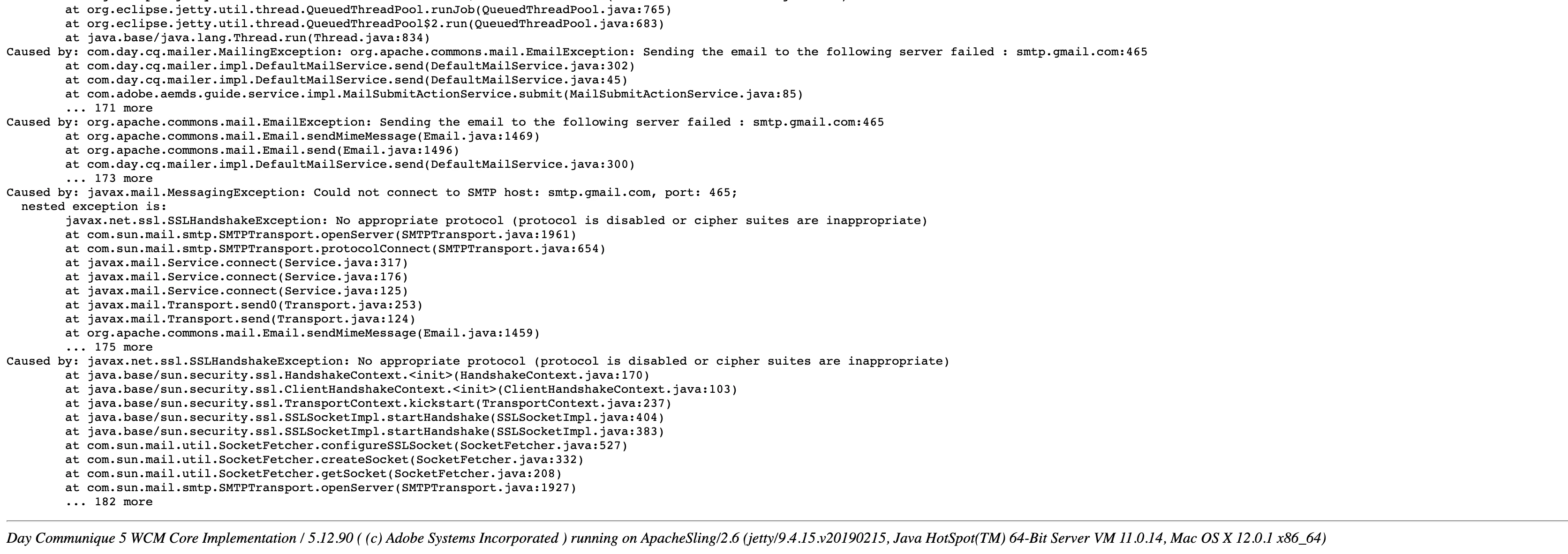
Sending the email to the following server failed : smtp.gmail.com:465 | Community
Skip to main content
February 7, 2022
Solved

Sending the email to the following server failed : smtp.gmail.com:465

  • February 7, 2022
  • 2 replies
  • 8565 views

Hi,


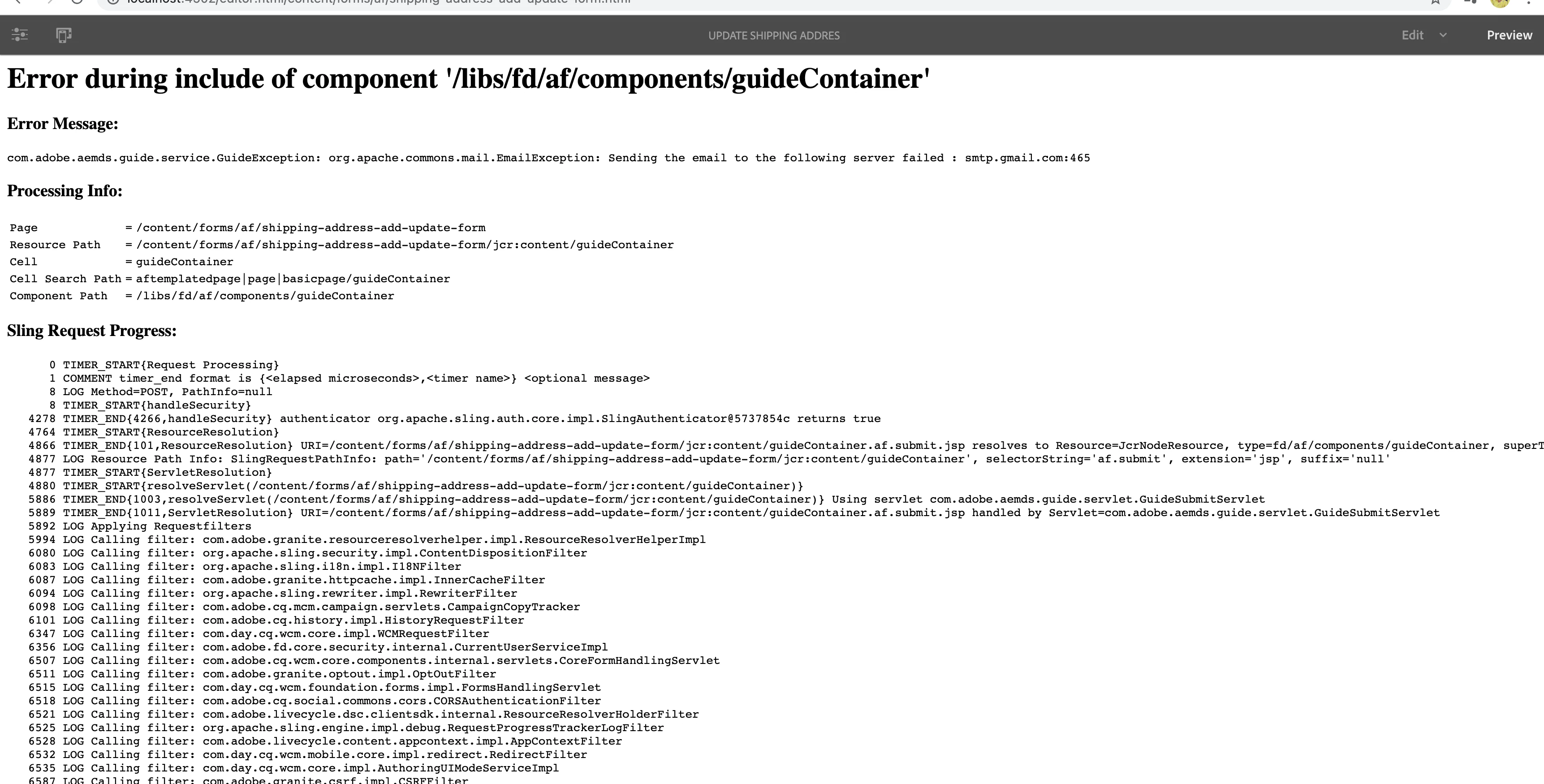
I am exploring on AEM with Adaptive Forms concept for a pre sales activity, while working on it I am trying to send form details as email, I have followed below Adobe Doc for creating Form but getting "Sending the email to the following server failed : smtp.gmail.com:465" error.


https://experienceleague.adobe.com/docs/experience-manager-65/forms/getting-started/create-first-adaptive-form/create-adaptive-form.html?lang=en


AEM version: 6.5

AEM Forms package: AEM-FORMS-6.5-OSX

Java Installed: Java 11 and Java 1.8 (Both ended up with some Java errors)


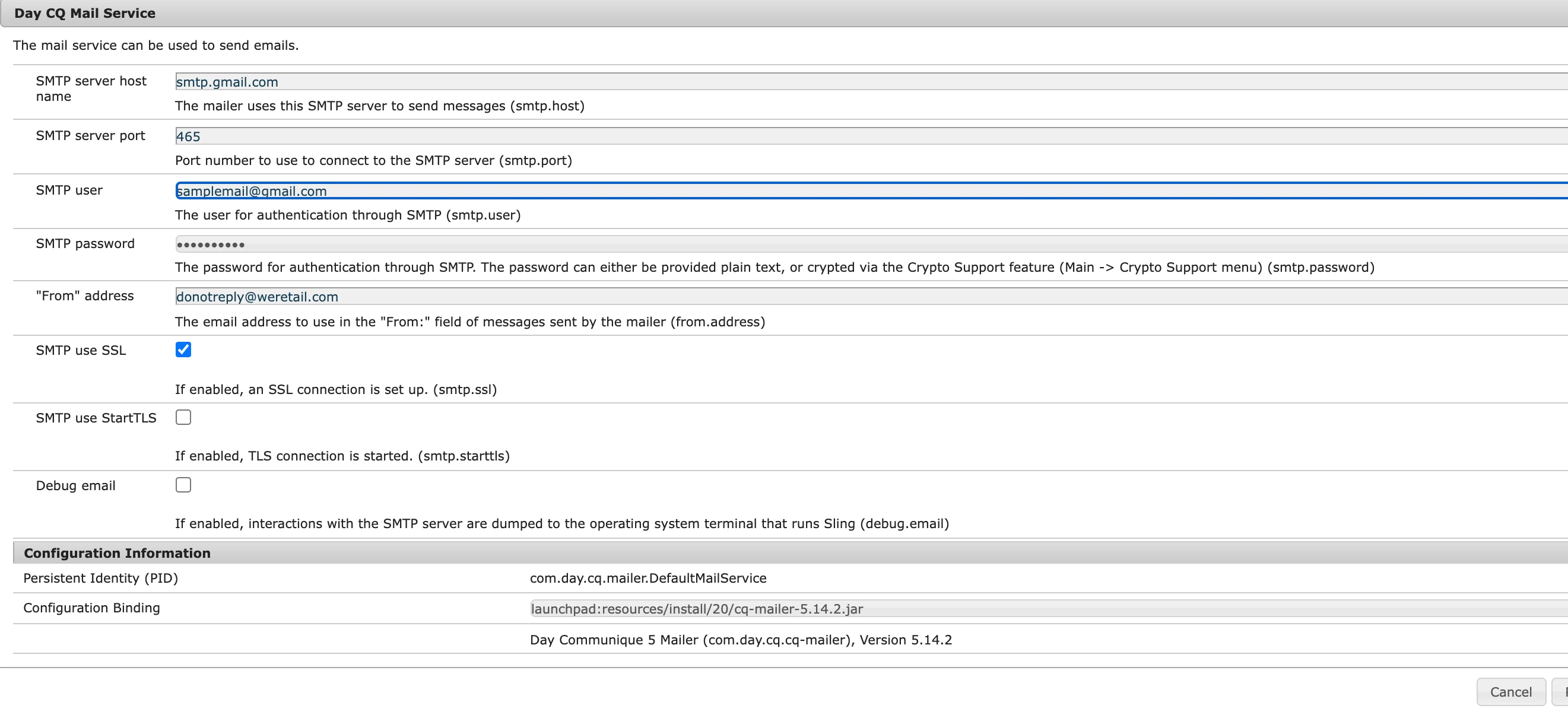
I have setup Gmail SMTP server in confMgr Day CQ Mail Service, but still same issue.
 

Step 1: Installed AEM forms package

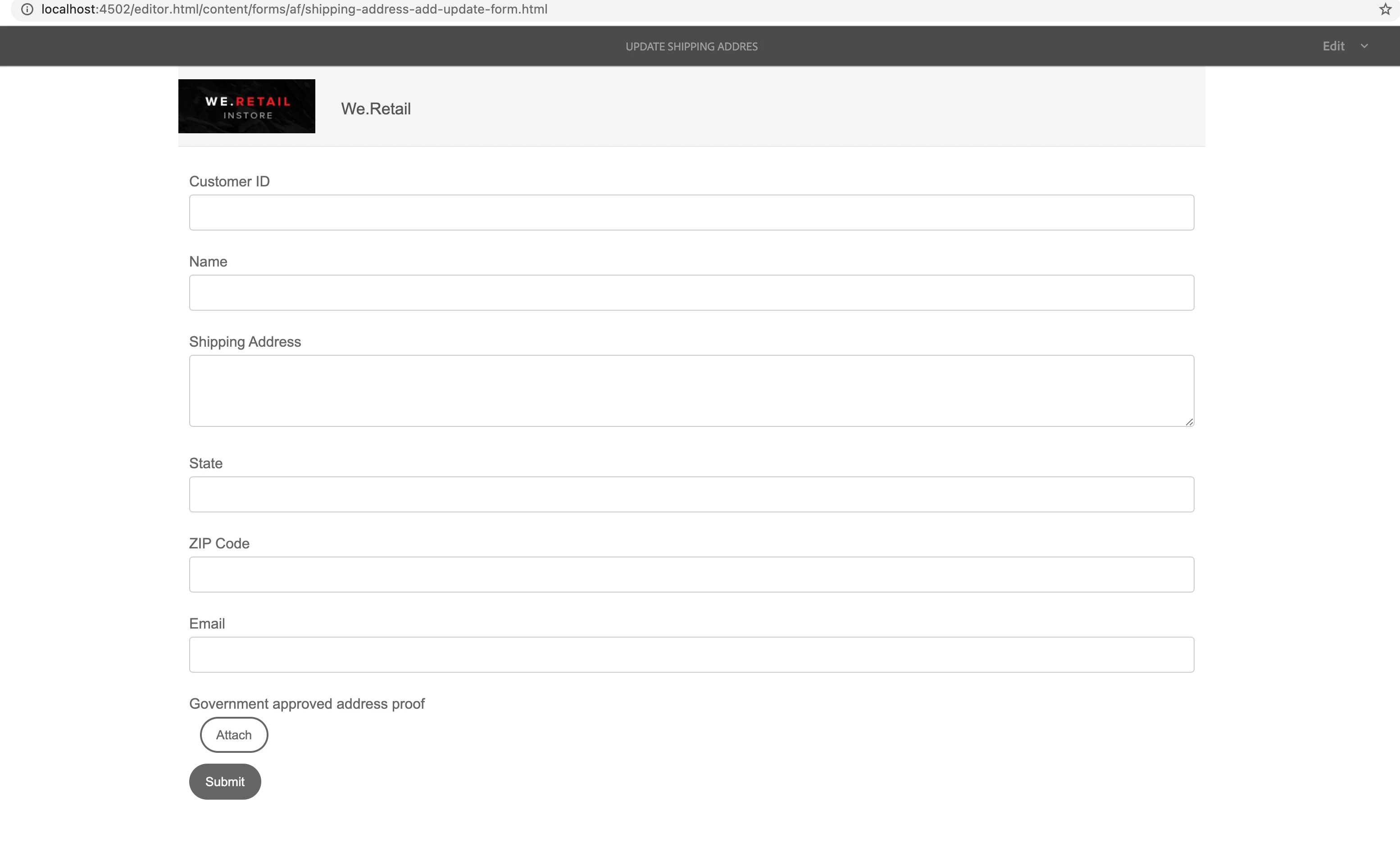
Step 2: created adaptive form

Step 3: setup Day CQ mail service in confgmgr

Step 4: updated my Gmail account security settings

Step 5: opened form in preview mode , filled and submitted


At the end getting same error even after installing different java versions


Help me to resolve it.

This post is no longer active and is closed to new replies. Need help? Start a new post to ask your question.
Best answer by Mayank_Tiwari

1. Here is a working configuration for GMail :
smtp.host=smtp.gmail.com
smtp.port=587
smtp.ssl=yes
smtp.user="me@gmail.com"
smtp.password="myPassword"
You must use port 587 (and so activate SSL)

2. Also ensure that Two factor authentication is not activated (otherwise you must generate a new application password)

3. Another cause of connection fail : it can be seemed like a suspect connection.

So check mails received from google on your account to ensure the connection has not been blocked by google.

2 replies

Mayank_Tiwari
Adobe Employee
Mayank_TiwariAdobe EmployeeAccepted solution
Adobe Employee
February 7, 2022

1. Here is a working configuration for GMail :
smtp.host=smtp.gmail.com
smtp.port=587
smtp.ssl=yes
smtp.user="me@gmail.com"
smtp.password="myPassword"
You must use port 587 (and so activate SSL)

2. Also ensure that Two factor authentication is not activated (otherwise you must generate a new application password)

3. Another cause of connection fail : it can be seemed like a suspect connection.

So check mails received from google on your account to ensure the connection has not been blocked by google.

February 8, 2022

Hi @mayank_tiwari I have already setup port and ssl as below:


smtp.port=587/465
smtp.ssl/tls=yes


I have tried different combinations of ssl tls and port number(587/465) but still no luck.

Two factor authentication is not activate

received security alert mail in and verified that it's me who changes less secure to ON


none of these solutions work for me.


Is there anything else I can do?


Mayank_Tiwari
Adobe Employee
Adobe Employee
February 8, 2022

Can you refer to this to configure the same:

https://aemgeeks.wordpress.com/2017/09/28/gmail-as-your-smtp-server-in-aem/


Please note that you need to use your actual account credentials as username and password.

Pulkit_Jain_
Adobe Employee
Adobe Employee
February 7, 2022

@sushmitha_srinivasan 

Apart from the suggestions provided above, also turn on google less secure app settinghttps://stackoverflow.com/a/32373724 .

Did you check with enableTLS / 587 port with gmail?

If this doesn't work, you can create a SMTP server on your local machine and use the same. This should work for you OOTB.