
Rule Editor Option Disabled | Community
Skip to main content
BraullioSoares
June 3, 2020
Solved

Rule Editor Option Disabled

  • June 3, 2020
  • 4 replies
  • 5142 views

Hi 

When I try to edit the Javascript code for any rule I am unable to switch to Code Editor in Rule Editor of AEM Forms. The button keeps disabled. Please see the screenshot.
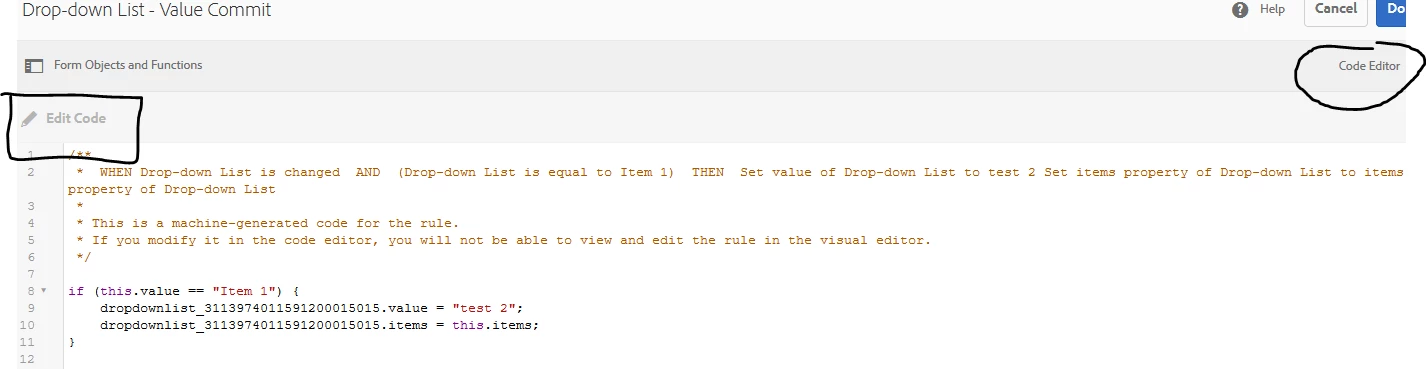


My AEM Version is 6.4.7 as well as the add-on packages. It happens only in one environment.

Please let me know if there is any configuration there I need to do to get this working properly.


Thank you.

This post is no longer active and is closed to new replies. Need help? Start a new post to ask your question.
Best answer by BraullioSoares


The user account also needs to be added to the “forms-power-users” group

4 replies

June 3, 2020

since it happens in only one environment, does not look like a bug

how are you logging in to AEM?

June 3, 2020
can you try a different form?
Adobe Employee
June 3, 2020
If you are connected as a user with proper access then enable the browser debug to verify if there is any error in the page ?
BraullioSoares
June 4, 2020
Even though I was logged in as an admin, we have figured out that the user account also needs to be added to the “forms-power-users” group. That solve the problem.
BraullioSoares
BraullioSoaresAuthorAccepted solution
June 4, 2020


The user account also needs to be added to the “forms-power-users” group