Passing Flat PDF Name to DDX invoke method | Community
Skip to main content
manu-gupta
Level 4
May 27, 2021
Solved

Passing Flat PDF Name to DDX invoke method

  • May 27, 2021
  • 6 replies
  • 3186 views

Hi folks

I have a ask to generate PDF file which has blank pdf assembled with main pdf.

I had generated main PDF from XDP using OutputService.generatePDFOutput() and received a aemfd document PDF.

Now i have DDX file which is like below and I am not what I should be putting in 1st child <PDF source="<Name or Path...." tag.

<DDX xmlns="http://ns.adobe.com/DDX/1.0/"> <PDF result="PDFWithblankPage"> <!--Add this page to ddx_pageList--> <PDF source="<Name or Path for main PDF>"/> <PDF source="<Network Drive>/blank.pdf"/> </PDF> </DDX>


I have checked the DDX file operation and it is working fine if I generate a static PDF, copy it at physical location with some name to PDF and provide the same Name to this DDX file. And it generates the desired PDF with blank page.


However I dont want intermediate PDF to be saved to a location and then pass to DDX as it will result in many temp PDFs getting created at that location and clean up will be an issue


Is there a way through which I can achieve the solution.


P.S. I am creating DDX file dynamically using java code everytime so that dynamic values can be filled.

This post is no longer active and is closed to new replies. Need help? Start a new post to ask your question.
Best answer by manu-gupta

Hi Folks

I was able to achieve the solution by storing the PDF intermediately generated in temp location and then reading it from there to further DDX operation.

Thanks all for your suggestions and input, it helped build the solution.


6 replies

Kosta_Prokopiu1
Adobe Employee
Adobe Employee
May 27, 2021

You can use the AssemblerService API with

AssemblerResult invoke(Document ddx,
                       Map<String,Object> inputs,
                       AssemblerOptionSpec environment)
                throws OperationException

The DDX would contain <PDF source="<Name>"/>. you build a map for inputs where your document is an entry with String key "Name" and an com.adobe.aemfd.docmanager.Document object containing the document from the OutputService.generatePDFOutput() call.

manu-gupta
Level 4
May 27, 2021

Thanks Kosta,I am exactly doing this operation only, just to addI am assigning name to PDF generated from OutputService.generatePDFOutput using setAttribute("Name","FormName")

Now using this FormName i am creating input Map.


Now the issue, when I passing PDF originally generated in map is showing error

java.lang.IllegalStateException: Document is in a disposed state! at com.adobe.aemfd.docmanager.Document.checkDisposed(Document.java:236) at com.adobe.aemfd.docmanager.Document.passivate(Document.java:317) at com.adobe.aemfd.docmanager.Document.getInputStream(Document.java:357)


not sure from where this is getting injected


Mayank_Gandhi
Adobe Employee
Adobe Employee
May 27, 2021

@manu-gupta if you have to work with multiple document generated by more than one service use workbench and handle it in-memory. Safer option and reliable.

manu-gupta
Level 4
May 28, 2021

Nope it is same PDF for which I am getting the page count using one DDX and post doing some calculation based on page count I need to update the same PDF with new blank pages. I cannot use Workbench as solution is supposed to be on AEM 6.5.7/8 with Forms OSGI.


@mayank_gandhi @kosta_prokopiu1 any other way I can store the PDF before it is in disposition state?

manu-gupta
Level 4
May 31, 2021

@mayank_gandhi - Please keep it unanswered as my problem is different from what you suggest.


I have same XDP template serving different needs, for flat, fillable or print. ONLY in the case of print I am adding blank PDF page so I cannot put that in XDP. Hence I am looking for DDX operation to first generate the flat PDF then combine it with blank pdf at different places of main PDF(in between and as well as last pages) to generate Print version.


Since I am on OSGI architecture so cannot use Workbench. So do you have any other alternate solution which I can use in JAVA API based maven project. This is using servlet call to trigger Assembler Service invoke Method.


I am on AEM 6.5.8 with forms package 6.0.334 and using corresponding jars.


Thanks

Mayank_Gandhi
Adobe Employee
Adobe Employee
May 31, 2021

@manu-guptaI am not marking it answered and we can't anyways. The solution was suggested as there was no architecture specified in the initial thread. The problem now you have highlighted has little to do with assembler and output but more on the implementation side. What's the diff between a print and a flat pdf? I don't think this is possible via API  without saving it to the disk/FTP or in temp. You can check with adobe consulting or support though.

Kosta_Prokopiu1
Adobe Employee
Adobe Employee
May 31, 2021

Find some more ideas regarding your assembly:

<DDX xmlns="http://ns.adobe.com/DDX/1.0/">
  <PDF result="outDoc">
    <XDP>
      <XDP source="xdp1"/>
      <XFAData source="xmldata"/>
    </XDP>
    <NoXFA flatten="true"/>
    <BlankPage/>
  </PDF>
</DDX>

This will take your XDP (all can be placed in the inputs map as Document objects in your java), render it as flat, no-XFA PDF with XML data coming from another Document object in the inputs map. Finally I add a BlankPage at the end (it can be positioned anywhere with DDX). DDX is very versatile but outside simple example such as this, it is not always easily visible how you could do things.

If you leave the NoXFA out you get an interactive XFA based PDF form.


And, you can put together the DDX as a string based on logic in your Java to match what you require.

manu-gupta
Level 4
May 31, 2021

this ddx xml i started with, my requirement is slightly more complex:

Flow start like this:

1. Upstream application sends JSON data

2. JAVA code converts the JSON to XML Data

3. Passes XDP path with XML Data to Output Services to generate flat pdf.

4. This PDF is sent to customer, if customer had requested Print Version then this PDF is converted to Print version as below

5. Once PDF is generated in step 4, its pages are to be calculated

6. If pdf has pages in multiples of 4, then we need to add 1 Number dynamically to PDF, which can done only using DDX operation, I cannot hardcode in XDP and then return the PDF 

7. If pages are NOT multiples of 4, then I have to 2 types of blank PDFs

8. Type 1 blank PDF will hold only text in center "Inserted Blank intentionally" and has to be placed as filler except on last Page, for e.g. if original PDF was 17 pages. then type 1 blank pdf will be placed on 18.19 pages.

9. Type 2 blank PDF will hold text in center "Inserted Blank Intentionally" along with Number on last page, like in example mentioned in previous step, this pdf blank will be placed on page 20.

10 then Final print version is generated to customer.


All the above steps require multiple DDX operation on main flat PDF, but after 1 DDX operation PDF is in Deposition state, which i am looking for answer.


Thanks again for help and guidance.


Manu

Kosta_Prokopiu1
Adobe Employee
Adobe Employee
June 1, 2021

Hi @manu-gupta ,

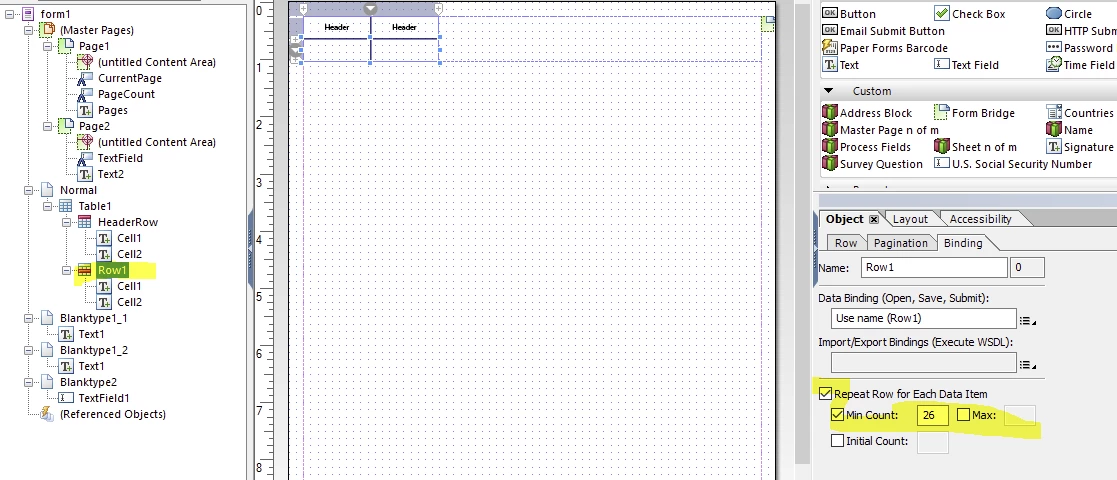
I am not sure why your Document variable is disposed before you use it in your DDX. But I have created a sample of a dynamic form which would produce the kind of blank pages depending on the number of content pages.See here https://documentcloud.adobe.com/link/track?uri=urn:aaid:scds:US:e101914c-4172-4668-937a-223e97aba5b4

It works based on 2 fields in the XML data

<root>
<printflag>1</printflag>
<bid>XYZ1765</bid>
</root>

If the printflag is 1 then the additional pages are shown, otherwise they stay hidden. bid is the business id which can be placed on the last page (I used the Masterpage but you are free to put it anywhere.

You can test the dynamic part by changing the number of records

You would not need DDX in this case, just render the PDF with the printflag in the data. Preview with data in Designer.

manu-gupta
manu-guptaAuthorAccepted solution
Level 4
June 8, 2021

Hi Folks

I was able to achieve the solution by storing the PDF intermediately generated in temp location and then reading it from there to further DDX operation.

Thanks all for your suggestions and input, it helped build the solution.