need good example of Invoke Form Data Model Service | Community
Skip to main content
ayecona
August 1, 2019
Solved

need good example of Invoke Form Data Model Service

  • August 1, 2019
  • 19 replies
  • 14025 views

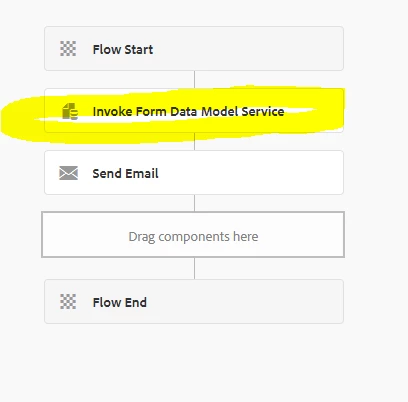
Hi so I have been able to now submit my adaptive form invoking a workflow. and it is sending an email with the DOR (pdf of the form) all is good …. now I want to add a step "Invoke Form Data Model Service" which I think can submit the data into Dynamic CRM. or maybe there is a different step to post the data into Dynamics CRM???

if you have more doc or videos on how to accomplish this I will appreciate it.
This post is no longer active and is closed to new replies. Need help? Start a new post to ask your question.
Best answer by workflowuser

just click the add button to add another attachment in send email component

19 replies

ayecona
ayeconaAuthor
August 2, 2019

ok so I will not use the DAM Workflow step just the Invoke Form Data in there I have two options

one is using a JSON file but how do I get that json file? how does it get created?  I also would like to read documentation about this option.

or I can use this option, which also have that check box if you want to use a JSON input.

I can see my model fields there and I have to choose "retrieve from workflow metadata" because I want to retrieve the inputted values on my form but how do I fill in that textbox? examples? format?

or using the checkbox. then I have to know again where the Jason file comes from same as above. and again the service arguments would need to be filled.

I am sure that this thread will help people coming after me I do not find any threads that talk about this Invoke Form Data Model Service in details. thank you for your patience

Khushwant_Singh
Adobe Employee
Adobe Employee
August 2, 2019

Hi Augusto,

Is your form data model ready? Can you paste the schema or screenshot of your form data model here?

Regards,

Khushwant Singh

Adobe Employee
August 2, 2019

The json file will come from the submitted adaptive form data

the name you specify in the submit option of adaptive form will have to be used here

Adobe Experience Manager Help | Creating and Using JSON Variable in the AEM Workflow

ayecona
ayeconaAuthor
August 2, 2019

KhushwantSingh​ I have created a FDM from a connection to Dynamics CRM. i am using only one table pcx_case and I am retrieving only 1 record which i hard code into the properties.

ayecona
ayeconaAuthor
August 2, 2019

workflowuser​ thank uyou workflowuser but I am in AEM 6.4 and variables of type Json are only available in AEM 6.5

Adobe Employee
August 2, 2019

you will have to do the following

Configure your AF to invoke AEM Workflow  The Data File Path is the name of the file that will store the data from the AF submission.

You then use the same name in your send email component as shown in this second screen shot

ayecona
ayeconaAuthor
August 2, 2019

workflowuser​ yes I got the json file. before the data file path was eoir27.pdf and I when submit it would send the pdf on the email. can it only send one of them??? :-O ! I need bothhhhh in the emailllll

BEFORE:

workflowuserAdobe EmployeeAccepted solution
Adobe Employee
August 2, 2019

just click the add button to add another attachment in send email component

ayecona
ayeconaAuthor
August 2, 2019

workflowuser

SUCCESS!! thank you very much now I can sleep on the weekend!