Modifying table cells in Generated Document of Record | Community
Skip to main content
Level 4
October 26, 2020

Modifying table cells in Generated Document of Record

  • October 26, 2020
  • 3 replies
  • 1903 views

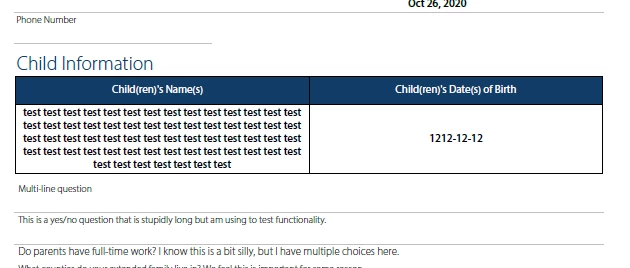
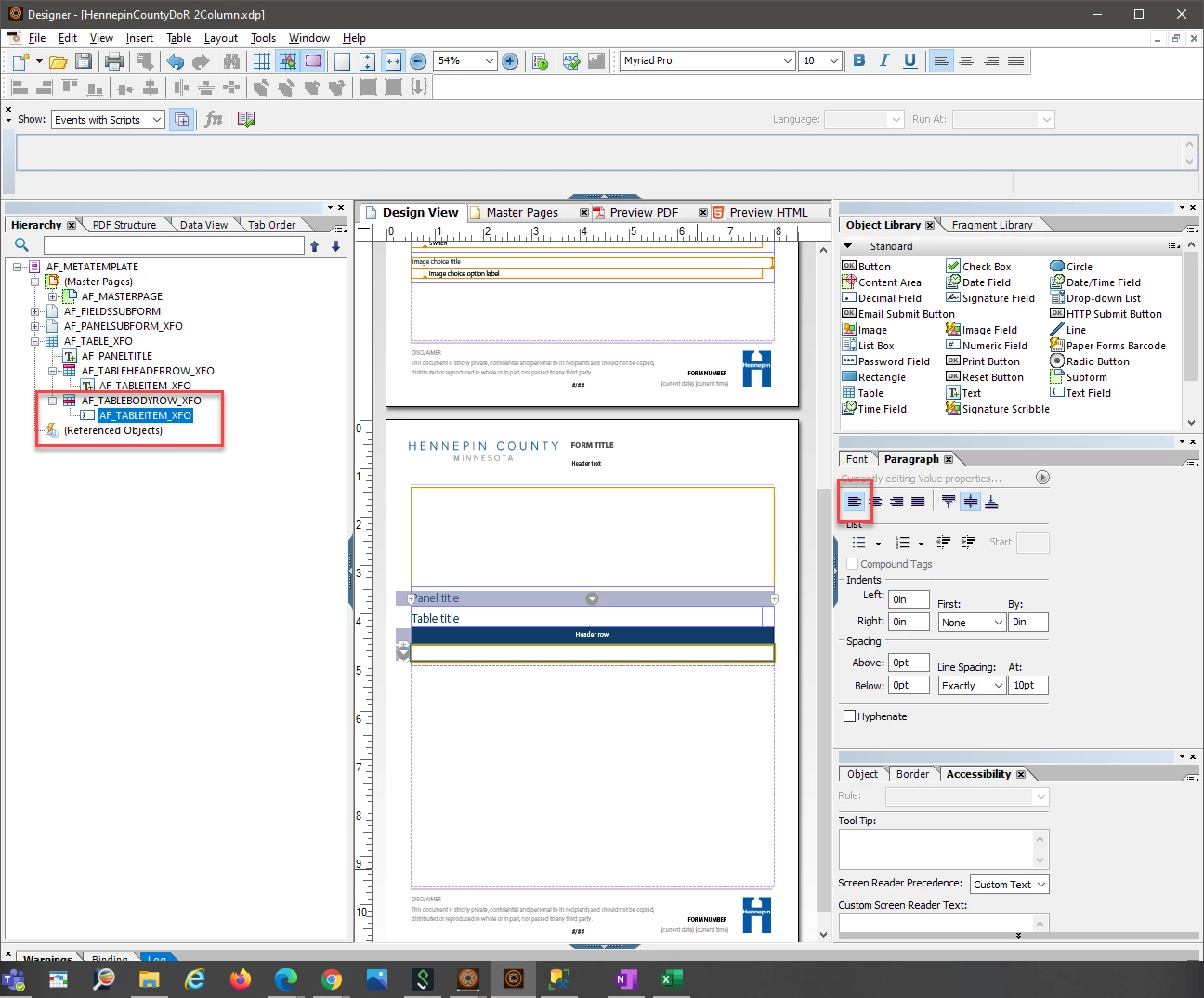
We would like to modify the Generated Document of Record table cells (AF_TABLEITEM_XFO) to be left-aligned rather than center-aligned. However, even though my paragraph settings are for left-justified, my results are still centered. 


Is there a way to set this? 

Thanks!
 

This post is no longer active and is closed to new replies. Need help? Start a new post to ask your question.

3 replies

Level 4
April 7, 2023

I realize I'm replying to an old thread, but I'm running into a similar issue. The styles applied to AF_TABLEITEM_XFO in our Base DOR template do not seem to translate into the generated PDF. In my use case the user is filling in fields that are not in a table, but we've change the settings of that subform so that they'd display as a table in the generated DOR.  To my eyes it looks like it's taking the styling from the Text Field (AF_TEXTFIELD_XFO) and applying that to anything within the table's cells:

Text field styling in Base DOR template:

Table styling in Base DOR Template:


DOR Settings for subform:


How table appears in generated DOR:


Does anyone know how to get consistent table cell text styling that's distinct from the text field styling in automatically generated DOR's?

Adobe Employee
August 8, 2023

Hello everyone, was this resolved? I've the same issue with table rows. The styling is not being applied to DoR output.

Level 4
August 8, 2023

I haven't found a solution yet, I thought maybe updating to Sp16 would help, but tables still look the same in my custom DOR templates:

If I use the 'Default' template the table looks correct:


Pulkit_Jain_
Adobe Employee
Adobe Employee
August 9, 2023

@gonzalo_calandria @cr17506599 @baronforo 

We have recently made some enhancements on this front.

Now you can customize the components in the template as per your need (left and right alignment, color/RTE changes, etc.), use this updated template as a DoR template, and update the DoR config of these specific components to reflect these changes.

Adobe Employee
August 9, 2023

Thanks for your answer @pulkit_jain_ but when you say "use this updated template"... which template? I don't see anyone to download, maybe you forgot to put it on your response?


Also I’ve finally figured out what was going on.. here’s the thing (for anyone with the same problem)… That table got built from a repeatable panel with a dropdown (first column) and a numeric field (second column). The formatting of the text inside the table rows (not headers) will depend on the field that is being used. In my case, I had to format the font, color or whatever I need to format in AF_DROPDOWNLIST_XFO instead of the text field in the table row. That’s not good but it’s how is working because if you need to style something inside a repeatable panel, then you need to format the same fields across the DoR

Level 4
August 9, 2023

Yeah, it's very strange that styles for each field type (text, dropdown, etc.) have to be consistent across the DOR.