I am trying to make a new form by fetching data from draft table but not able to do using javascript
@pulkit_jain_ continuing previous question here as unable to reply there.
The below code i try to add in etc/clientlib/js but i am getting syntax error but the code get displayed in screen but when try to edit any button edit rules i get 500 ( syntax error).
// Function to create the table (without showing it initially)
function createTable(headers, data) {
const table = document.createElement("table");
table.style.display = "none"; // Hide the table initially
// Create the table header
const thead = table.createTHead();
const headerRow = thead.insertRow();
headers.forEach((headerText) => {
const th = document.createElement("th");
th.textContent = headerText;
headerRow.appendChild(th);
});
// Create the table body
const tbody = table.createTBody();
data.forEach((item) => {
const row = tbody.insertRow();
// Add data cells to the row
Object.values(item).forEach((value) => {
const cell = row.insertCell();
cell.textContent = value;
});
// Add an "Edit" button to the row
const editButtonCell = row.insertCell();
const editButton = document.createElement("button");
editButton.textContent = "Edit";
editButton.addEventListener("click", () => {
// Make an API call here
window.location.href = "/content/forms/af/draft-testing/login2-form.html?wcmmode=disabled";
});
editButtonCell.appendChild(editButton);
});
return table;
}
// Define your headers and data
const headers = ["Submission Id", "Draft Data"];
const drafts = [
{ "Submission Id": "1", "Draft Data": "Draft 1 Data" },
{ "Submission Id": "2", "Draft Data": "Draft 2 Data" },
// Add more draft data objects as needed
];
// Call the function to create the table with your draft data
const table = createTable(headers, drafts);
// Add an event listener to a button (e.g., a "Show Table" button) to display the table when clicked
const showTableButton = document.getElementById("guideContainer-rootPanel-guidebutton_776468279___widget"); // Replace with your button's ID
showTableButton.addEventListener("click", () => {
table.style.display = "table"; // Show the table when the button is clicked
});
// Add the table to the document body initially (hidden)
document.body.appendChild(table);
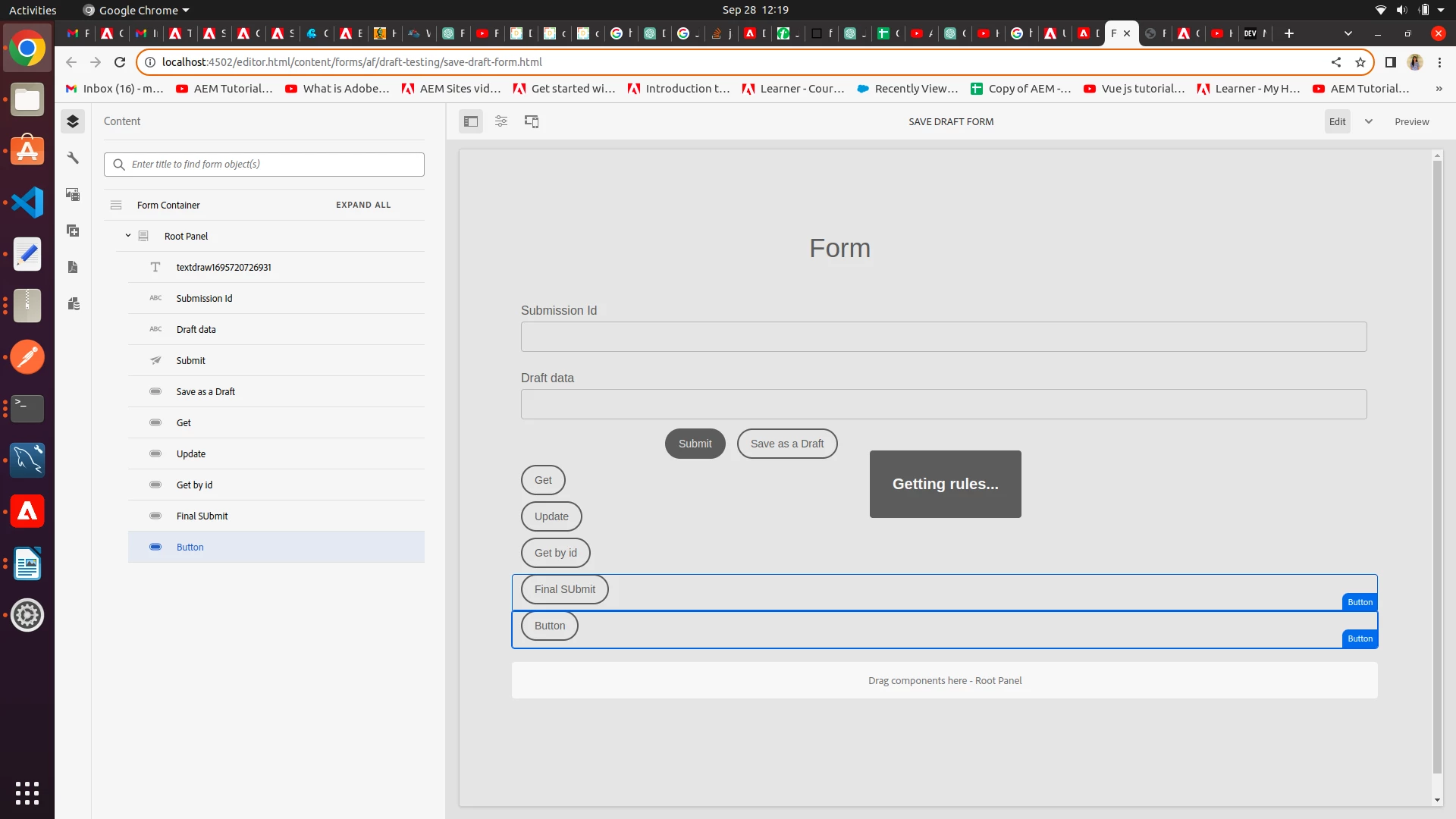
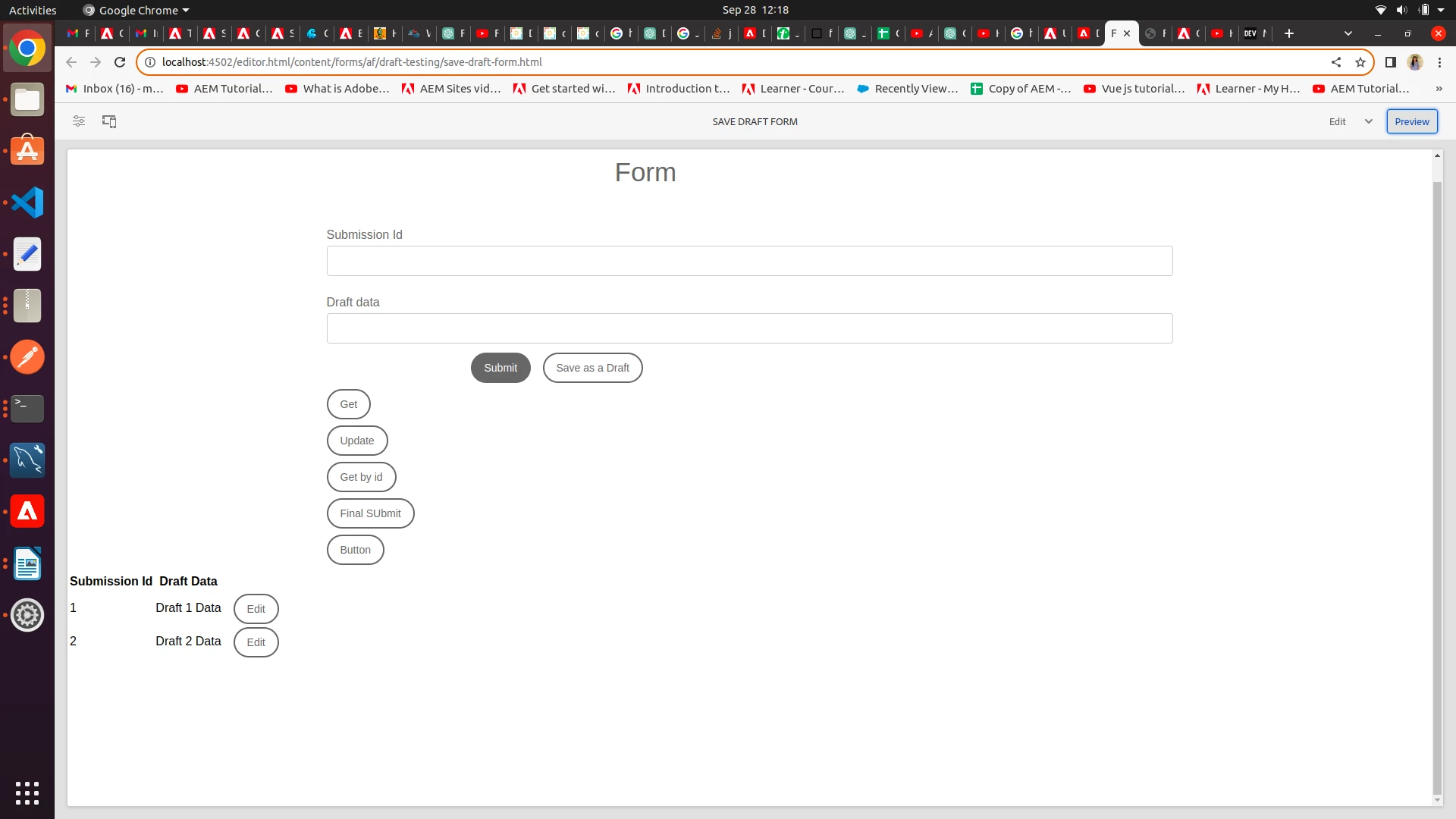
and below code i wrote to show the table only when click on button .
// Function to create the table (without showing it initially)
function createTable(headers, data) {
const table = document.createElement("table");
table.style.display = "none"; // Hide the table initially
// Create the table header
const thead = table.createTHead();
const headerRow = thead.insertRow();
headers.forEach((headerText) => {
const th = document.createElement("th");
th.textContent = headerText;
headerRow.appendChild(th);
});
// Create the table body
const tbody = table.createTBody();
data.forEach((item) => {
const row = tbody.insertRow();
// Add data cells to the row
Object.values(item).forEach((value) => {
const cell = row.insertCell();
cell.textContent = value;
});
// Add an "Edit" button to the row
const editButtonCell = row.insertCell();
const editButton = document.createElement("button");
editButton.textContent = "Edit";
editButton.addEventListener("click", () => {
// Make an API call here
window.location.href = "/content/forms/af/draft-testing/login2-form.html?wcmmode=disabled";
});
editButtonCell.appendChild(editButton);
});
return table;
}
// Define your headers and data
const headers = ["Submission Id", "Draft Data"];
const drafts = [
{ "Submission Id": "1", "Draft Data": "Draft 1 Data" },
{ "Submission Id": "2", "Draft Data": "Draft 2 Data" },
// Add more draft data objects as needed
];
// Call the function to create the table with your draft data
const table = createTable(headers, drafts);
// Add an event listener to a button (e.g., a "Show Table" button) to display the table when clicked
const showTableButton = document.getElementById("show-table-button"); // Replace with your button's ID
showTableButton.addEventListener("click", () => {
table.style.display = "table"; // Show the table when the button is clicked
});
// Add the table to the document body initially (hidden)
document.body.appendChild(table);