
How to generate Barcode in AEM Forms | Community
Skip to main content
Umamaheswari_Yakkala
Community Advisor
Community Advisor
June 2, 2019
Solved

How to generate Barcode in AEM Forms

  • June 2, 2019
  • 4 replies
  • 6841 views

Hi Team,

I am very new to the AEM and trying to see how can we generate the barcodes in AEM Forms.

Is this possible to generate based on the adaptive form?

A little bit of guidance suffice.

Thanks In Advance.
This post is no longer active and is closed to new replies. Need help? Start a new post to ask your question.
Best answer by Mayank_Gandhi

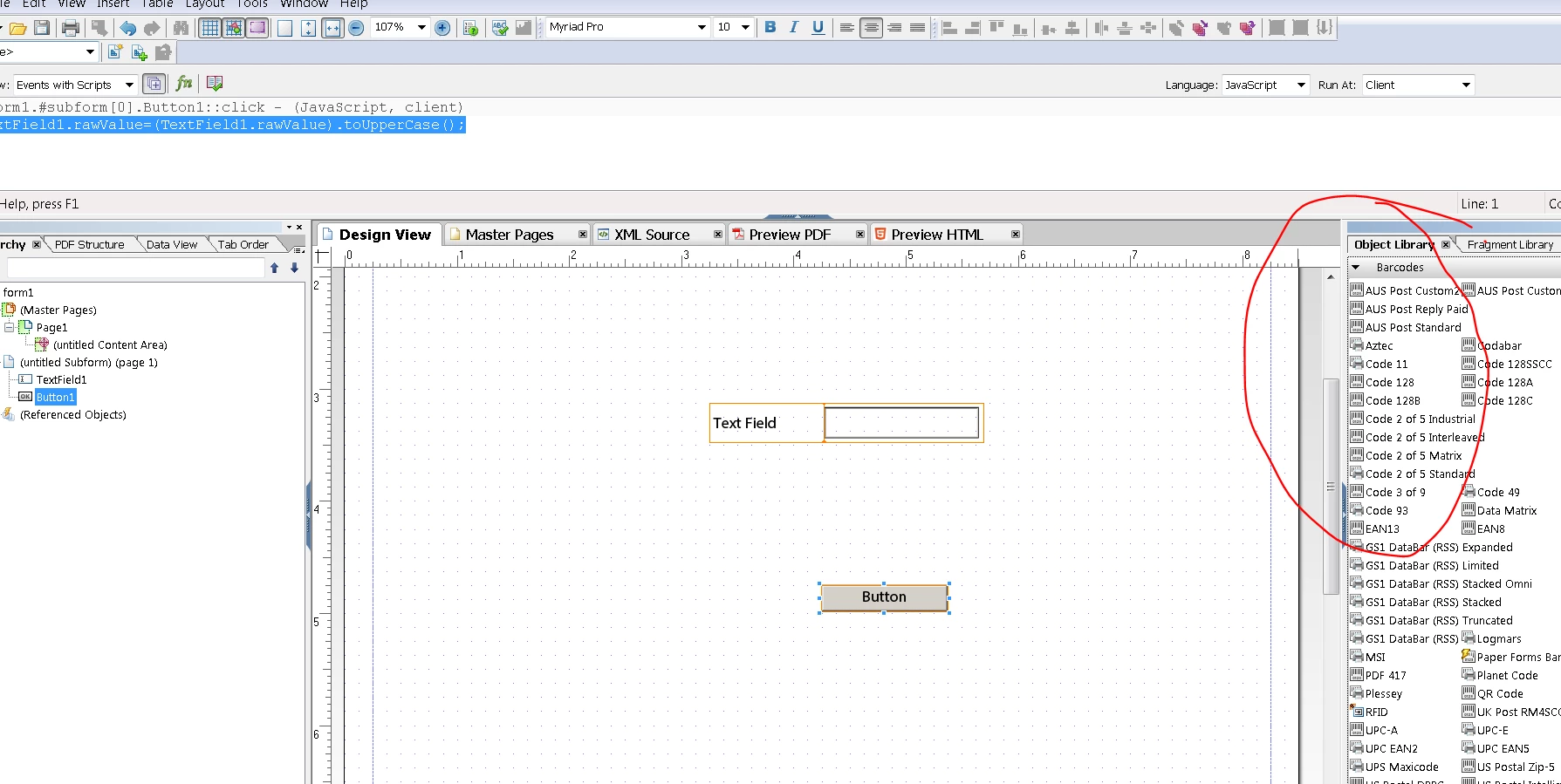
AEM forms Designer provides you Object pallet for Barcodes, You can utilise this object to generate barcodes. Please refer the screenshot below:

You can read more details on how to work with Barcode objects here Adobe LiveCycle ES4 * Using barcodes

4 replies

kautuk_sahni
Community Manager
Community Manager
June 18, 2019

Mayank+Gandhi Any updates?

Kautuk Sahni
Adobe Employee
June 18, 2019

You need to use AEM forms designer to create pdf form

then drop a Barcode component on that form and you are set to go

Mayank_Gandhi
Adobe Employee
Mayank_GandhiAdobe EmployeeAccepted solution
Adobe Employee
June 18, 2019

AEM forms Designer provides you Object pallet for Barcodes, You can utilise this object to generate barcodes. Please refer the screenshot below:

You can read more details on how to work with Barcode objects here Adobe LiveCycle ES4 * Using barcodes

Adobe Employee
February 14, 2020

Yes we can generate bar code. This sample decodes the barcode from the pdf. Do you want to generate a bar code from the data that was captured in the form?

https://forms.enablementadobe.com/content/AemForms/DecodeBarcode.html

March 6, 2020
NEW2019.COM

