
How to display adaptive form title and panel titles | Community
Skip to main content
rli-jonathan
August 20, 2020
Solved

How to display adaptive form title and panel titles

  • August 20, 2020
  • 4 replies
  • 1705 views

I'm just beginning to learn AEM Adaptive forms. I'm trying to manually implement the same layout that comes with the Basic reference template. 

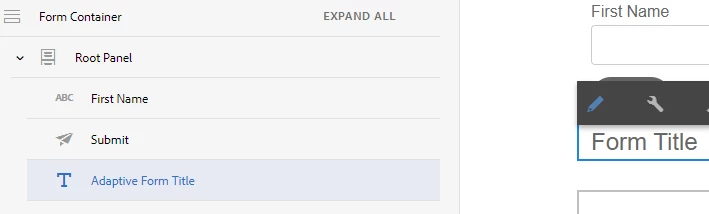
I can't for the life of me figure out how to get the Form Title and Panel Titles to display. They're not listed in the component structure, and I don't see any configuration options. 

I am on AEM 6.5 if that makes a difference.
This post is no longer active and is closed to new replies. Need help? Start a new post to ask your question.
Best answer by workflowuser


4 replies

Adobe Employee
August 20, 2020
There is a component called Title that can be added to the form. When you add a panel you can set its title. Where do you want to display this?
rli-jonathan
August 20, 2020
Maybe some screenshots will help? https://imgur.com/a/OOmqG9G
workflowuserAdobe EmployeeAccepted solution
Adobe Employee
August 20, 2020


Mayank_Gandhi
Adobe Employee
Adobe Employee
August 24, 2020

Try to give a name to the panels and fragments that you are including in the custom template.

Mayank_Gandhi
Adobe Employee
Adobe Employee
August 24, 2020
@rli-jonathan : If you're learning forms then below link will you get started: