Half height border on a Textfield with Comb of 14 characters in Adobe Livecycle | Community
Skip to main content
May 12, 2020
Solved

Half height border on a Textfield with Comb of 14 characters in Adobe Livecycle

  • May 12, 2020
  • 1 reply
  • 3623 views

How to format the Textfield with half border on it. This is an account number field created with functionality to allow only 14 digits. I can format with full border but not with half height. Is there a way to do format as i expected? or Would appreciate any workarounds? (Adobe Livecycle Form Designer)

This post is no longer active and is closed to new replies. Need help? Start a new post to ask your question.
Best answer by AbhinavD3

Hi @jeganadobe2020 ,

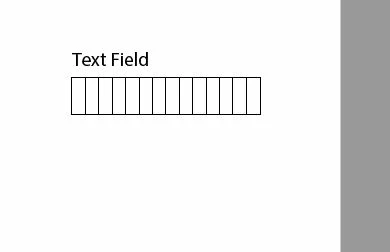
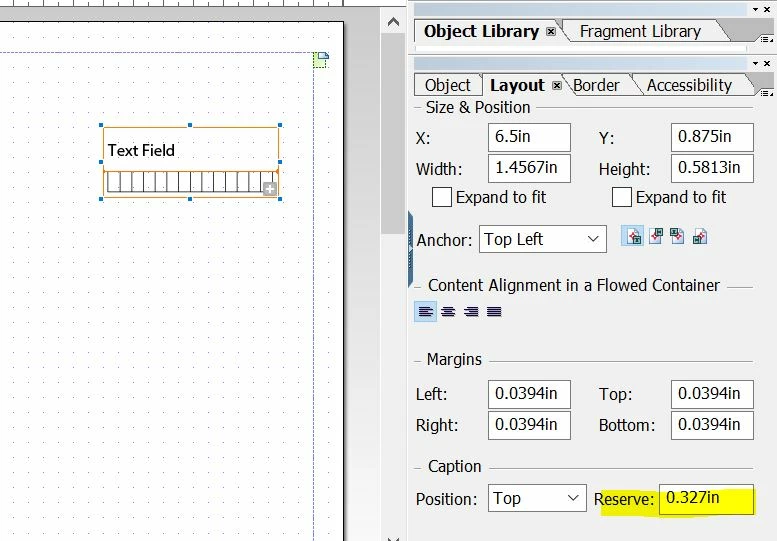
Within designer we can control the height of caption for a text-field as shown below:

Before:                                                                                              Preview before:

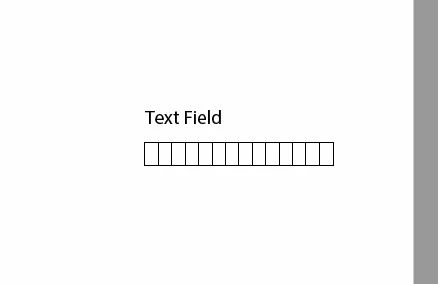
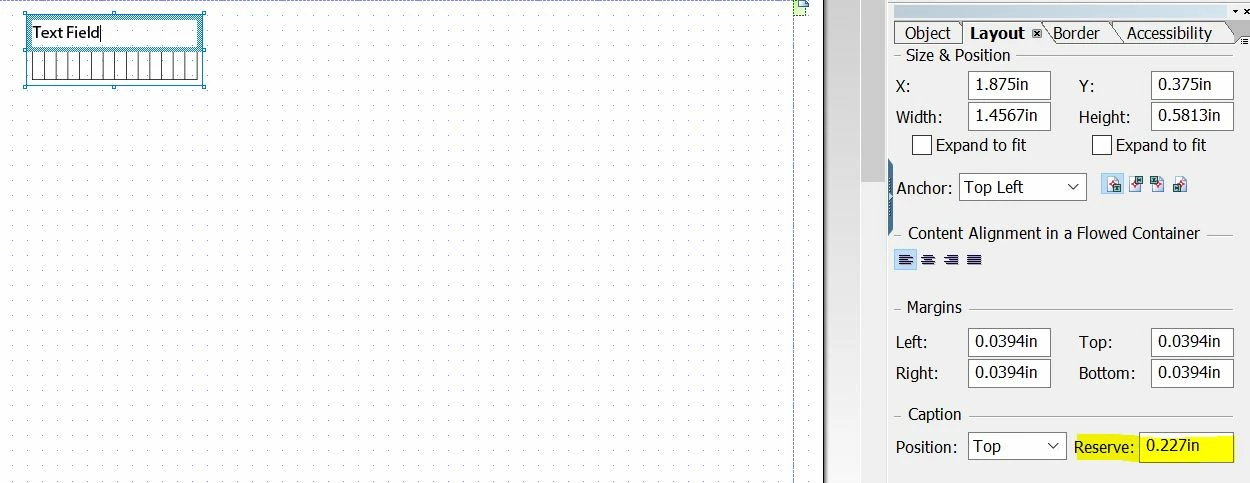
After:                                                                                             Preview after:

Please check as above and let us know if that helps.

1 reply

AbhinavD3Adobe EmployeeAccepted solution
Adobe Employee
May 18, 2020

Hi @jeganadobe2020 ,

Within designer we can control the height of caption for a text-field as shown below:

Before:                                                                                              Preview before:

After:                                                                                             Preview after:

Please check as above and let us know if that helps.