Forms + Sign Integration gives blank page | Community
Skip to main content
Level 2
March 19, 2021
Solved

Forms + Sign Integration gives blank page

  • March 19, 2021
  • 2 replies
  • 1768 views

Hi,


I am trying to creating to simple AEM Form with Sign component, where Step 1: Customer and fill form, Step 2: review step and Step 3: sign in one flow.

1. In Form properties DOR is selected

2. Similarly selected Sign cloud service in form container.

3. Added Sign signature component


I am able to see sign component in DOR and verify step, but behavior I wanted is a form with sign or pdf with sign this doesn't happen rather I see empty step blank widget
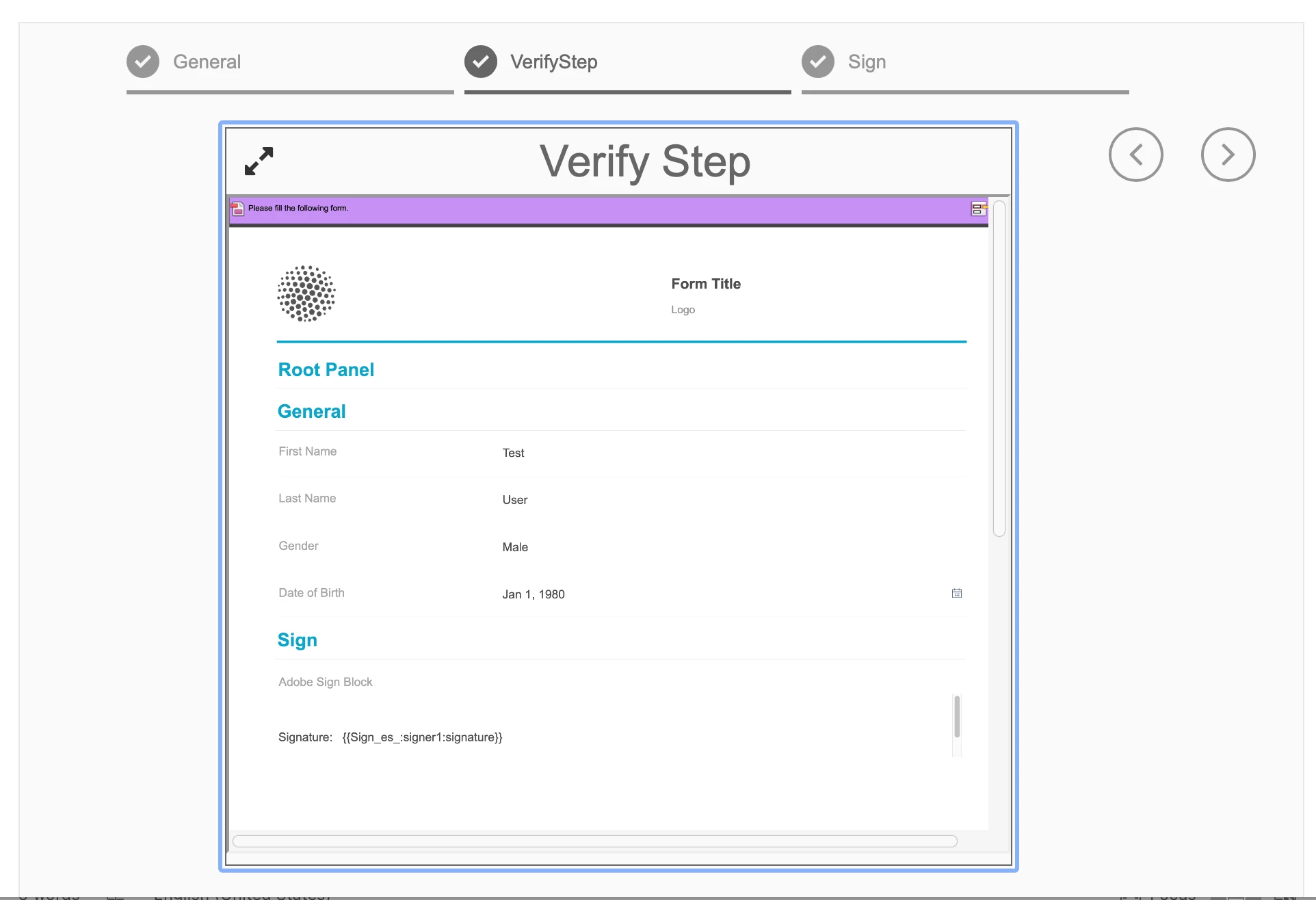

refer to screenshot and let me know if am missing something.

If I try to add verify sign component, it says it is legacy and cannot be used now. Why is this so?


This post is no longer active and is closed to new replies. Need help? Start a new post to ask your question.

2 replies

GirishBedekarAccepted solution
Level 8
March 19, 2021
ajaydulamAuthor
Level 2
March 22, 2021

Hi Girish, Thank you this link helps and I followed similar steps as given In link. Just before creating the document it gives error

“[AF] [AEM-AF-901-004]: Encountered an internal error while submitting the form.”

As per logs, I can understand that its looking for recipient details:

"22.03.2021 12:04:56.380 *ERROR* [122.174.212.110 [1616414696045] POST /content/forms/af/signsample/jcr:content/guideContainer.af.agreement.jsp HTTP/1.1] com.adobe.aemds.guide.addon.signing.echosign.impl.EchoSignServiceImpl Unable to create agreement com.adobe.aem.adobesign.service.AdobeSignServiceException: AEM-AS-103: No recipients specified during agreement creation." Only difference to my form vs link is my Form Model is none. How can I give recipient details?

Adobe Employee
March 22, 2021

You will need to provide the signer's email. The Signer's email can be configured while configuring the Adobe Sign settings within the adaptive form. Looks like in your case this information is missing. Can you provide the screenshot of your signer1 properties?

ajaydulamAuthor
Level 2
March 23, 2021
One follow up question : while I understand use of "Signature Step" component, How is "Adobe Sign Block" used. If there is any documentation on using it, pls share.