
Form editor - Invoke service dropdown does not list services from my Form Data Model | Community
Skip to main content
JiriFKovarik
April 16, 2020
Solved

Form editor - Invoke service dropdown does not list services from my Form Data Model

  • April 16, 2020
  • 3 replies
  • 8073 views

Hello,

i've created an AEM 6.4 form based on my custom Form Data Model - which exposes two services. I can teste these two services in the FDM definition UI and both return success. In a Form Editor window, i want to create a rule that invokes one of these services, so for then i select Invoke Service option and a dropdown with available services is rendered for me - but none of my services appear in an Invoke Service dropdown. The only service available seems to be a sample AEM forms service called "Get location by zip code".
By inspecting where the list of available services come from i found following XHR call:
/content/forms/af/sample2/jcr:content/guideContainer.af.dermis?functionToExecute=getAllServices which returns only one sample service: 


{ others: { title: "Others", items: [ { id: "/apps/aemforms-fragment-commons/preconfiguredWebServices/getLocationByZip", jcr:title: "Get location by zip code", url: "http://wsf.cdyne.com/weatherws/weather.asmx?wsdl", operation: "GetCityForecastByZIP", input: { id: "/apps/aemforms-fragment-commons/preconfiguredWebServices/getLocationByZip/input", zip: { id: "ZIP" } } } ] } }


 Any idea how to get my services listed?
This post is no longer active and is closed to new replies. Need help? Start a new post to ask your question.
Best answer by Mayank_Gandhi


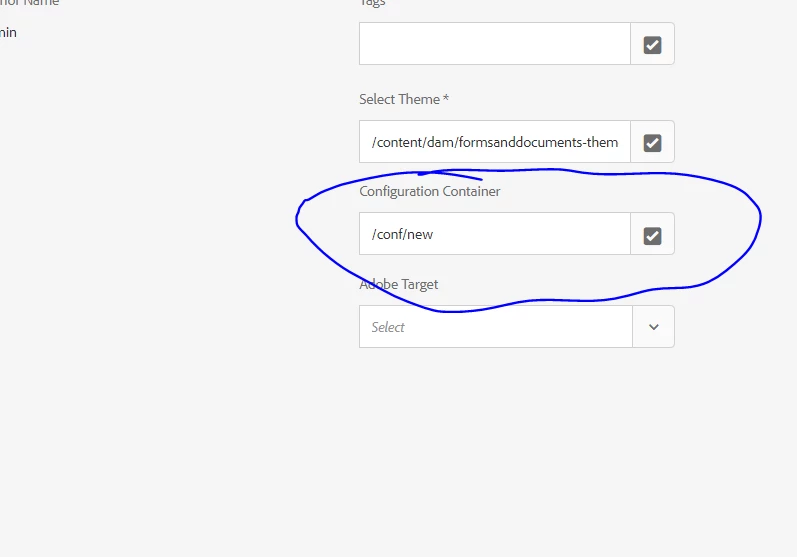
make sure the service folder is correctly mapped to the form properties.


3 replies

Mayank_Gandhi
Adobe Employee
Adobe Employee
April 16, 2020

@jirifkovarik  This should work. what kind of FDM is it?

JiriFKovarik
April 17, 2020
It's a RESTful service Datasource Type.
Mayank_Gandhi
Adobe Employee
Mayank_GandhiAdobe EmployeeAccepted solution
Adobe Employee
April 27, 2020


make sure the service folder is correctly mapped to the form properties.


Mayank_Gandhi
Adobe Employee
Adobe Employee
May 20, 2021

@nina_carty Difficult to comment without seeing a screenshot of the service URL and rule editor mapping.  Share more details on what you have implemented.

Nina_Carty
May 20, 2021

Hi. Thanks for answering. I was able to work with Girish Bedekar and verify that my procedure was correct. I also discovered later that this is functioning correctly in my local environment with the same datasource. I am using SQL Server.

When setting up the rule and trying to get the Services to pull down, the pull down is blank.


Here is the same from my local.