Floating field in table will not flow to the next page - still not working | Community
Skip to main content
Level 5
May 23, 2021
Solved

Floating field in table will not flow to the next page - still not working

  • May 23, 2021
  • 4 replies
  • 2086 views

Hi, I have replied to my previous question and have not received an answer so I'm reposting my issue here because I'm not sure if my replies are being seen by anyone. My issue has not been rectified so please let me be more specific about my issue.  On my form, I have a drop down box listing choices.  The item chosen from the drop down list is populated into a floating field which is in the header of a table.  When the table flows to the next page, the headers of the table flows to the next page as well.  My problem is that the information that is in the floating field of the header on the first page does not move to the next page.  The header box on the next page is empty.  The answer I received is still not working and I have additional questions.  Maybe this explanation is better and will result in a fix.  Your help is greatly appreciated. 
This post is no longer active and is closed to new replies. Need help? Start a new post to ask your question.
Best answer by Kosta_Prokopiu1

Hi @islandgirl23 

the floating fields do not persist their values between header instances. You have 2 kinds which need different approaches

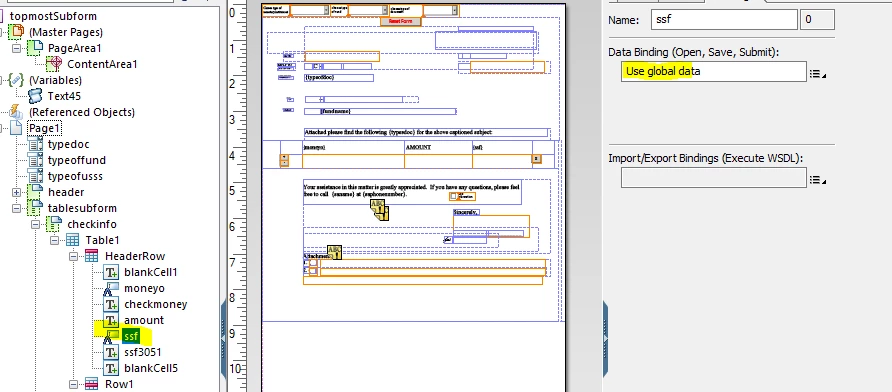
1) ssf - make it global data and it will show on all pages:

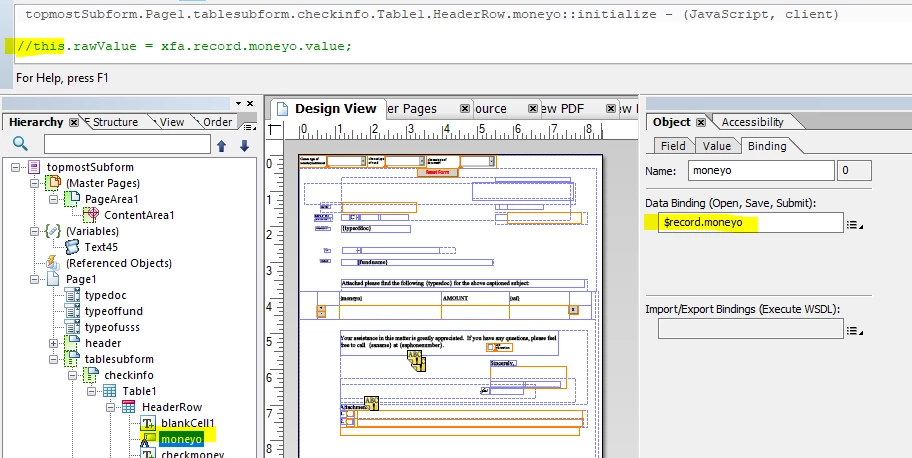
2) moneyo is different. First problem is that you overwrite it every time with a script. It seems to be part of the data set. Instead of the script use the data binding.

Kosta

4 replies

Pulkit_Jain_
Adobe Employee
Adobe Employee
May 27, 2021

@islandgirl23 

I see from the previous thread that you're using Livecycle Designer (EOL version) to develop the form, just wondering that could be the reason you're not able to implement the suggestions. 

Please share a sample form with us for a better understanding of the issue.

Level 5
May 29, 2021

ok.  How should I share it?

Kosta_Prokopiu1
Adobe Employee
Adobe Employee
May 31, 2021
if you have an account at documents.adobe.com or Google drive or ... we must be able to open and download it from a link
Kosta_Prokopiu1
Adobe Employee
Kosta_Prokopiu1Adobe EmployeeAccepted solution
Adobe Employee
July 19, 2021

Hi @islandgirl23 

the floating fields do not persist their values between header instances. You have 2 kinds which need different approaches

1) ssf - make it global data and it will show on all pages:

2) moneyo is different. First problem is that you overwrite it every time with a script. It seems to be part of the data set. Instead of the script use the data binding.

Kosta

Level 5
August 7, 2021
Kosta, Thank you very much. It works!
Level 5
August 7, 2021

Kosta,  Thank you.  It works perfectly now!