Error while activate the service in custom component - Adobe Live Cycle | Community
Skip to main content
January 3, 2025
Solved

Error while activate the service in custom component - Adobe Live Cycle

  • January 3, 2025
  • 3 replies
  • 1200 views

Hi ,

I have created custom service that convert json to xml. I used the below API to convert json to xml string,
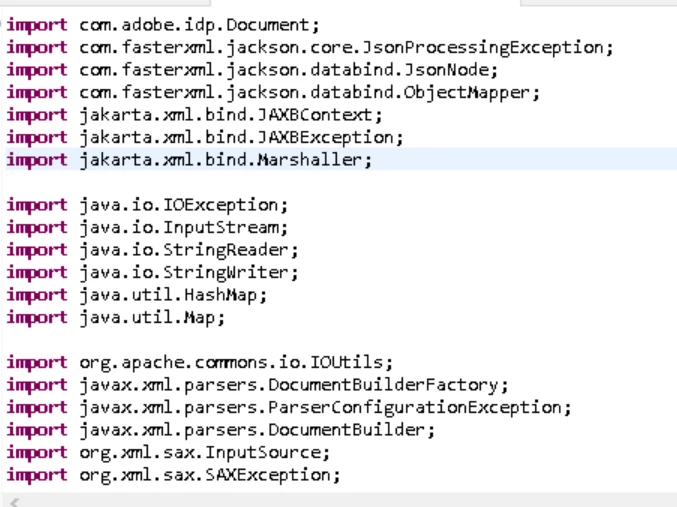
 

Its giving proper result in my eclipse but when I created the component and trying to start the service its giving error "

Caused by: java.lang.NoClassDefFoundError: jakarta/xml/bind/JAXBException

                at java.lang.Class.getDeclaredMethods0(Native Method) [rt.jar:1.8.0_181]

                at java.lang.Class.privateGetDeclaredMethods(Class.java:2701) [rt.jar:1.8.0_181]

                at java.lang.Class.privateGetPublicMethods(Class.java:2902) [rt.jar:1.8.0_181]

                at java.lang.Class.getMethods(Class.java:1615) [rt.jar:1.8.0_181]

"


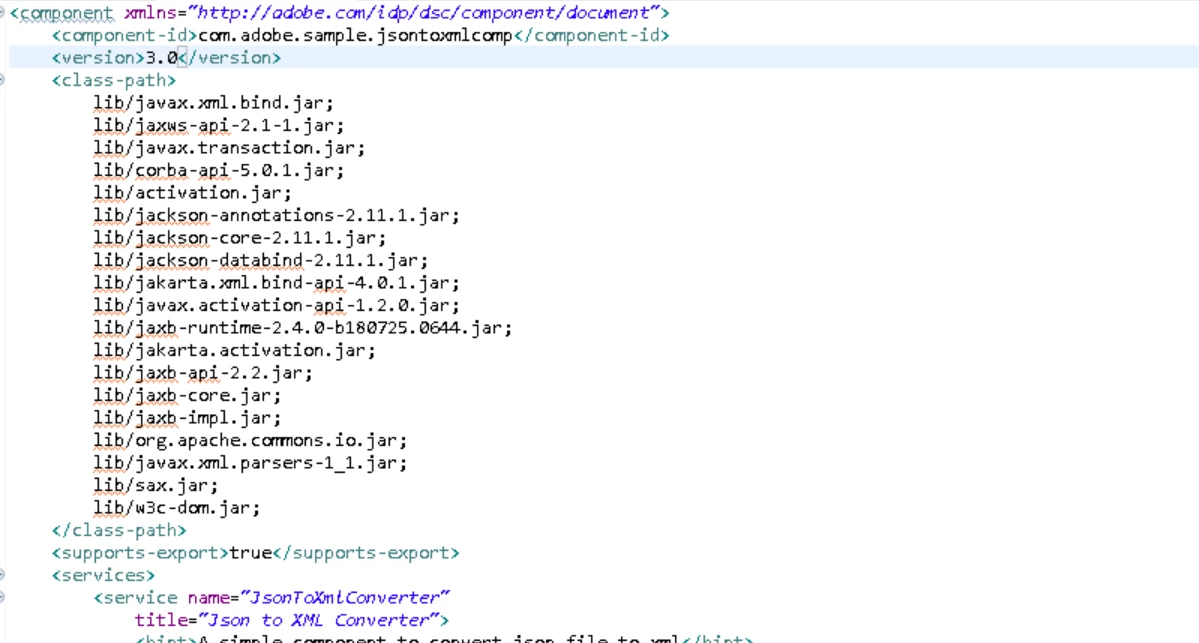
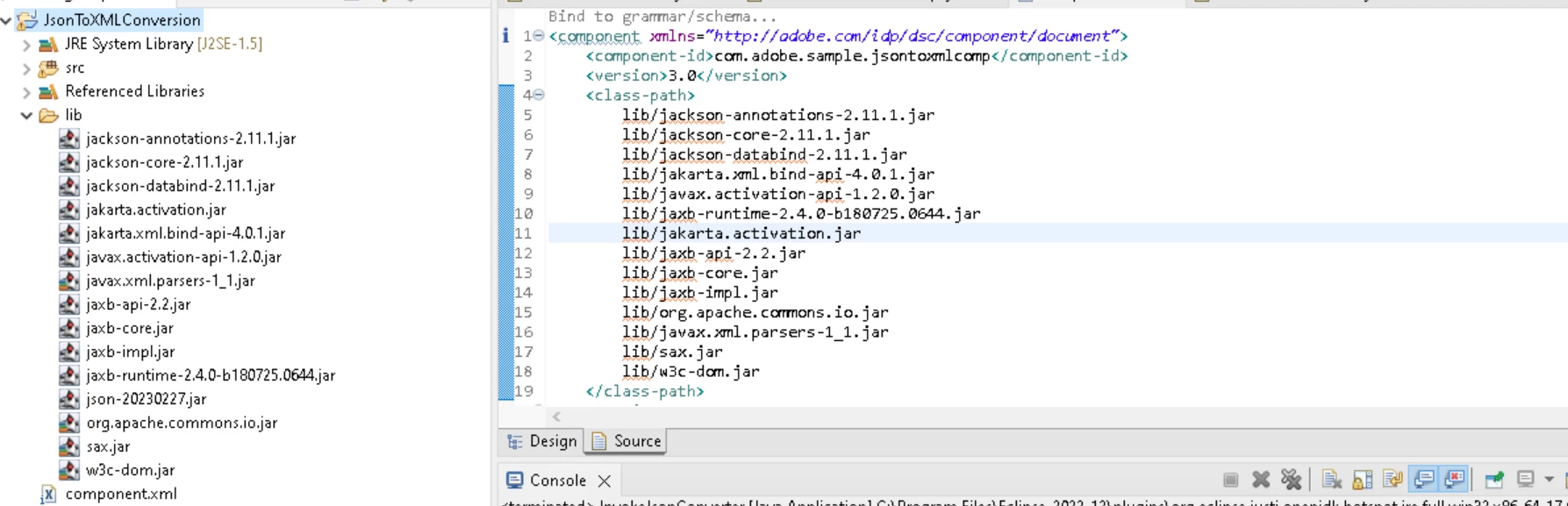
below is my component.xml,
 

Best answer by Amreen1

Check your component.xml file, compare with adobe document for component creation.  You might be missing in the section in which jar need to include in component.xml file


Include the jar in your DSC and reference it in the classpath node in the component.xml file.


Resolved by meself.
Just updating, JAXB seems not compatible with workbench. even my workbench has JDK8 still was unable to activate the service. I used alternate of that JAXB API which is XStream API

3 replies

Adobe Employee
January 6, 2025

Hi @amreen1 ,

Seems to be a JDK Issue.
Are you using JDK Version 9+ for this Project ?

Could we please use any version below JDK <=8 (jdk 1.8) and test this out.
I think lowering the Java Version will work here.

Please let us know in case otherwise.

Thanks,
Utkarsh

Amreen1Author
January 6, 2025

Its working in my local eclipse. Only the problem with exported component.jar. Actually, i dont have my server access to check the jdk but i believe its 8 only. If it would have JDK Version 9+ but i have added all external jar dependency in component.xml,


Adobe Employee
January 6, 2025

Hi @amreen1,


In addition to that, You can add the "-XX:+IgnoreUnrecognizedVMOptions" to make the JVM silently ignore unrecognized options, instead of blowing up. But beware! Any other command-line arguments you use will no longer be validated for you by the JVM. This option works with Oracle/OpenJDK as well as IBM JDK (as of JDK 8sr4).

Thanks
Pranay


Amreen1Author
January 6, 2025

In my eclipse its working fine. Where should I add?

Adobe Employee
January 7, 2025

Hi @amreen1,


Please try adding the below dependency to your project pom.xml and then build the project to see if this resolves the issue.

<dependency>
<groupId>jakarta.xml.bind</groupId>
<artifactId>jakarta.xml.bind-api</artifactId>
<version>4.0.1</version>
</dependency>


Thanks
Pranay

Vijay_Katoch
Community Advisor
Community Advisor
January 7, 2025

So when you are creating the jar file, open the jar file and check if the jar file contains the required jar's needed for your app.

As you are saying that, its working in your local system, so the issue is only with the same jar is not getting exported with the jar you are creating for the server or the jar version might me not compatible with server.

Amreen1Author
January 9, 2025

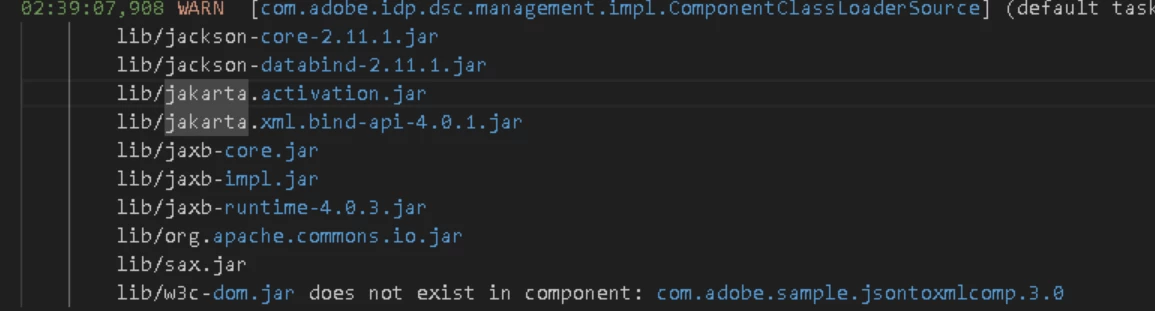
yes @vijay_katoch  my component does not have jar.Its showing below warning. Where am wrong


Amreen1AuthorAccepted solution
January 13, 2025

Check your component.xml file, compare with adobe document for component creation.  You might be missing in the section in which jar need to include in component.xml file


Include the jar in your DSC and reference it in the classpath node in the component.xml file.


Resolved by meself.
Just updating, JAXB seems not compatible with workbench. even my workbench has JDK8 still was unable to activate the service. I used alternate of that JAXB API which is XStream API