Error on Adaptive Form Theme Editor | Community
Skip to main content
Level 3
July 10, 2024
Solved

Error on Adaptive Form Theme Editor

  • July 10, 2024
  • 2 replies
  • 1476 views

Hi, We are facing an issue related to the adaptive form theme editor. Our stage and dev env is on 6.5.19.0 and adaptive form package is 6.0.1120 in stage and 6.0.718 in dev.


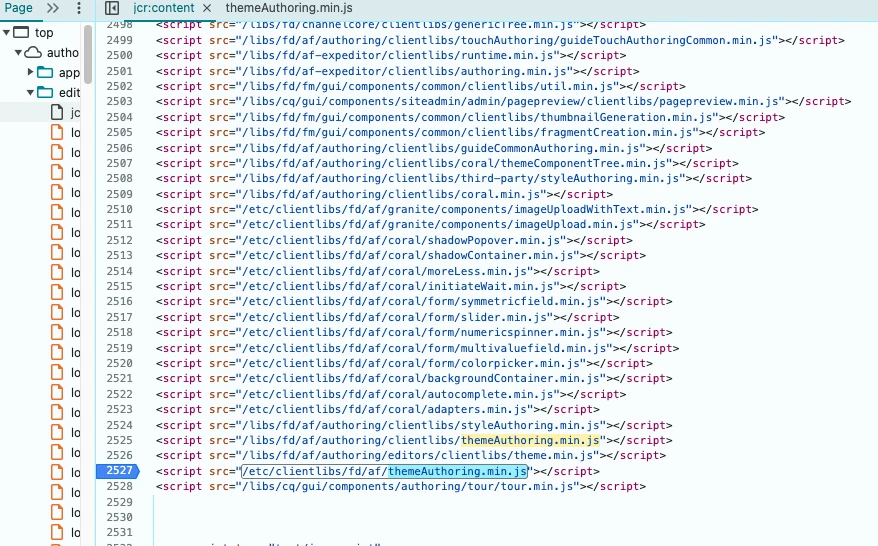
When I go to the theme editor in stage, i'm seeing error in console from this file /etc/clientlibs/fd/af/themeAuthoring.min.js. Our dev env is running older version of adaptive form and it doesn't have any issue. 


In dev themeAuthoring.min.js file is being called from /libs folder but in stage it's being called from /etc and /libs folder. The /etc file has code that's making ajax call to path that doesn't exist. In my browser local I have removed the script that's calling /etc/clientlibs/fd/af/themeAuthoring.min.js and editor is working fine. 


Here in this image, as you can see same file being called twice from libs and etc folder. in dev it's only being called from libs. 
 

Has anyone else seen similar issue after moving to adaptive form to 6.0.1120?
This post is no longer active and is closed to new replies. Need help? Start a new post to ask your question.
Best answer by MoiezMa

Hi @moiezma ,

Can you take a backup of /etc/clientlibs/fd/af , by creating a package. In case your own clientlibraries exist under this, then you can move them outside this path /etc/clientlibs/fd/af. And then deleting this /etc/clientlibs/fd/af folder all together.
This folder shouldn't have existed all together. Did you upgrade from 6.3, as this folder was removed post that. Do let us know if this works, we will check why this path still exists in upgrade scenarios.


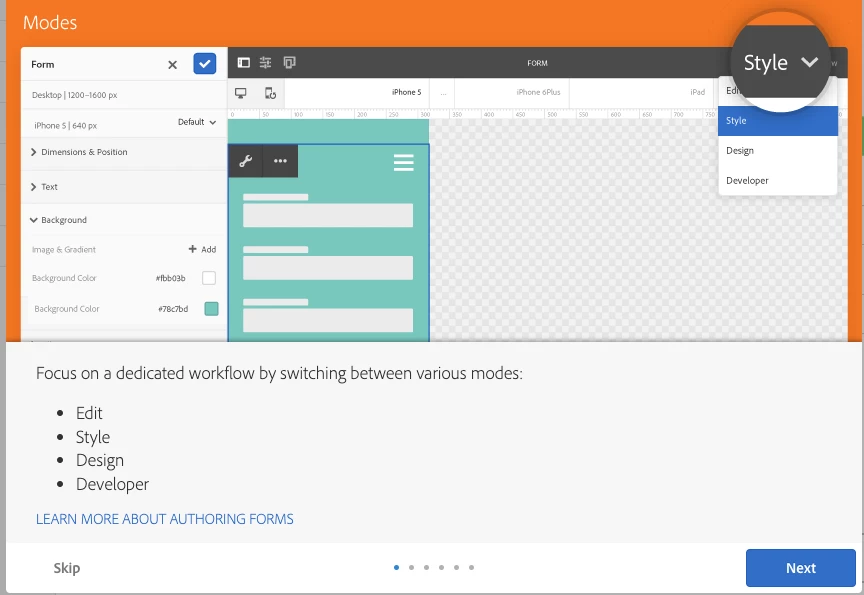
@sakshi5 Removing the etc/clientlibs/fd/af folder fixed the loading issue. Do i need to update path anywhere else? I noticed the tips window popping up on page load/refresh, even if I select Skip > Don't show again. 


And yes I think we did moved from 6.3 to 6.5.


2 replies

sudhansh
Adobe Employee
Adobe Employee
July 15, 2024

Hi @moiezma ,

Could you confirm if you have done an overlay of the some form templates, or share the code snippet which you have modified locally.

PS: The themeAuthoring.min.js is expected to come from libs, and not /etc.

MoiezMaAuthor
Level 3
July 18, 2024

Hi @sudhansh 

No I didn't change any form template or any code. I only updated the form package to 6.0.1120.

Sakshi5
Adobe Employee
Adobe Employee
July 19, 2024

Hello,


Is this happening for all your themes? Did you try creating a new one, is that working?
We haven't heard of such an issue, as themeauthouring js is always getting loaded from /libs and not etc.
As per your screenshot also, I see that it is getting loaded from libs and then there is an extra entry from /etc. Can you check the location /etc/clientlibs/fd/af is there anything there? This location/etc/clientlibs/fd/af shouldn't exist. If it does for you, can you enumarate the steps to reach such a point?

MoiezMaAuthor
Level 3
July 19, 2024

Hi @sakshi5 ,

Yes we are seeing this issue in every theme. Below is the screenshot of the path. it does exist and all the files are under that path. Also I didn't understand what steps do you need to know?

We haven't done any custom work in adaptive forms. Everything is pretty native right now. This issue only occurred on updating Adaptive Form to 6.0.1120. 

Sakshi5
Adobe Employee
Adobe Employee
July 20, 2024

Hi @moiezma ,

Can you take a backup of /etc/clientlibs/fd/af , by creating a package. In case your own clientlibraries exist under this, then you can move them outside this path /etc/clientlibs/fd/af. And then deleting this /etc/clientlibs/fd/af folder all together.
This folder shouldn't have existed all together. Did you upgrade from 6.3, as this folder was removed post that. Do let us know if this works, we will check why this path still exists in upgrade scenarios.