
Custom task description - like LiveCycle instructions with variables | Community
Skip to main content
crich2784
August 16, 2022
Solved

Custom task description - like LiveCycle instructions with variables

  • August 16, 2022
  • 1 reply
  • 1355 views

In LiveCycle, we were able to use xPath to add custom text within the "instruction" of a User assignment - like this

{$ /process_data/@id $} - Here is an example in LiveCycle
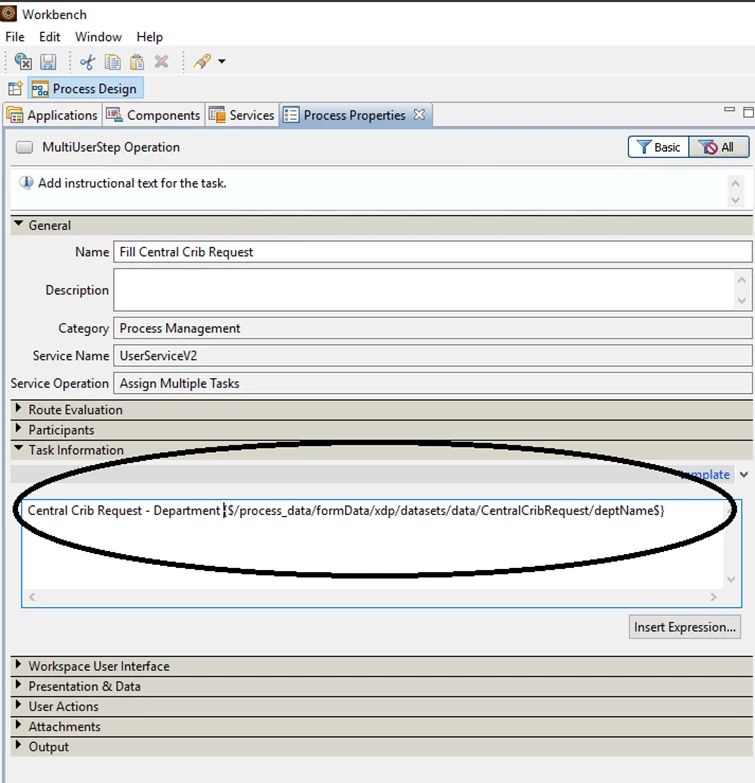
 

In AEM, is there a method to inject variable information in the Description field of a task?


The use case is simple . . . a user might have 100 tasks from the same workflow but, they need to prioritize their work by look at meta-data such as part number or something else.  Currently in AEM, they would be required to open each task to look at the meta data.  How would we accomplish this in AEM Task assignments?


Thanks,

This post is no longer active and is closed to new replies. Need help? Start a new post to ask your question.
Best answer by workflowuser

I think your best option is to add custom columns to the inbox screen and display the appropriate information under those columns

1 reply

Vijay_Katoch
Community Advisor
Community Advisor
August 21, 2022
crich2784
crich2784Author
August 23, 2022

Yes, we have a lot of variables and that's a big webpage.  Was there something specific that you are referring to?  I believe we understand variables very well but, maybe I missed something.  Please point to a specific location that you think might help us.  This has become very important.  Thank you.

workflowuserAdobe EmployeeAccepted solution
Adobe Employee
August 23, 2022

I think your best option is to add custom columns to the inbox screen and display the appropriate information under those columns