Custom dita-ot integration | Community
Skip to main content
Level 2
May 24, 2023

Custom dita-ot integration

  • May 24, 2023
  • 1 reply
  • 1754 views

Hi everyone,


Please confirm if we have followed the steps correctly for custom dita-ot integration.


1)We have extracted AEM DITA-OT package in our local from this path -  /libs/fmdita/dita_resources/DITA-OT.zip

2)In the AEM DITA-OT -> bin, we used the below command to add the custom plugins.

  dita -install <DITA-OT>.zip

  we referred this blog ->https://www.tothenew.com/blog/integrating-and-using-the-custom-dita-ot-plugin/
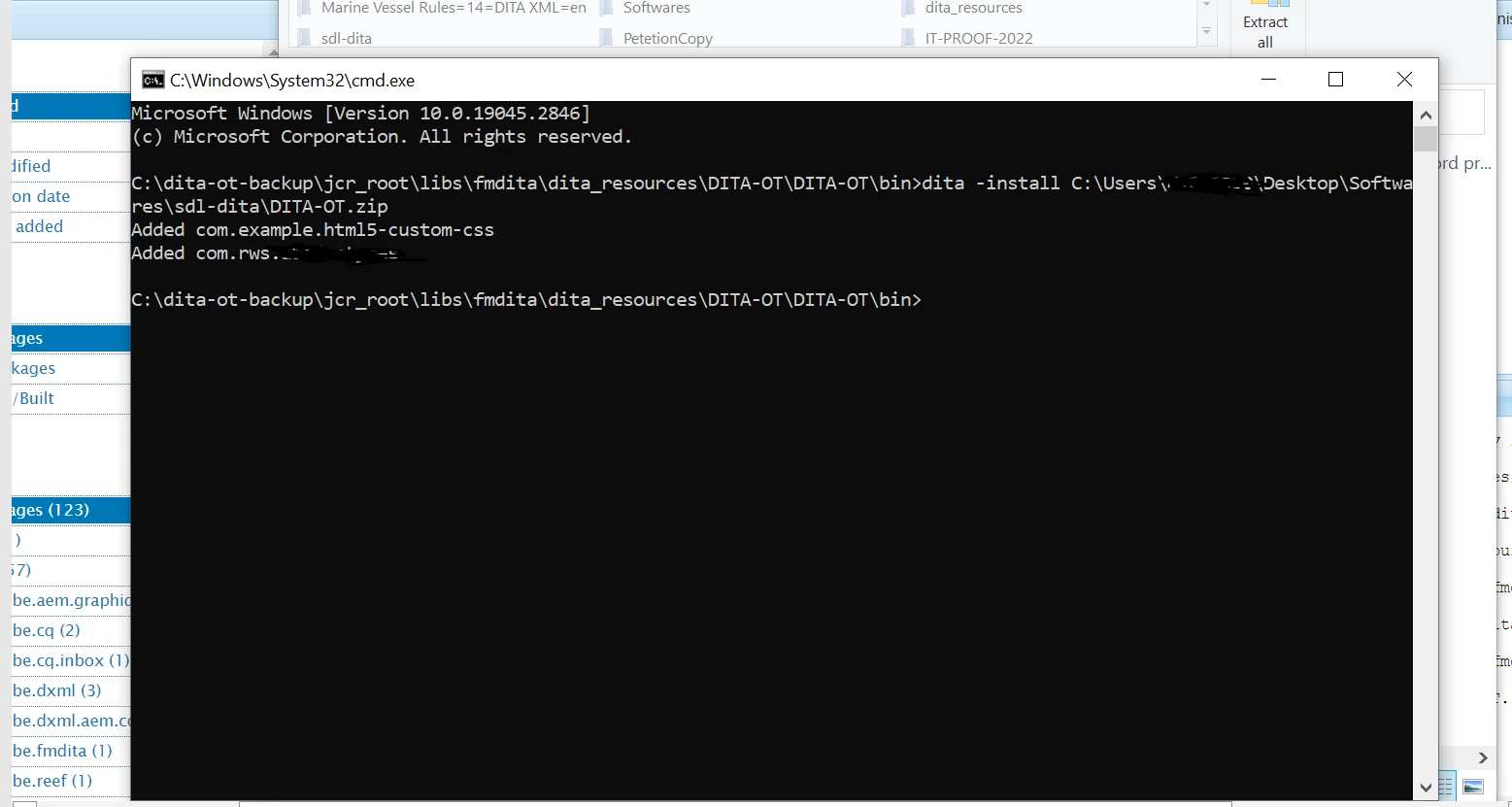
 

3)After adding custom plugins, we uploaded integrated DITA-OT zip file in apps/fmdita/dita_resources folder


Kindly confirm if we have done the custom dita-ot integration in the right manner and suggest if we have missed anything. 


This post is no longer active and is closed to new replies. Need help? Start a new post to ask your question.

1 reply

Rohan_Garg
Community Advisor
Community Advisor
May 26, 2023

Hi @abisha,


You are missing one step post uploading DITA-OT.zip to /apps.

You have to add DITA profile through Tools - Guides - DITA Profiles (use the DITA-OT path where the custom DITA-OT is uploaded, refer screenshot below)


Reference URL - https://experienceleague.adobe.com/docs/experience-manager-guides-learn/tutorials/configuring/setup-a-custom-dita-ot.html?lang=en

Hope this helps!


Thanks,

Rohan Garg

AbishaAuthor
Level 2
May 27, 2023

Hi @rohan_garg ,


      Thank you for your immediate reply. From the above thread, I wanted to confirm the steps of custom dita-ot integration of the new plugins. Hope I have done that part in the right way. I have added the custom profile configurations in the screenshot below. 


In order to include the custom plugins, I have added the custom plugins catalog.xml in the schema configuration and added the apps folder dita-ot zip path. Can you confirm if I have done this in right way.


Rohan_Garg
Community Advisor
Community Advisor
May 29, 2023

@abisha - Yes, it looks good! Can you try running the transformation to see if you are getting the custom output?