Correspondence Management Letter - Submit button not enabled | Community
Skip to main content
Level 5
April 14, 2025

Correspondence Management Letter - Submit button not enabled

  • April 14, 2025
  • 1 reply
  • 935 views

Hi,

I have created the Sample Letter under correspondence management, but "Submit" button is not getting enabled even after filled all the values in form. Please suggest any possible solution. 

Additional Info : I'm using 6.5 aem on premise fellow packages installed(6.5.22 sp installed, adobe-aemfd-win-pkg-6.0.1328.zip , adobe-aemfd-compat-pkg-2.0.50). I can able to create the data dictionaries, data fragments (not getting any error).
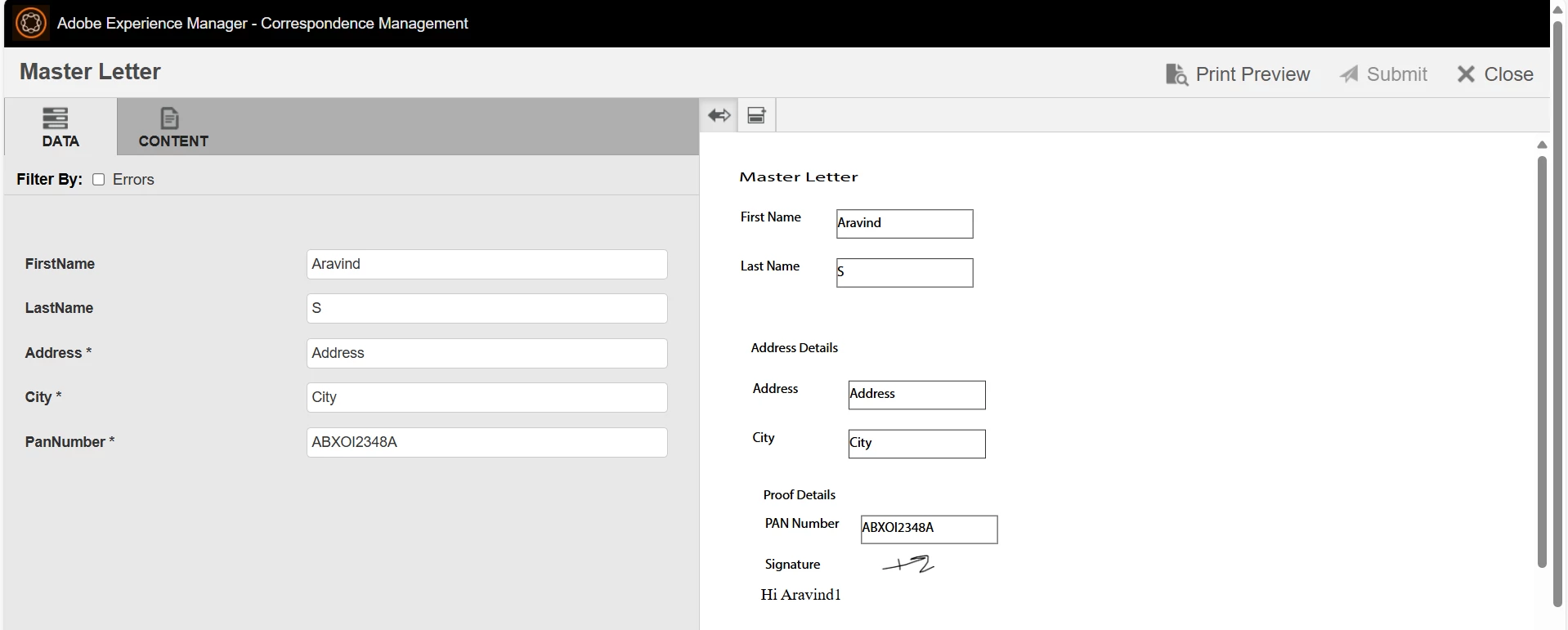


Thanks in advance.

1 reply

Adobe Employee
April 21, 2025

Hi @aravinds , 


Have you filled all the required fields? I hope you have not marked any field editable by agent, then marked it as required and disabled it for editing by agent. In this case, there is a bug where the field's required status is not removed once it is marked non-editable by agent? Also, can you check you url, does it cmPreview=1? If yes, make it cmPreview=0 and try. 


Regards,

Sufyan

aravindSAuthor
Level 5
April 22, 2025

Hi @sharoon23 ,

Thanks for your reply, i tried before only by changing the url param cmPreview=0 , is that is causing coz of the required fields or editable fields.

Requirement is like they will edit in the letter and want to see the end docx on the right side.