Correspondence Management Letter - Submit button not enabled | Community
Skip to main content
April 14, 2025

Correspondence Management Letter - Submit button not enabled

  • April 14, 2025
  • 1 reply
  • 935 views

Hi,

I have created the Sample Letter under correspondence management, but "Submit" button is not getting enabled even after filled all the values in form. Please suggest any possible solution. 

Additional Info : I'm using 6.5 aem on premise fellow packages installed(6.5.22 sp installed, adobe-aemfd-win-pkg-6.0.1328.zip , adobe-aemfd-compat-pkg-2.0.50). I can able to create the data dictionaries, data fragments (not getting any error).
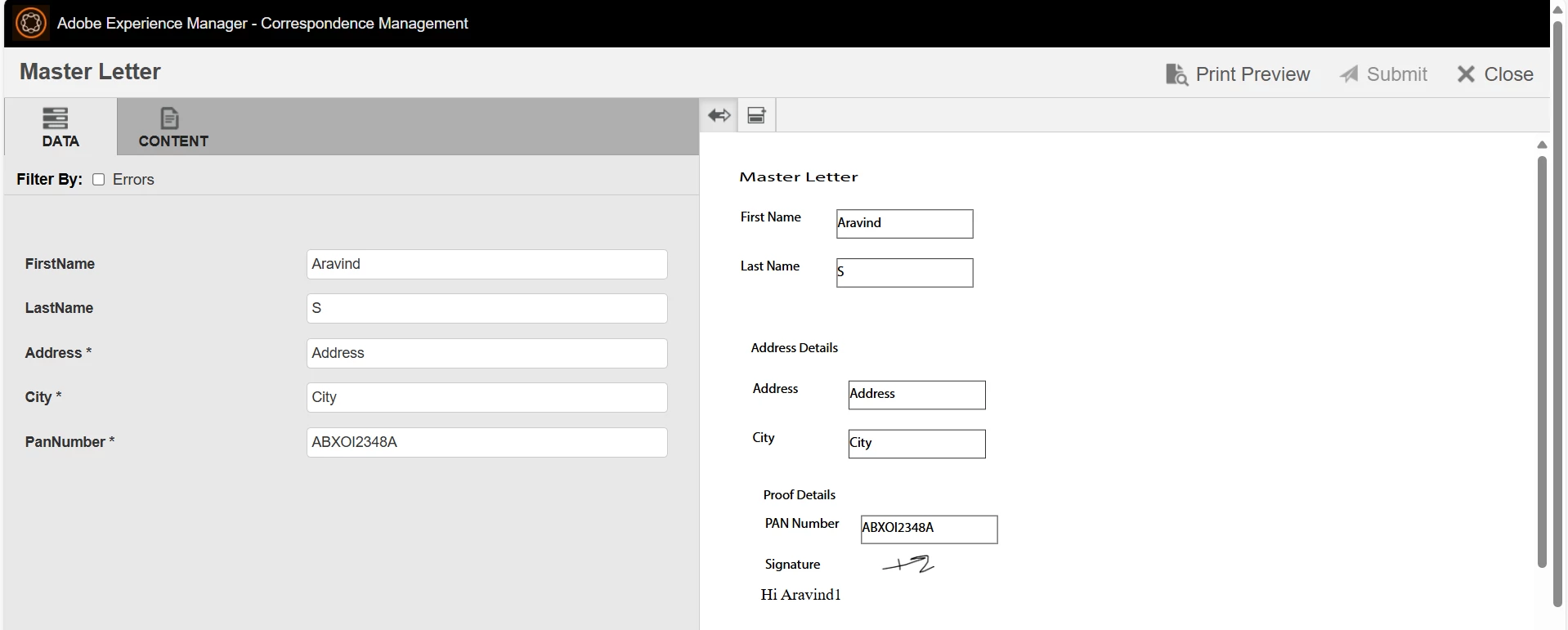


Thanks in advance.

1 reply

Adobe Employee
April 21, 2025

Hi @aravinds , 


Have you filled all the required fields? I hope you have not marked any field editable by agent, then marked it as required and disabled it for editing by agent. In this case, there is a bug where the field's required status is not removed once it is marked non-editable by agent? Also, can you check you url, does it cmPreview=1? If yes, make it cmPreview=0 and try. 


Regards,

Sufyan

Khushwant_Singh
Adobe Employee
Adobe Employee
April 28, 2025

@aravinds, Has the issue been resolved, or do you need more information?

Adobe Employee
April 29, 2025

Hi @khushwant_singh ,

Thanks for your reply. I tried but by default always submit button is disabled, 
How we can make submit button enabled by default.


@aravinds , 


I would request you to share more details or better open a support case with all the details. It is difficult to provide any further inputs without additonal information. 


cc: @khushwant_singh