Can we create a feature like save as a draft in aem form ? | Community
Skip to main content
Level 3
September 20, 2023
Solved

Can we create a feature like save as a draft in aem form ?

  • September 20, 2023
  • 1 reply
  • 1715 views

This way is a bit different not working as expected.


https://experienceleague.adobe.com/docs/experience-manager-65/forms/aem-forms-app/save-as-draft.html?lang=en


I wanted to save a form as a draft and if user re login should open same page where he stopped and when he submit the save as a draft form data should be deleted from table i.e where ever it was saved.

This post is no longer active and is closed to new replies. Need help? Start a new post to ask your question.
Best answer by Vijay_Katoch

Even i followed this step

  1. Download the following aem-fp-db-integration-sample-pkg-6.1.2.zip package to your file system.

    Sample package for database integration

    Get File

  2. Go to AEM package manager at https://[host]:[port]/crx/packmgr/.

  3. Click Upload Package.

  4. Browse to select the aem-fp-db-integration-sample-pkg-6.1.2.zip package and click OK.

  5. Click Install to next to the package to install the package.

  6. Go to AEM Web Console Configuration
    page at https://[host]:[port]/system/console/configMgr.

  7. Click to open Forms Portal Draft and Submission Configuration in edit mode.


But, also could not find Forms Portal Draft and Submission Configuration after installation of package. Is this configuration is only for aem 6.5 as i am using aem as cloud service.


https://experienceleague.adobe.com/docs/experience-manager-cloud-service/content/forms/adaptive-forms-authoring/authoring-adaptive-forms-foundation-components/configure-forms-portal.html?lang=en


In AEM as cloud have below options, Please follow above article.

Save Adaptive Forms As Drafts

You can save forms as Drafts for completing them later. There are two ways in which a form is saved as a draft:

  • Create a “Save Form” rule on a form component, for example a button. On clicking the button, the rule triggers and the form are saved a draft.
  • Enable Auto-Save feature, which saves the form as per the specified event or after a configured interval of time.

1 reply

Vijay_Katoch
Community Advisor
Community Advisor
September 20, 2023

You need to configure the Drafts & Submissions component. Have you seen the below article?

https://experienceleague.adobe.com/docs/experience-manager-65/forms/publish-process-aem-forms/draft-submission-component.html?lang=en


MunmunBoAuthor
Level 3
September 20, 2023

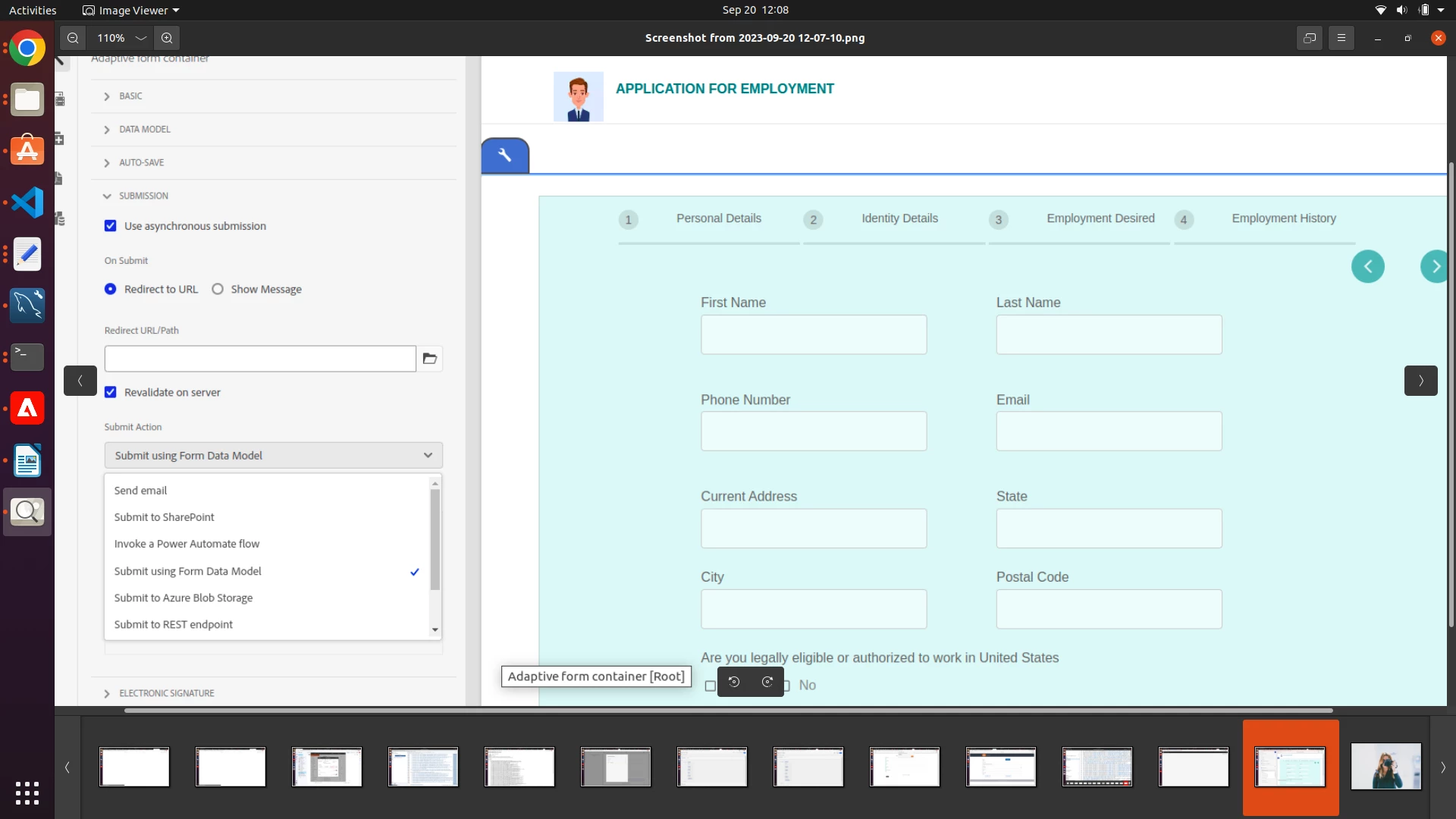
Yes i checked this article as i am using aem as a cloud service i cannot find Submit action to Forms Portal Submit Action. How can i implement without this


MunmunBoAuthor
Level 3
September 20, 2023

https://experienceleague.adobe.com/docs/experience-manager-cloud-service/content/forms/adaptive-forms-authoring/authoring-adaptive-forms-foundation-components/configure-forms-portal.html?lang=en


In AEM as cloud have below options, Please follow above article.

Save Adaptive Forms As Drafts

You can save forms as Drafts for completing them later. There are two ways in which a form is saved as a draft:

  • Create a “Save Form” rule on a form component, for example a button. On clicking the button, the rule triggers and the form are saved a draft.
  • Enable Auto-Save feature, which saves the form as per the specified event or after a configured interval of time.

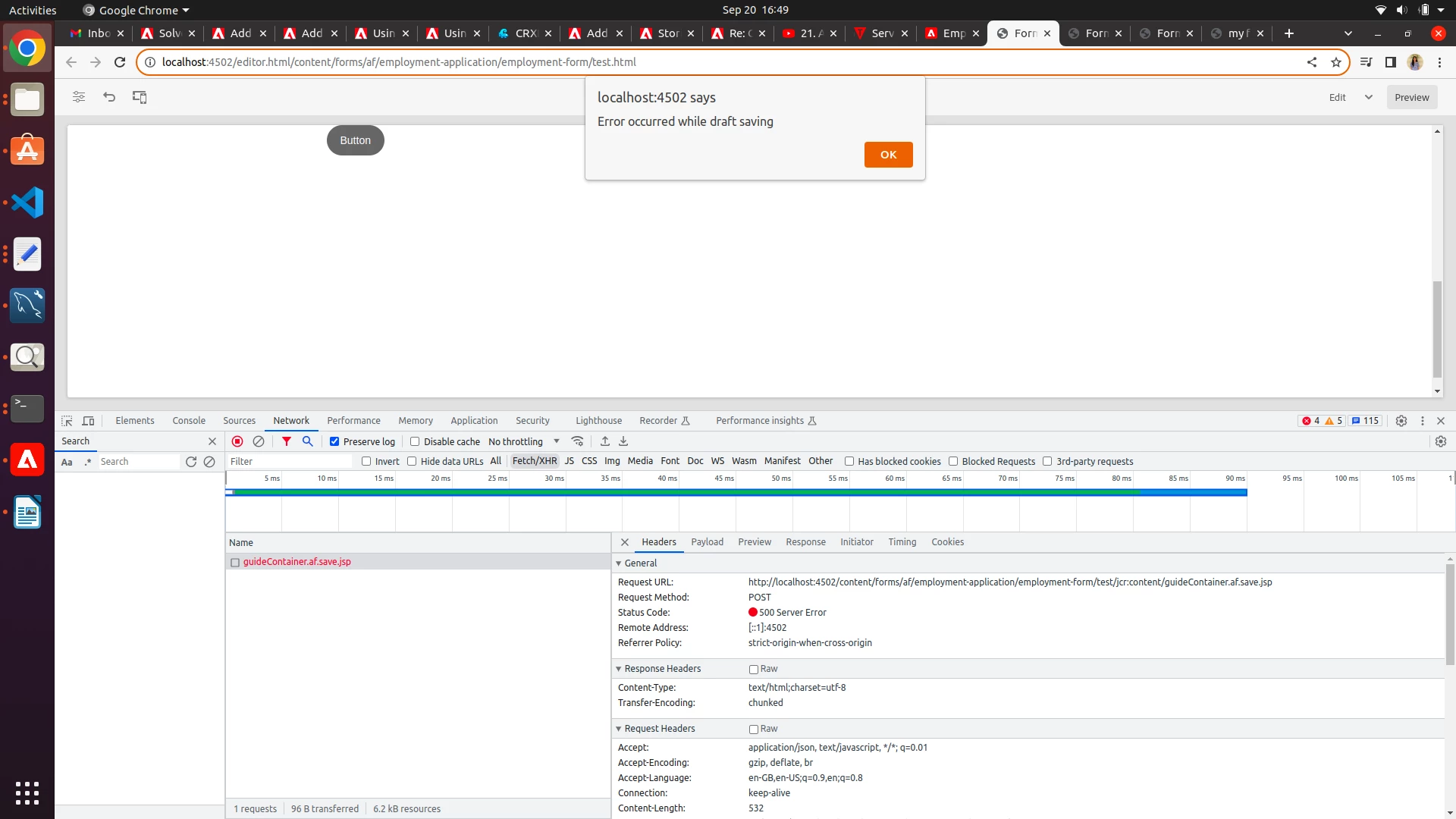
I tried this part but getting error as below image

Create Rules to Save an Adaptive Form as Draft

To create a “Save Form” rule on a form component, for example a button, follow the steps below:

  1. In the author instance, open an Adaptive Form in edit mode.
  2. From the left pane, tap  and drag the Button component to the form.
  3. Tap the Button component and then tap the
  4. Tap the Edit Rules icon to open the Rule Editor.
  5. Tap Create to configure and create the rule
  6. In the When section, select “is clicked” and in the Then section, select the “Save Form” option.
  7. Tap Done to save the rule.