Calculations and Flowed Subforms
Hi experts!
I have a dynamic form created in Adobe LiveCycle Designer ES4 and I have a few stumbling blocks.
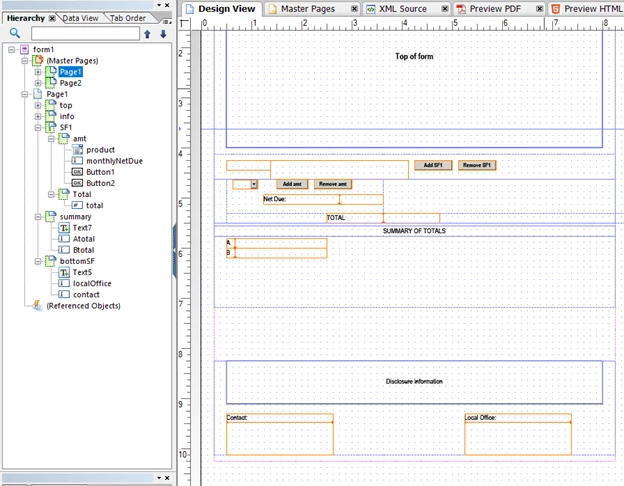
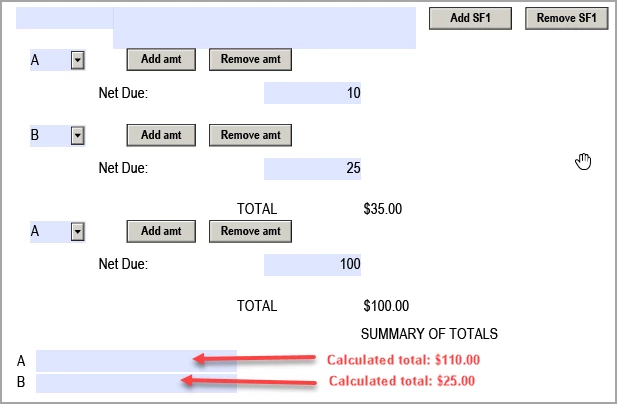
Here is a screen shot of the stripped down version of what I’m trying to create:
Problem #1:
Subform called amt has a drop-down with A and B options and a field called monthlyNetDue to enter a dollar amount. Instances are added or removed using buttons. This subform is wrapped into subform called SF1 and this subform can be added/removed using buttons.
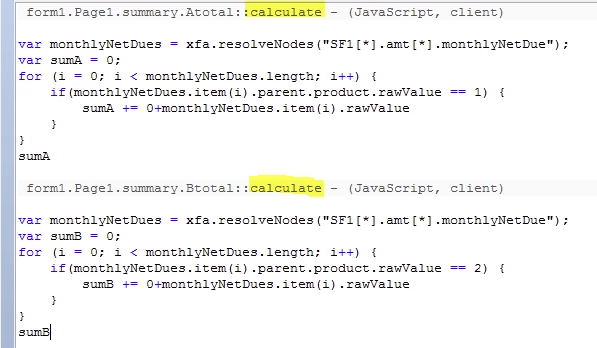
Following the SF1 subform is a subform called summary. There are two fields Atotal and Btotal. These fields need to calculate the total of the amounts entered in amt subform monthlyNetDue field. I don’t know how to script the calculation for these two fields. Can someone provide the script for these calculations?
Example:
Problem #2:
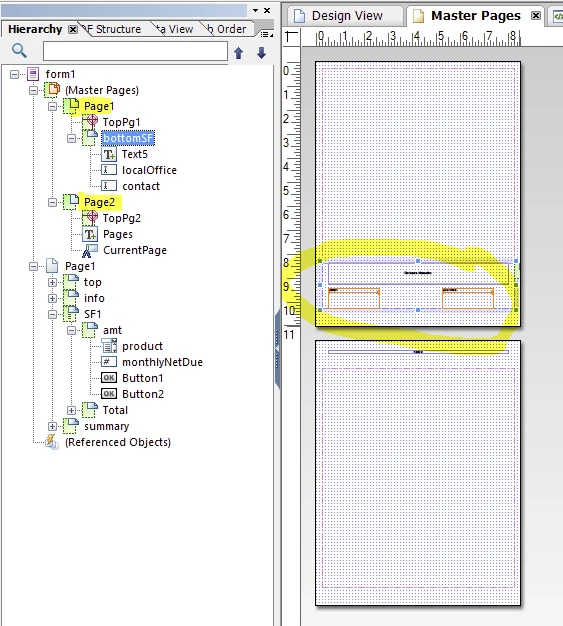
Subform called bottomSF has two fillable fields and needs to be at the bottom of each page. When subform SF1 and/or amt subform are added and fill up page one, I want bottomSF to remain on page 1 and not flow to the next page.
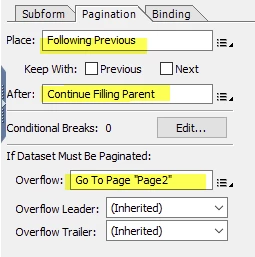
I set up a Master Page 2 that has the same two fillable fields from the bottomSF so they autofill, but this doesn't help for page 1 because of the fillable fields. I want SF1 and summary subforms to overflow onto Master Page 2 and somehow keep bottomSF positioned on the first page. Is this possible?
Master Page 2: