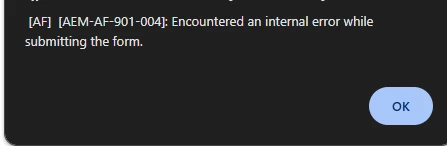
@user17174 : Do you still see this Issue ?
Have you Validated the CORS Setting ?
Please Note For enabling CORS, you'll need to configure the CORS settings in the OSGi configuration of AEM. The OSGi configuration is used to define the criteria for accepting CORS HTTP requests.
You can access the OSGi configuration through the AEM Web Console Configuration Manager at http://<server>:<port>/system/console/configMgr.
The key configuration properties include:
a) alloworigin and/or alloworiginregexp: Specifies the allowed origins that can access the server.
b) allowedpaths: Specifies the URL path patterns that are allowed from the specified origins.
c) supportedmethods: Indicates which HTTP methods (GET, POST, etc.) are allowed.
d) supportedheaders: Lists the headers that are allowed in CORS requests, such as "Authorization" for authenticated requests.
Reference Documentation : https://experienceleague.adobe.com/en/docs/experience-manager-learn/foundation/security/develop-for-cross-origin-resource-sharing
Thanks,
Utkarsh