Solved
aemforms workbench installation failure
Execution of aemforms_workbench_6_X_0\run_windows_installer.bat from a known good installer returns a pop-up:
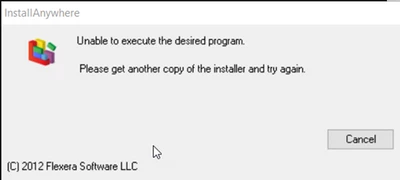
Has anyone experienced this issue before?
Execution of aemforms_workbench_6_X_0\run_windows_installer.bat from a known good installer returns a pop-up:
Has anyone experienced this issue before?
@frustratedfootballer you can get it from the adobe software distribution portal.
The problem was resolved by changing the TEMP and TMP user and system windows variables to directory paths without "temp" or "tmp" in the path for the duration of the install. Note that if the install had to be repeated then these variables would have to be changed again.
Enter your E-mail address. We'll send you an e-mail with instructions to reset your password.