AEM Forms + Experience Fragments + Adobe Target | Community
Skip to main content
Adobe Employee
January 12, 2022
Solved

AEM Forms + Experience Fragments + Adobe Target

  • January 12, 2022
  • 3 replies
  • 2102 views

Hi, I have a question, we can create Experience Fragments in AEM and can export to Adobe Target to use them as offers, Question:? the same can be applied to AEM forms? can EF can be created for AEM forms and can be exported to Adobe Target?

Thanks for the needful.
This post is no longer active and is closed to new replies. Need help? Start a new post to ask your question.
Best answer by GirishBedekar

Thanks for quick reply, 


The use case is client wants to use the fragments created in AEM forms exported to Adobe Target, and In Adobe Target UI, through VEC they would be able to replace the content with fragments.


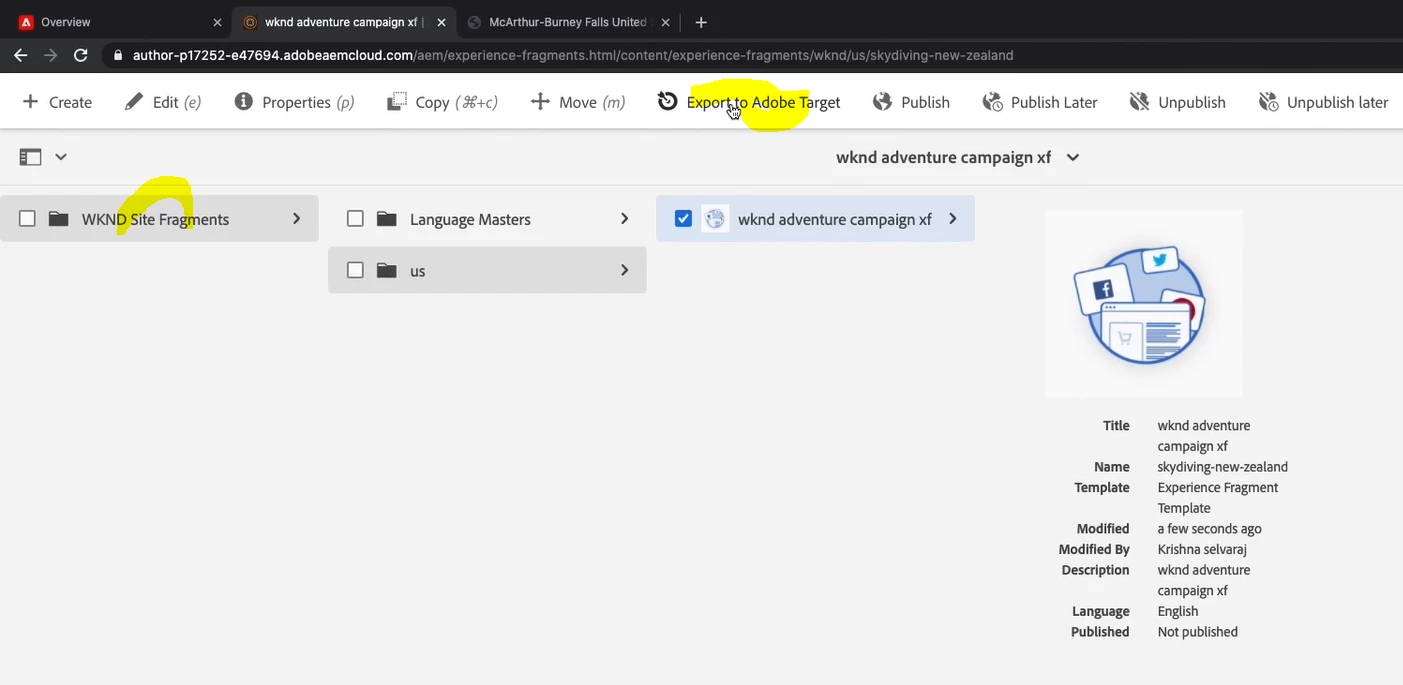
With AEM experience fragments, in the below screen shot we can export EF to Target, for Adaptive form fragments do we also have the same option to export to Adobe Target.

Thanks for your help.


No Adaptive Form fragments cannot be used with target

and you cannot create or use experience fragments in AEM Forms

3 replies

January 12, 2022

Currently EF cannot be used in AEM Forms

January 12, 2022

No, Experience Fragments cannot be used with forms

if I may ask what is the use case?

AEM Forms has adaptive forms fragments 

Adobe Employee
January 12, 2022

No Adaptive Form fragments cannot be used with target

and you cannot create or use experience fragments in AEM Forms


Girish, Thanks for your time and reply.

Mayank_Gandhi
Adobe Employee
Adobe Employee
January 13, 2022

@khadarvalib  This use-case isn't supported with AEM forms.

Adobe Employee
January 18, 2022

Hello @khadarvalib ,

I think you can make this work the other way. We can include the Adaptive Form Components in Experience Fragment (By Allowing the Forms Components in XF Template) and then we can export to Target.


We can then include the XF in Sites Page instead of embedding the Adaptive Form to Sites Page.


Regards

Sameer Dhawan

Adobe Employee
January 25, 2022

Thanks Sameer, will try this out.
