AEM Forms Blank template missing after upgrade from AEM 6.3 to AEM 6.4.6 | Community
Skip to main content
Level 2
January 22, 2020
Solved

AEM Forms Blank template missing after upgrade from AEM 6.3 to AEM 6.4.6

  • January 22, 2020
  • 3 replies
  • 5642 views

Hi,

Previously in AEM 6.3, there used to be forms blank template which can be selected to create a form ( cq:template=/libs/fd/af/templates/blankTemplate2). Now i dont see this template anymore after upgrading to AEM 6.4.6.0. In the upgraded version, we have to a first create a template from create template wizard and use it for form creation (cq:template=/conf/aarp/settings/wcm/templates/<custom template>)


Wanted to confirm if this is the case. We have all the forms created based on previous experience and now the authors are not able to do certain operations (move, copy etc) with the form. What are our options here? 
This post is no longer active and is closed to new replies. Need help? Start a new post to ask your question.
Best answer by Mayank_Gandhi

Hi @prabudossh 


The method has changed a little. Unless you have sample package that gives few template option here is what you have to do.


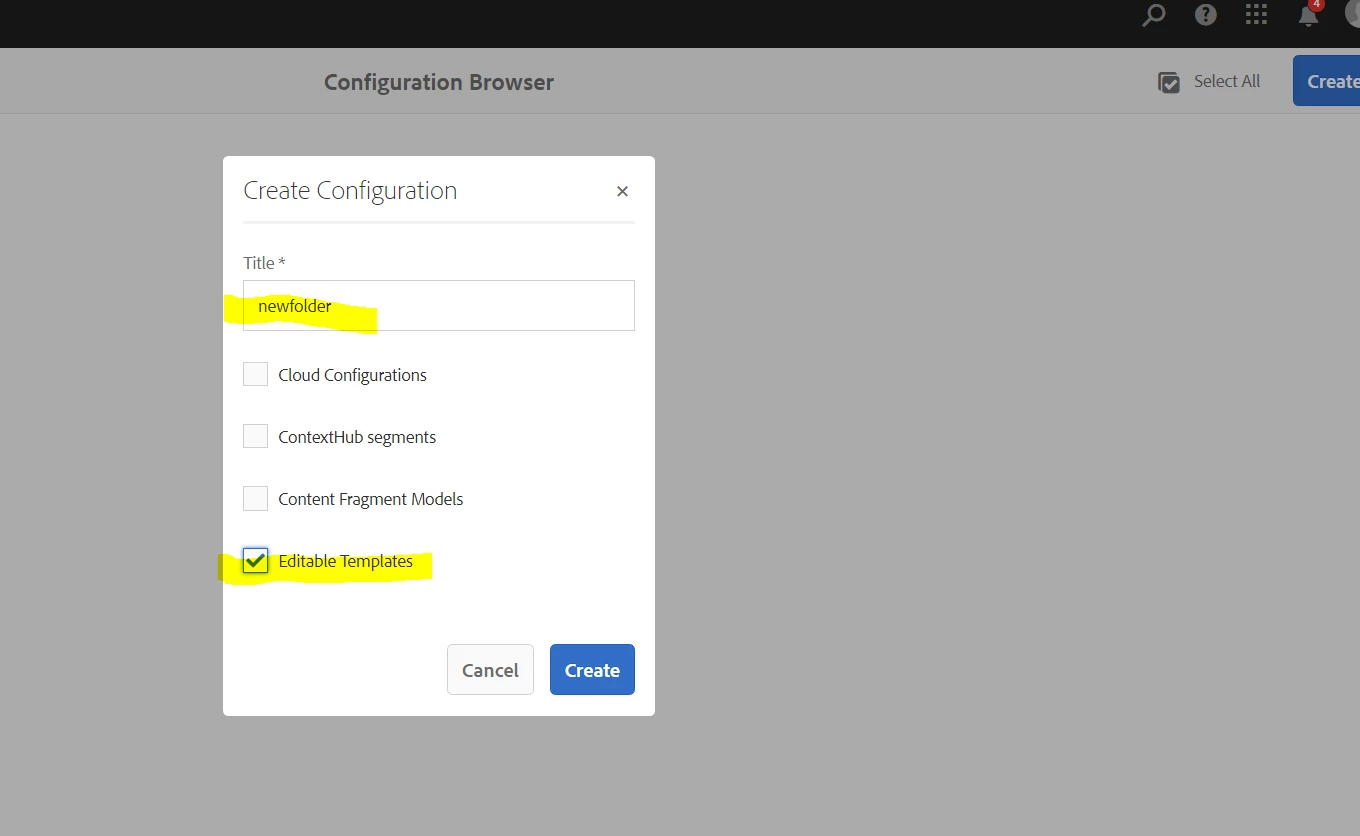
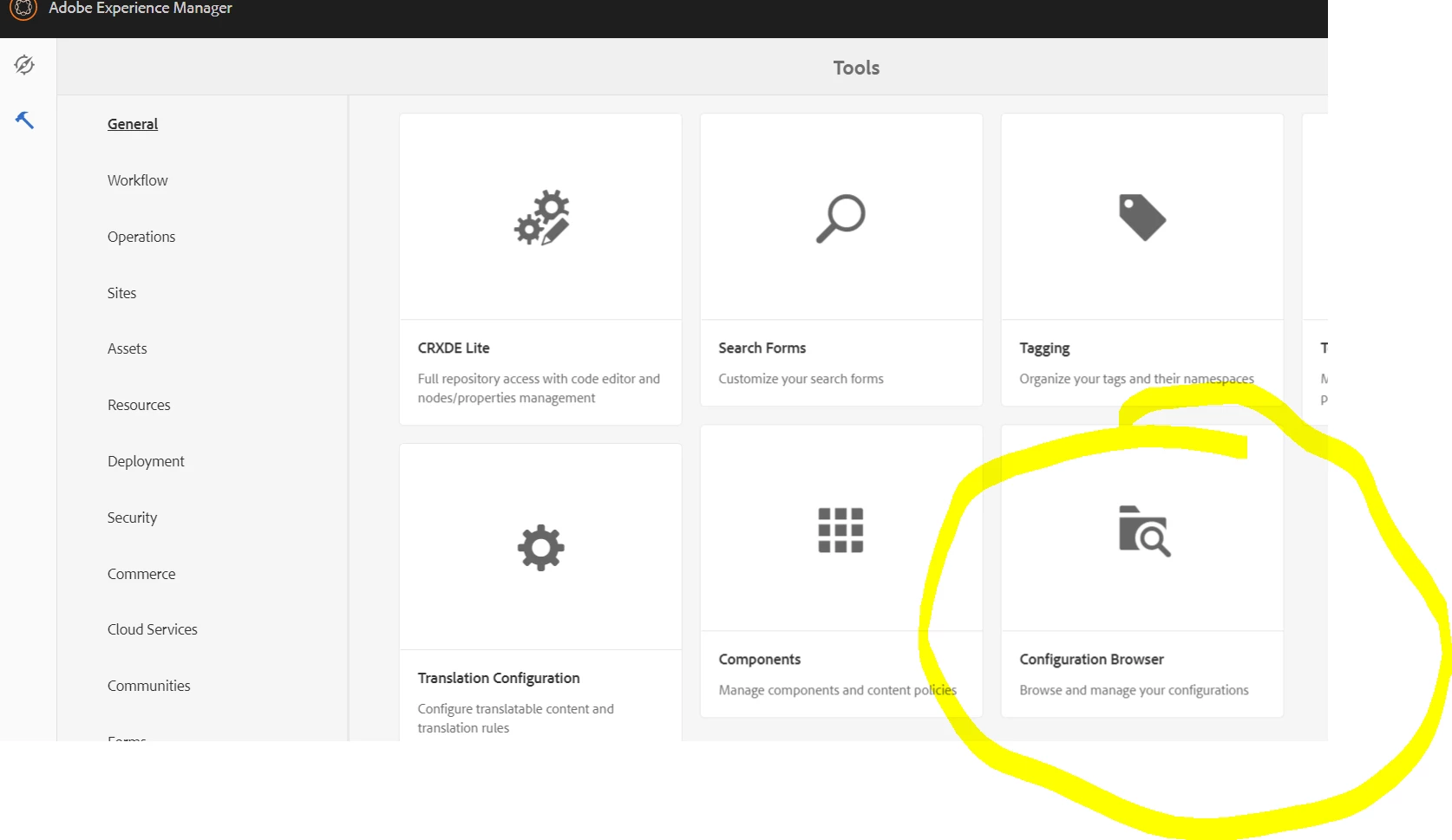
You need to create a folder using configuration browser which allows creation of Editable template and under this folder you need to create a blank template using template editor. 


Step 1:  Navigate to configuration browser


2> Create a new folder with Editable template, you can allow cloud configuration as well. No harm


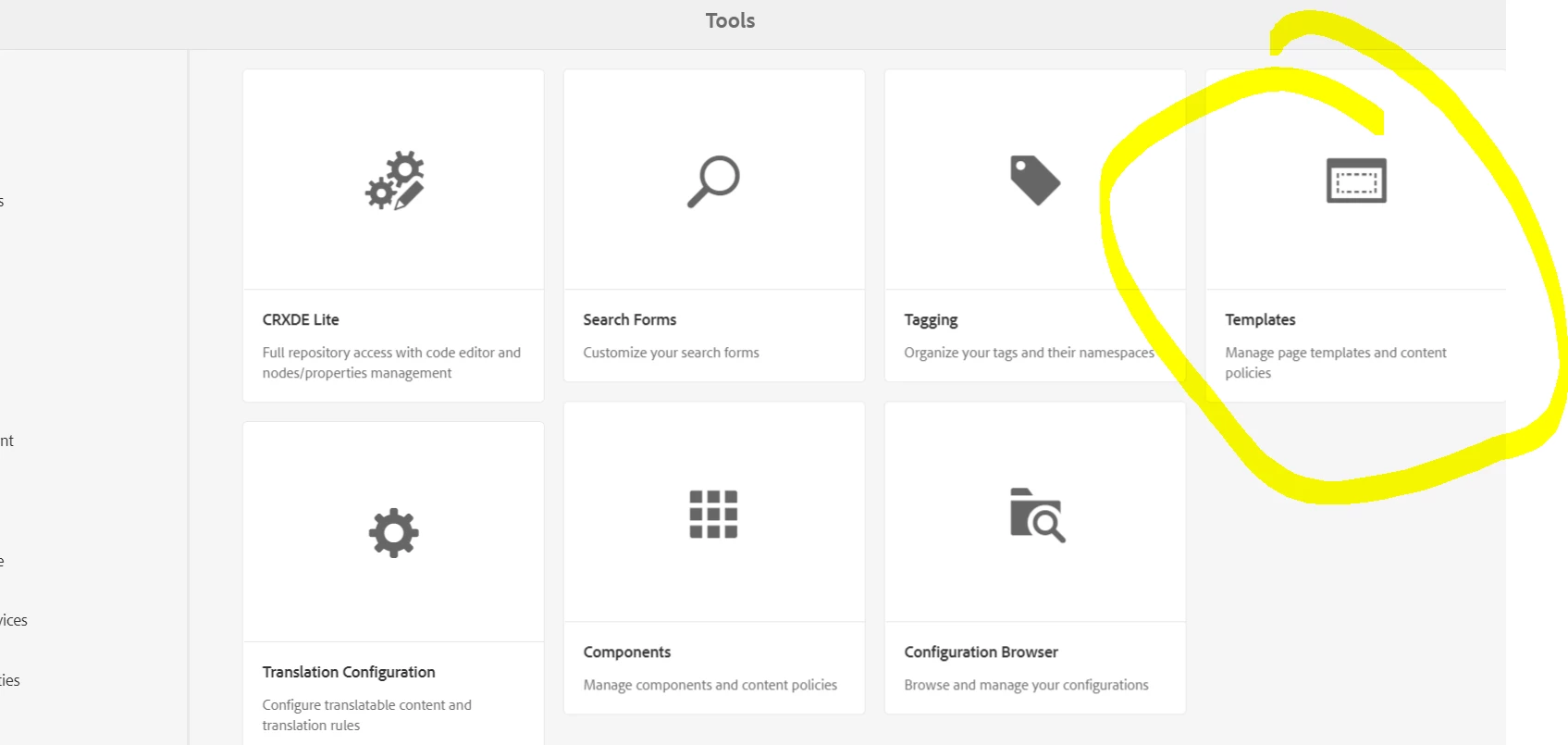
3>  Navigate to template editor


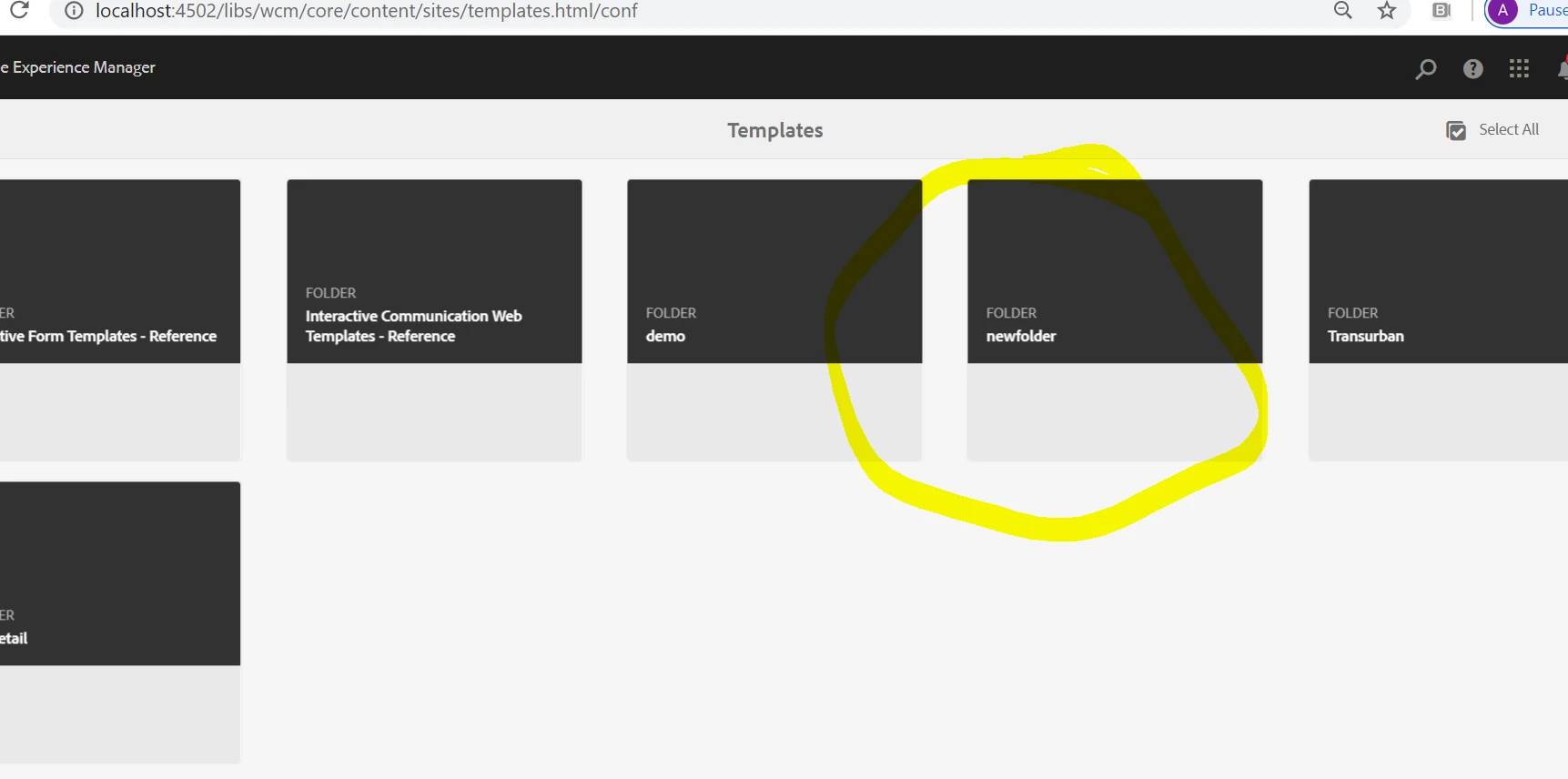
4> You will see the folder you created


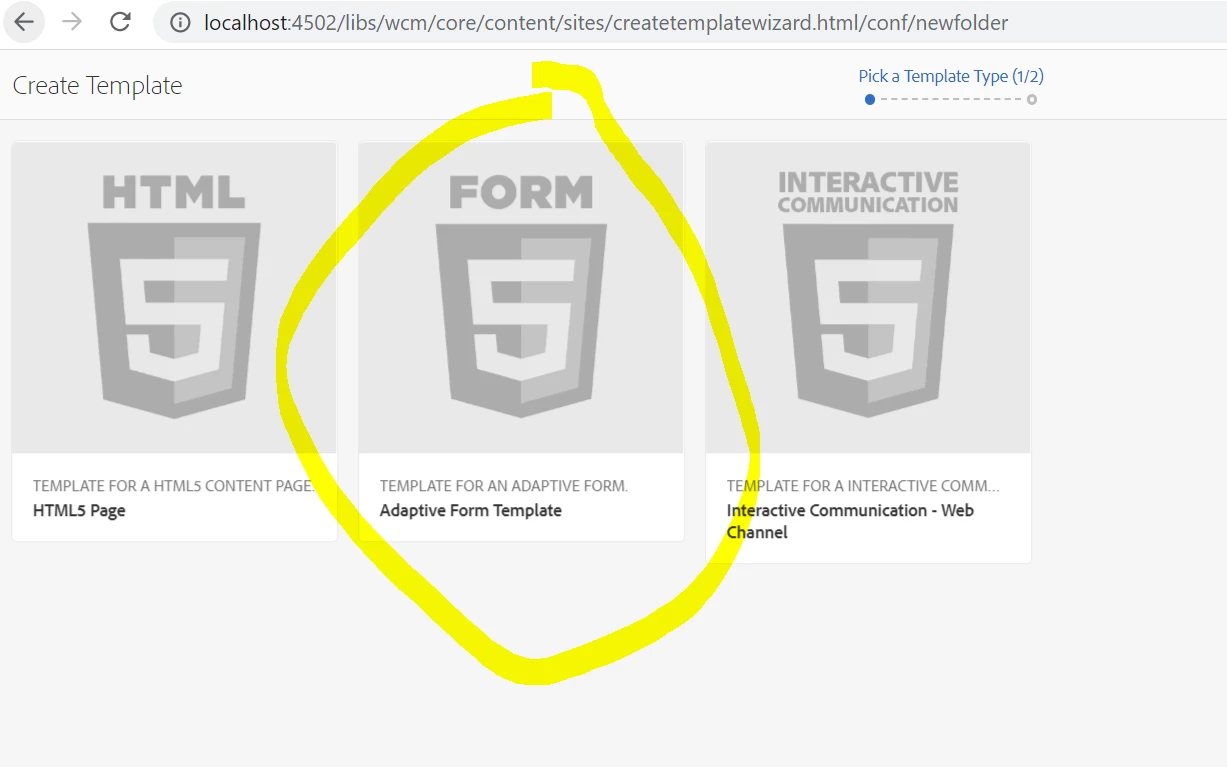
5> Create a new template and select Adaptive form template


6> And that's it. You're good to go!


Thanks,

Mayank

3 replies

Adobe Employee
January 23, 2020

cq:template=/libs/fd/af/templates/blankTemplate2 were used till AEM Forms 6.3 and they are older/static templates. Starting from AEM Forms 6.4, dynamic templates are now used. These are similar to AEM Sites templates. You can find details at the below article:

https://helpx.adobe.com/in/experience-manager/6-4/forms/using/template-editor.html#Workingwithtemplates


Also you require compatibility package for older templates. For details, see https://helpx.adobe.com/experience-manager/6-4/forms/using/compatibility-package.html

Level 2
January 27, 2020

Thanks for the response @abhishs . While we look into the possibility of installing compatibility package to get older templates back, I am not seeing the option of selecting "Adaptive Form Template" in the create template wizard by navigating to "Adobe Experience Manager" -> "Tools" -> "Templates". I see it in my local but not in any other envs maintained by client. Do i need to check anything in-specific?

Mayank_Gandhi
Adobe Employee
Mayank_GandhiAdobe EmployeeAccepted solution
Adobe Employee
January 31, 2020

Hi @prabudossh 


The method has changed a little. Unless you have sample package that gives few template option here is what you have to do.


You need to create a folder using configuration browser which allows creation of Editable template and under this folder you need to create a blank template using template editor. 


Step 1:  Navigate to configuration browser


2> Create a new folder with Editable template, you can allow cloud configuration as well. No harm


3>  Navigate to template editor


4> You will see the folder you created


5> Create a new template and select Adaptive form template


6> And that's it. You're good to go!


Thanks,

Mayank

Mayank_Gandhi
Adobe Employee
Adobe Employee
January 31, 2020

You can migrate/upload the old template as is and run the migration utility shared by Abhishek earlier and that's an ideal way to go around it.