AEM Forms 6.4 Configuration Manager fails to modify lc_turnkey.xml
I have installed AEM Forms 6.4 on Windows Server 2012 R2 using partial turn-key installation with SQL Server 2012 database. First time installation and configuration completed successfully. But if I subsequently want to change my DB settings and run Configuration Manager, it fails on the following step:
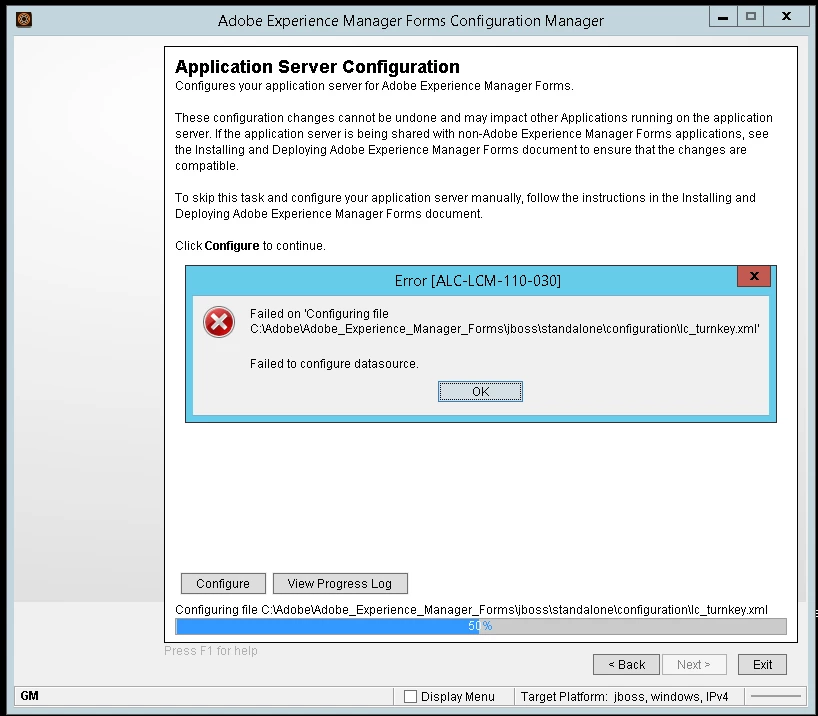
In the Configuration Manager log, I found the following error entry:
Caused by: com.adobe.livecycle.lcm.core.LCMException[ALC-LCM-000-000]: Replacement failed for '>jdbc:sqlserver://localhost:1433;DatabaseName=adobe<' with '>jdbc:sqlserver://[my_sql_hostname]:1433;DatabaseName=[my_db_name]<'
Well obviously lc_turnkey.xml does not contain the string jdbc:sqlserver://localhost:1433;DatabaseName=adobe anymore, hence I found the following workaround:
- After the initial installation and BEFORE Configuration Manager runs for the first time, save somewhere the original version of lc_turnkey.xml.
- On subsequent runs of Configuration Manager, delete lc_turnkey.xml and replace it with the original version before clicking "Configure" on the above screen.
My questions is - is this a known issue that has a fix?
Thank you